I’ve been testing WriteHuman AI for content writing and I’m not sure if it’s worth fully adopting for my workflow. Some outputs feel natural while others seem generic or off-brand. Can anyone share real-world experiences, pros and cons, and whether it’s reliable for consistent, high-quality writing? I’m trying to decide if I should upgrade or look for an alternative.
WriteHuman AI Review
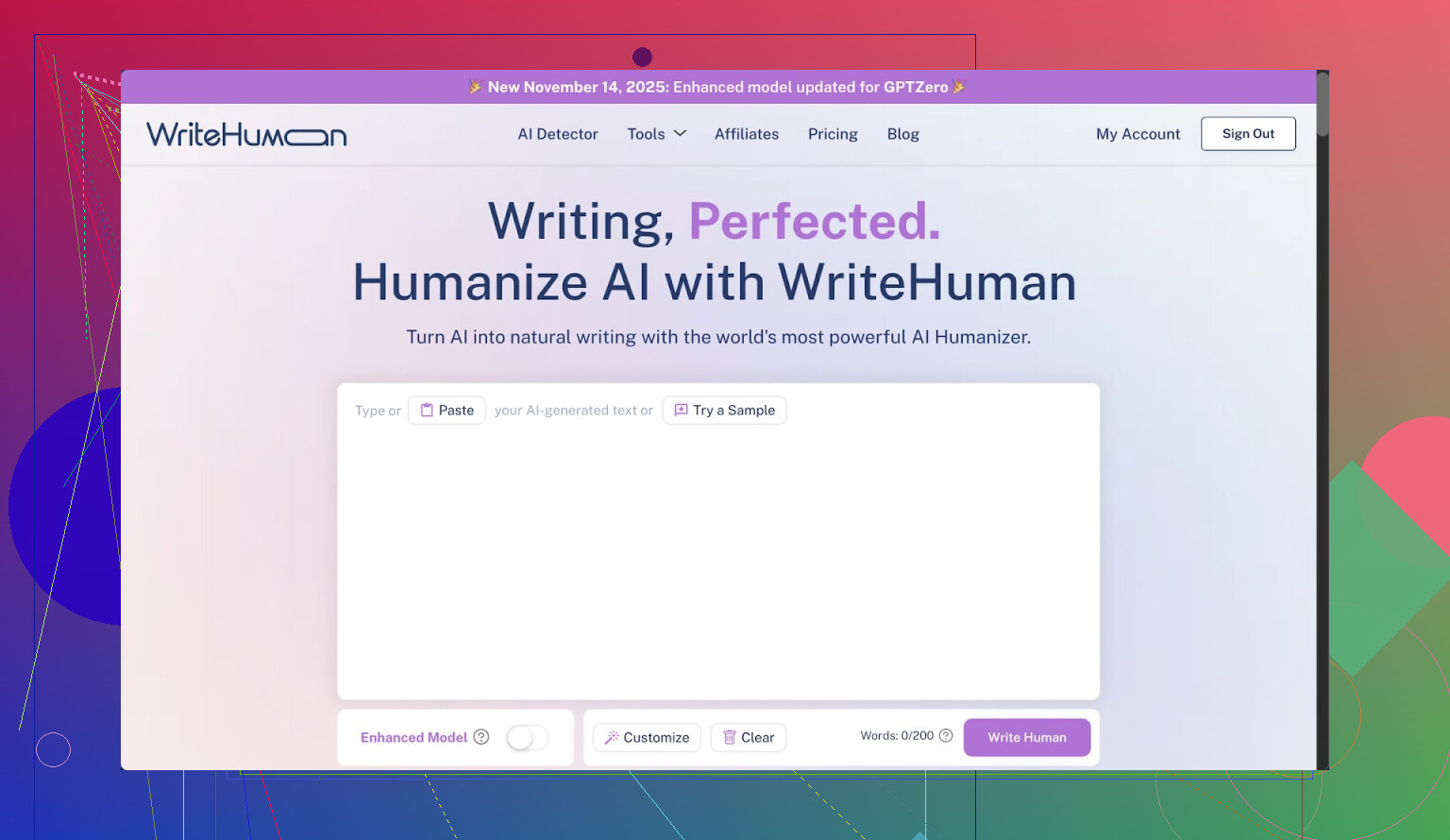
I tried WriteHuman after seeing it advertised as something built to beat GPTZero. They mention that detector by name, so I expected at least decent performance there.
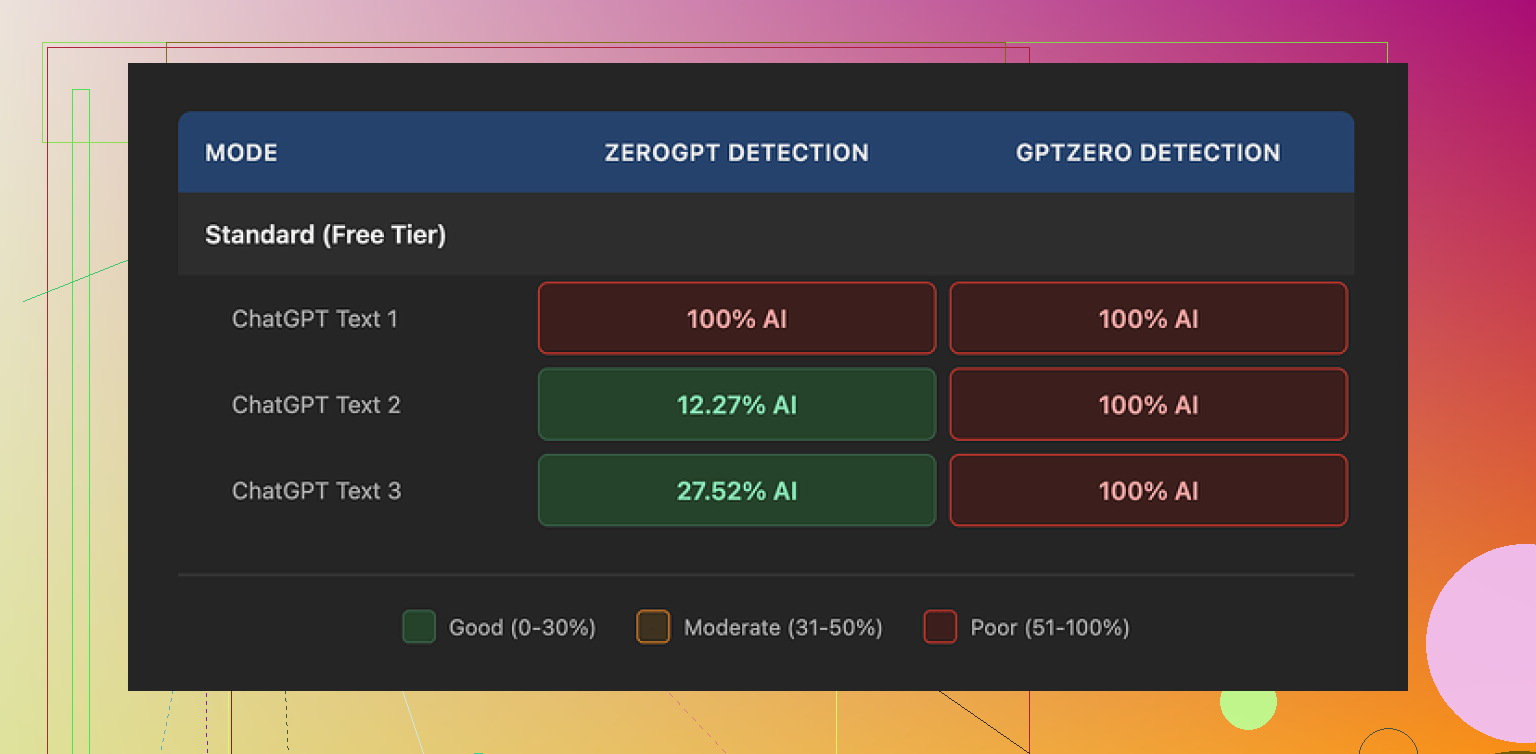
I took three different samples that I ran through WriteHuman, then pushed the outputs into GPTZero. Every single one came back as 100% AI. No wiggle room. Nothing borderline.
To see if it was only GPTZero being strict, I threw the same outputs into ZeroGPT. That one behaved a bit strange:
• Sample 1: 100% AI
• Sample 2: about 12% AI
• Sample 3: about 28% AI
So, sometimes it looked better, sometimes not much. Detection scores bounced around without a clear pattern.
On the writing side, the text from WriteHuman felt off to me. One output suddenly shifted tone halfway through, like two different writers took turns. I also spotted a straight typo, “shfits” instead of “shifts”. That sort of mistake might help trick some detectors, but it hurts if you plan to use the text as is for anything public or important. I ended up editing a lot by hand to make it look consistent and not weird.
On pricing, it is not cheap. Their Basic plan on annual billing is $12 per month for 80 requests. You do get access to an “Enhanced Model” on paid plans and more tone options, which they imply should give better results, but the terms on their own site state they do not guarantee detector bypass. That matters because they also have a strict no-refund policy. If it performs poorly with your use case, you are stuck.
Another thing that pushed me away is the data policy. Your text is licensed for AI training by them. So if you are working with sensitive material, or you do not want your writing fed back into someone else’s model, your only safe move is to not upload it at all.
For comparison, I also tried Clever AI Humanizer from here:
From my own runs, Clever AI Humanizer did better on detector scores and did not put a paywall in front of basic use. That difference alone made it easier to test and adjust without worrying about burning through a paid quota or arguing with support about refunds.
10 Likes
I had a similar experience to you, but with a slightly different angle than @mikeappsreviewer.
Short version. I would not build a whole workflow around WriteHuman unless you treat it as a light post-processor and you do not care much about AI detectors.
Here is how it behaved for me in real use.
- Tone and brand fit
I fed it:
- a product review outline
- a SaaS landing page section
- an email sequence for an existing list
Result pattern:
- Short pieces, under 300 words, were decent. Tone stayed closer to the input and felt “human enough”.
- Longer outputs drifted. First few paragraphs matched my brand voice, last ones felt like generic blog filler.
- It likes safe phrases. You get the same kind of “helpful, informative” structure across niches, so if your brand relies on a strong, unusual voice, you will need to rewrite a lot.
If your content is more utility focused, like how‑to docs or feature lists, it works better. For personality heavy content, it fights you.
- Editing load
My average edit time:
- From my own draft to publish: 10–15 minutes per 1k words.
- From WriteHuman output to publish: 20–25 minutes per 1k words.
I spent extra time:
- fixing tone shifts in the middle of sections
- removing repetitive sentence starters
- correcting small errors and odd phrases
So for me it did not save time. It helped when I had writer’s block, but it slowed me down for production work.
- AI detection angle
I tested a bit different than @mikeappsreviewer.
Workflow:
- Wrote a human draft.
- Ran it through WriteHuman with minimal changes.
- Checked with GPTZero and Originality.ai.
Results:
- Sometimes detection scores improved a little.
- Sometimes they got worse because the text became more uniform and pattern heavy.
No consistent win. If your main reason is to “beat” GPTZero, I would not rely on it. Also, detector scores shift over time as models update, so whatever works today might fail in a month.
-
Pricing and usage pattern
The pricing is not insane, but the per‑request limit adds pressure. I found myself “saving credits” instead of experimenting freely. That kills iteration. If you need daily tweaking and lots of small tests, the quota gets in the way. -
Data policy
This part is a dealbreaker for client work. Anything under NDA or with sensitive numbers, I refuse to run through tools that train on user data. If your workflow involves clients or internal docs, keep those out of WriteHuman entirely. -
Where it did help
- Quick paraphrasing when I needed alternative wording.
- Slightly “messing up” obviously AI text for internal drafts.
- Generating variants of intros and CTAs as ideas, not as final copy.
So I keep it as an optional helper, not as a core writing engine.
- Alternative worth trying
Since you mentioned workflow, not only detection, I would look at Clever AI Humanizer. I tested it for:
- taking my AI‑generated draft
- passing it through as a last step
- doing a light human edit after
For this use, Clever AI Humanizer behaved more consistently on detectors and did not lock me behind a steep paywall right away. The free access made it easier to tune prompts and see where it breaks without feeling like I was burning paid credits. It also stayed a bit closer to my original voice when I fed it strong samples.
My suggestion for your case:
- Use your main LLM for structure and content.
- Use something like Clever AI Humanizer as an optional last pass, only on pieces where detection or “robotic tone” is a concern.
- Keep WriteHuman only if you find one narrow use where it clearly saves you time.
If you feel outputs are already off‑brand and you are doing heavy edits, it is not earning its spot in your stack.
I’m in a similar boat, been playing with WriteHuman for a few weeks as a “last mile” tool in a content stack.
My take, trying not to repeat what @mikeappsreviewer and @kakeru already covered:
-
Where it actually worked
For me it was usable only in very controlled scenarios: short updates, quick social captions, or light paraphrasing of stuff that was already on‑brand. If I fed it a strong example of my voice and told it to “rephrase slightly, keep structure,” it did… okay. Not amazing, but it didn’t wreck the tone completely. Anything more open‑ended than that started to feel like stock blog copy. -
Brand voice problem
You mentioned some outputs feel natural and some off‑brand. That inconsistency never really went away for me. Even when I tried feeding it detailed style guidelines, it had this tendency to flatten everything into the same safe, “friendly, professional, helpful” vibe. If your brand is quirky, sarcastic, or niche‑technical, you’ll be manually fixing a lot of sentences. That’s the part that killed it in my workflow: I was spending more time repairing the voice than if I’d just written from scratch. -
Workflow fit
I actually disagree a bit with the idea of using WriteHuman as a general post‑processor for all content. In my case, once I factored in:
- copy‑pasting into their UI
- waiting for the transform
- re‑editing for voice
it broke my flow. For longform pieces, it became this annoying extra step rather than an accelerator. I ended up using it only for small chunks I didn’t care deeply about (like placeholder text, internal docs, or drafts that would be heavily rewritten anyway).
-
AI detection angle
I played with detectors too, but honestly, I’ve stopped making that my primary goal. Scores jumped all over the place depending on the tool and the day. Sometimes WriteHuman helped a bit, sometimes it made things more predictable and got flagged higher. If you’re adopting it mainly to “beat” GPTZero or similar, I wouldn’t anchor your whole workflow on that. Detectors change, and your process becomes a game of whack‑a‑mole. -
Cost vs. benefit
Cost is not just the subscription price for me, it’s “how many minutes do I lose per piece?” Once I tracked that, I realized it wasn’t a net win. You also have to be comfortable with their data/training policy, which ruled it out for any client or internal content on my end. That alone is a hard limit on where it can live in a serious workflow. -
What I’d actually do in your situation
If you already feel:
- outputs are sometimes generic
- you’re fixing tone a lot
- you’re unsure about fully adopting it
then it’s probably telling you something. I’d keep it only for:
- breaking writer’s block
- quick rewrites of low‑stakes content
- experimenting with different phrasings
For anything you care about (brand pages, campaigns, longform pieces), I’d stick to your main LLM + your own edits. If you still want a “humanizing” layer, I’d test something like Clever AI Humanizer as a separate step. Not because it’s magically perfect, but because it tends to be easier to plug in as a small, optional pass at the end rather than rebuilding your entire workflow around a single tool.
TL;DR: I wouldn’t fully adopt WriteHuman as a core part of your process. Treat it as a niche helper, not the foundation. If a tool makes your content feel “generic or off‑brand” unless you babysit it, it’s not earning its spot, no matter how clever the marketing is.