If someone asked you whether to try VLC, would you recommend it based on your experience?
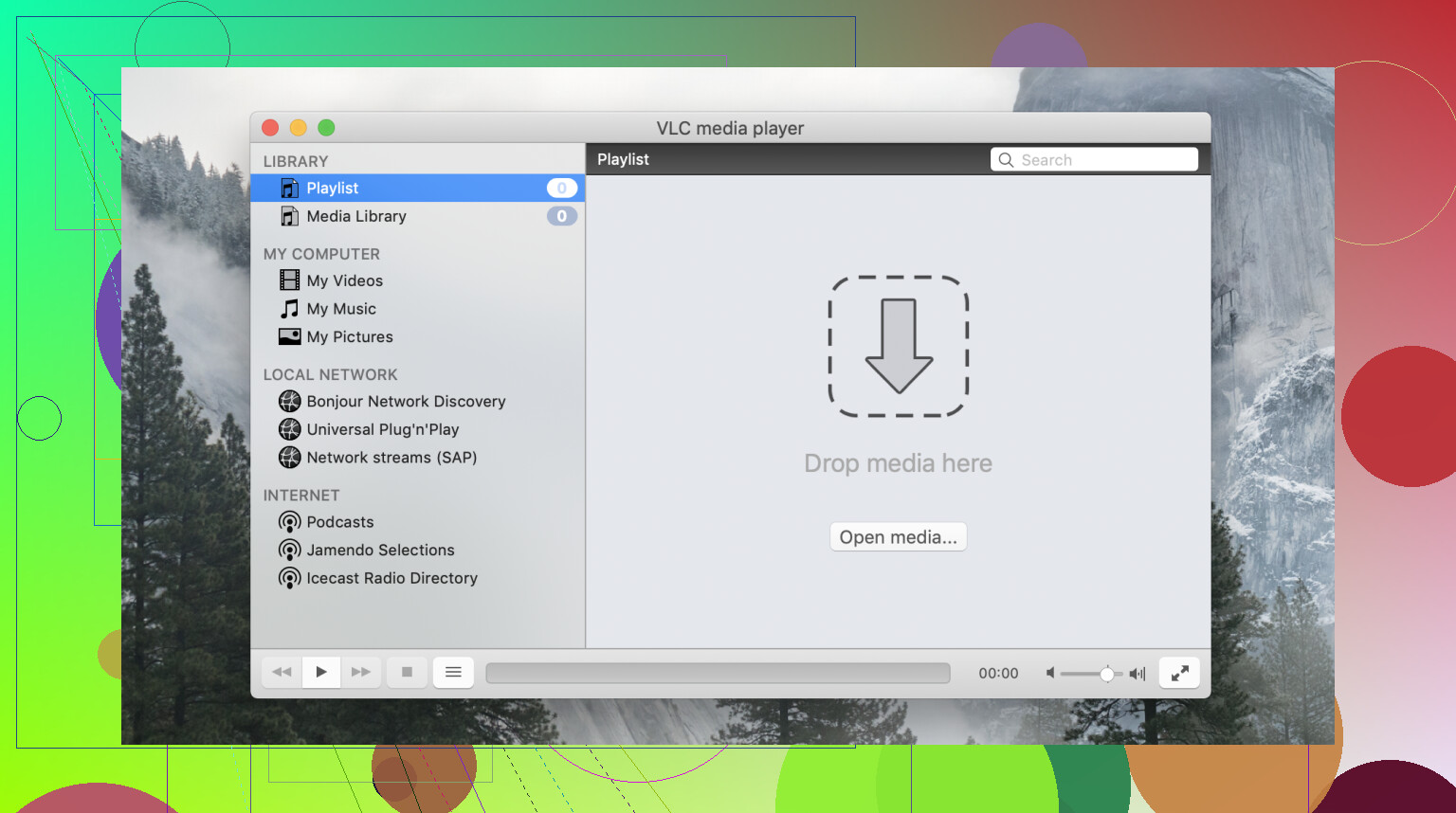
I’ll be the first to admit it: opening VLC feels like stepping into a time capsule from the early 2000s. While it’s undeniably functional, the interface is, quite frankly, ancient. It completely ignores modern platform-specific design conventions; on macOS, it feels like an awkward port rather than a native application.
Users frequently roast the UI for being “utilitarian” or “clunky,” and they aren’t wrong. While you can technically apply skins to mask the grey-box aesthetic, the default experience remains stuck in the past. If you’re looking for sleek transparency effects or intuitive, modern navigation, you simply won’t find them here.
 A Multipurpose Powerhouse
Despite the dated look, I find VLC’s versatility hard to beat. It isn’t just a simple file player; it handles local media, network streams, and DLNA/Plex integration with high reliability. Because it is completely free, ad-free, and open-source, there is a level of transparency you just don’t get with commercial software.
The project is funded by donations and driven by a global community that prioritizes accessibility and privacy over profit. There’s something refreshing about using a tool that isn’t trying to sell you a subscription or harvest your viewing habits for data.
 Compatibility: The “Play Anything” King
The primary reason I keep VLC installed, and likely why you do too, is its exhaustive codec support. It handles virtually every format you can throw at it, from obscure .mkv files to legacy AVI containers. If a file is partially corrupted or uses a bizarre compression standard, VLC is usually the only player that can successfully render it.
 Common Friction Points
Even a legendary piece of software has its bad days. In my experience, there are two recurring pain points that tend to crop up:
- Audio/Video Sync & Playback Issues: Occasionally, you’ll run into the “black screen” bug where audio plays but video doesn’t. Fixing this often requires digging through deep, intimidating settings menus to manually reset preferences or toggle hardware acceleration.
- M1/Silicon Mac Performance: While a native Apple Silicon version exists, users frequently report stability issues on M1 and M2 Macs. From unexpected crashes to “not responding” errors, the optimization for ARM-based Mac hardware still feels less polished than the Windows version.
 Alternatives: Modernizing Your Workflow
If VLC’s lack of polish is a dealbreaker, I recommend two solid alternatives for Mac users:
Elmedia Player
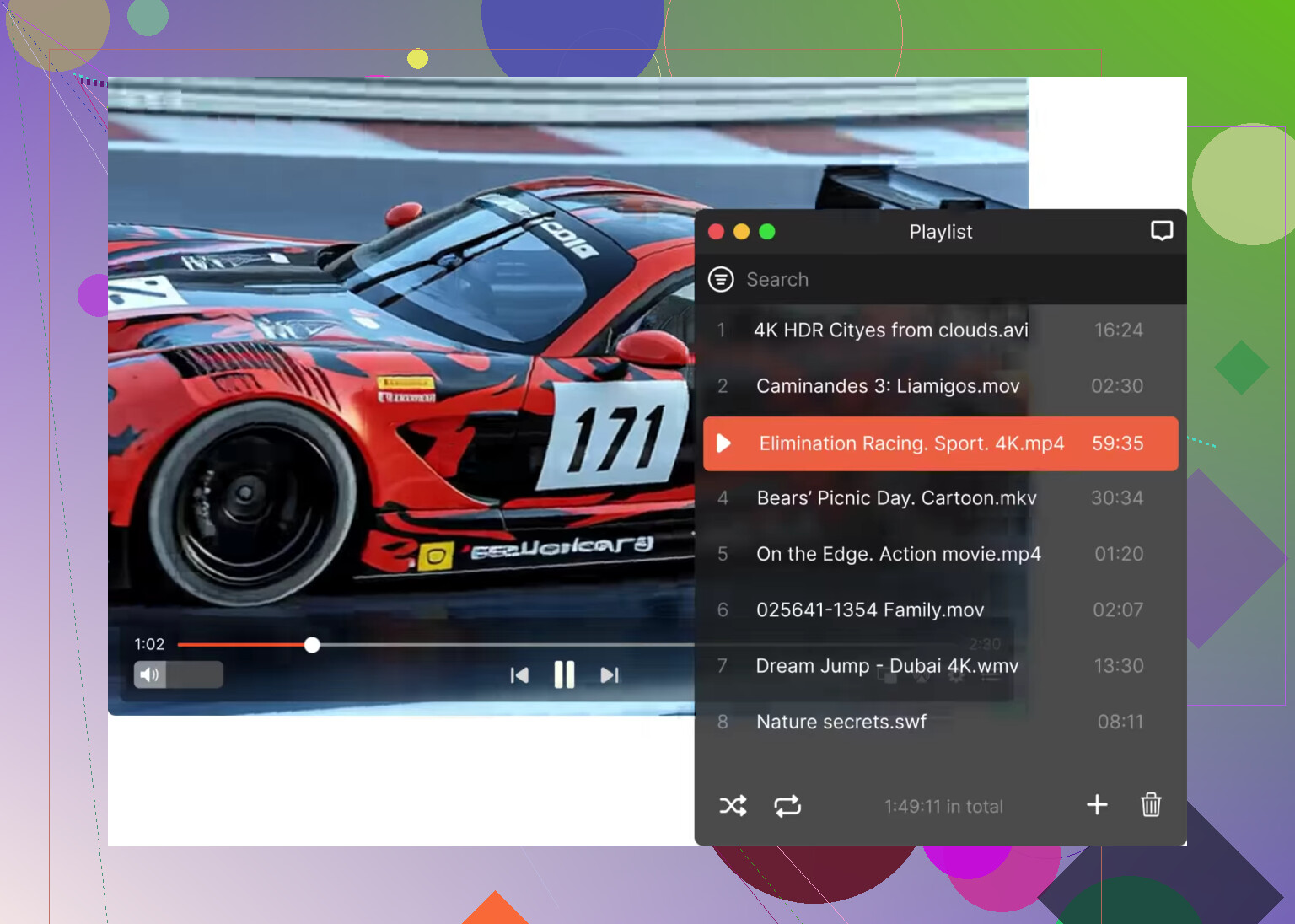
Elmedia Player is the top pick for those who want a cleaner, more modern interface. It feels like a contemporary macOS app and exposes controls (like subtitle syncing and playback speed) much more clearly than VLC. It also features robust built-in streaming support for AirPlay and Chromecast, making it a better fit for users who want commercial-grade support and a sleek UI.
QuickTime
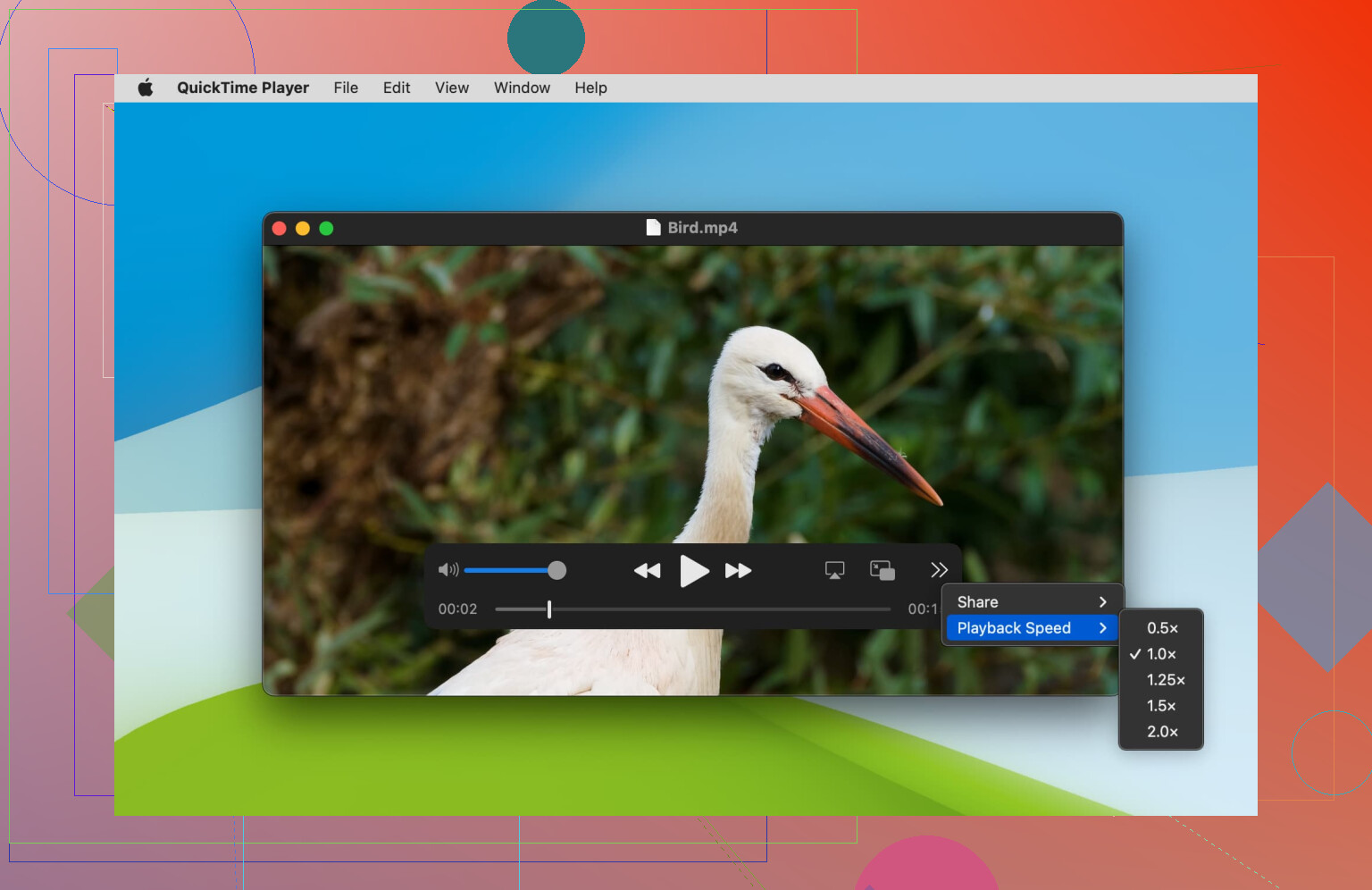
For the ultimate native experience, the built-in QuickTime player offers the tightest OS integration. It’s perfect for simple playback of standard formats, though it lacks the wide-ranging codec support that makes VLC famous.
Neither of these is a total replacement, but they cater to users who prioritize aesthetics and ease of use over raw compatibility.
 Final Verdict
 The Pros
- Plays almost any file format in existence without extra codecs.
- 100% free, open-source, and privacy-focused.
- Powerful network streaming and DLNA capabilities.
- Extensive advanced settings for deep technical customization.
 The Cons
- The UI feels dated and “ancient” by modern standards.
- Inconsistent performance on Apple Silicon (M1/M2) Macs.
- Settings menus are cluttered and difficult for beginners to navigate.
VLC Media Player remains the ultimate fallback for problematic files and niche formats due to its sheer technical capability. However, if you value a polished user interface and native platform integration for your daily watching, you may find a modern alternative more satisfying.
13 Likes
Yes, VLC is still worth trying on a Mac, especailly if your current player freezes and fails on random formats.
Where I differ a bit from @mikeappsreviewer is this. I care less about the old look. If an app opens MKV, AVI, FLAC, broken MP4s, and subtitle files without a codec hunt, I forgive a lot. VLC still does that better than most Mac players.
My take is simple.
Use VLC if your main problem is file compatibility.
Skip VLC as your only player if your main problem is polish, easy settings, and smooth Mac-style controls.
A practical setup works best:
- Keep VLC installed for odd files.
- Use QuickTime for clean MP4 and MOV playback.
- Try Elmedia Player if you want a more Mac-friendly daily player with broad format support.
VLC’s weak spots on Mac are not the same for everyone. On some Apple Silicon Macs it runs fine. On others, ppl still report freezes or weird video output issues. So test it with your trouble files for a few days, not 5 mins.
If you want one answer, yes, VLC is a safe download and a smart backup player. If you want the best day-to-day Mac experience, Elmedia Player feels less dated and less annoying.
I’d use VLC on a Mac, but not as my only player.
Your issues are exactly the kind of thing VLC is usually good at fixing: random freezes, unsupported formats, weird old files, subtitle mismatches, half-broken downloads. It’s still one of the best “just open the file and play it” apps around. That part is real, and I think @mikeappsreviewer and @sonhadordobosque are both right about its huge format support.
Where I kinda disagree a bit is the Apple Silicon doom talk. VLC on some M-series Macs is totally fine. Not perfect, sure, but ppl sometimes make it sound more broken than it is. A lot depends on the file, codec, and whether hardware decoding is acting up.
My take:
- Use VLC if your main problem is compatibility
- Use QuickTime if your files are basic and you want the cleanest Mac feel
- Use Elmedia Player if you want something more Mac-native looking but still flexible
Honestly, if your current player is crashing already, VLC is worth installing just to test with the same files. It’s free, safe, and not stuffed with junk. If VLC ends up feeling too ugly or awkward for daily use, Elmedia Player for Mac is probly the nicer long-term option.
So yes, VLC is a good choice for Mac. Maybe not the prettiest choice, but def one of the most useful.
VLC is a smart test install, not an automatic forever player.
I mostly agree with @sonhadordobosque, @techchizkid, and @mikeappsreviewer on the big point: VLC is still one of the best tools when files are messy, old, partially damaged, or encoded in something your current app hates. If your player freezes and refuses formats, VLC is exactly the kind of app I’d try next.
Where I slightly disagree is this idea that the old interface matters less than everything else. On Mac, it actually matters a lot if you use the app every day. A player can be powerful and still feel annoying after a week. That is why I separate backup player from daily player.
My practical take:
- Try VLC first with the files that currently freeze or crash
- If VLC fixes those files, keep it installed
- If you dislike using it daily, switch your regular playback to **Elmedia Player ** or QuickTime
Why VLC is worth trying
- Excellent file compatibility
- Good with subtitles and odd codecs
- Free and open source
- No codec-pack nonsense
Why VLC may not be your ideal Mac player
- Mac interface feels dated
- Some settings are buried
- Performance can vary depending on the file and hardware decode behavior
Elmedia Player pros
- More Mac-friendly look and controls
- Broad format support
- Easier everyday use for a lot of people
- Better fit if you care about interface polish
Elmedia Player cons
- Not everyone wants another third-party app
- Some features may push you toward paid upgrades depending on what you need
- Still not as universally “I’ll open anything” famous as VLC
So yes, use VLC on your Mac, but treat it like a reliability tool first. If it solves your crashes and weird formats, great. If it feels clunky afterward, let **Elmedia Player ** handle daily watching and keep VLC around for problem files. That combo honestly makes more sense than forcing one app to do everything.