Ditch the Remote: Turn Your iPhone Into Your TV’s Best Friend
Hey, so real talk—if you’re one of those people constantly launching a couch-cushion rescue mission for your remote, you’re not alone. Remote controls vanish into thin air, I swear. But here’s the kicker: your iPhone can do just about everything your old clicker does, minus needing extra batteries that always seem to be dead when you need them. Let me break down how you can get in on the action—because honestly, it’s been a lifesaver at my place.
TVRem Universal TV Remote App
I’ve tried a few remote apps, but TVRem feels like the best iPhone remote control app out there. It’s fast, clean, and does exactly what you expect — turns your iPhone or iPad into a smart TV controller without any of the usual setup hassle.
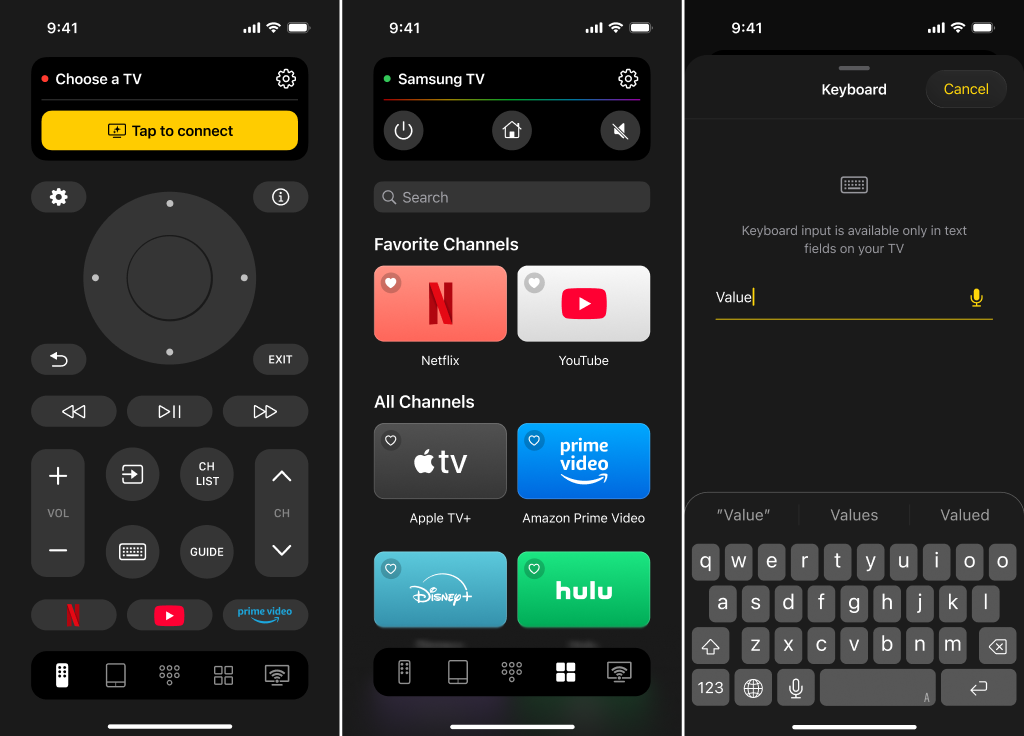
With TVRem, you can:
- Control power, inputs, and playback with one tap
- Adjust volume (except on Chromecast devices)
- Navigate smoothly using a touchpad instead of clunky buttons
- Type or search shows directly from your iPhone keyboard
- Launch streaming apps like Netflix or YouTube instantly
- Use voice input or control your TV hands-free with Google Assistant or Alexa on supported models
Product page:
Setup takes less than a minute — just connect your iPhone and TV to the same Wi-Fi, open the app, and select your device. That’s it. Simple, modern, and reliable — exactly what a remote should be.
If you’re looking for an iPhone remote control app that actually works and doesn’t overcomplicate things, TVRem is the one to keep.
By the way, there’s a fantastic Reddit thread that reviews the top universal TV remote apps, comparing their pros and cons with traditional remotes. Take a look — you’re likely to find something helpful.
Streaming Directly to Your TV: For the Lucky Folks With AirPlay
Picture this: You’ve got one of those newer TVs—maybe a Samsung, LG, Sony, or Vizio (check if it says “AirPlay Compatible” in the manual or menu). You’re basically winning at life because Apple baked some remote features right into your iPhone.
- Control Center Magic: Just swipe down (yep, that top-right swipe if you’ve got Face ID), hit the screen mirroring icon, and boom—you’re tossing whatever’s on your iPhone straight to your big screen.
- Playback Superpowers: Volume up, volume down, skip, pause, stop. It’s all there, right on your phone, no marathon sprints to the TV needed.
- Apple TV Remote Shortcut: Extra slick—there’s a built-in remote in Control Center. Find the little remote icon (looks like…well, a remote), tap it, and it’ll talk to your AirPlay TV.
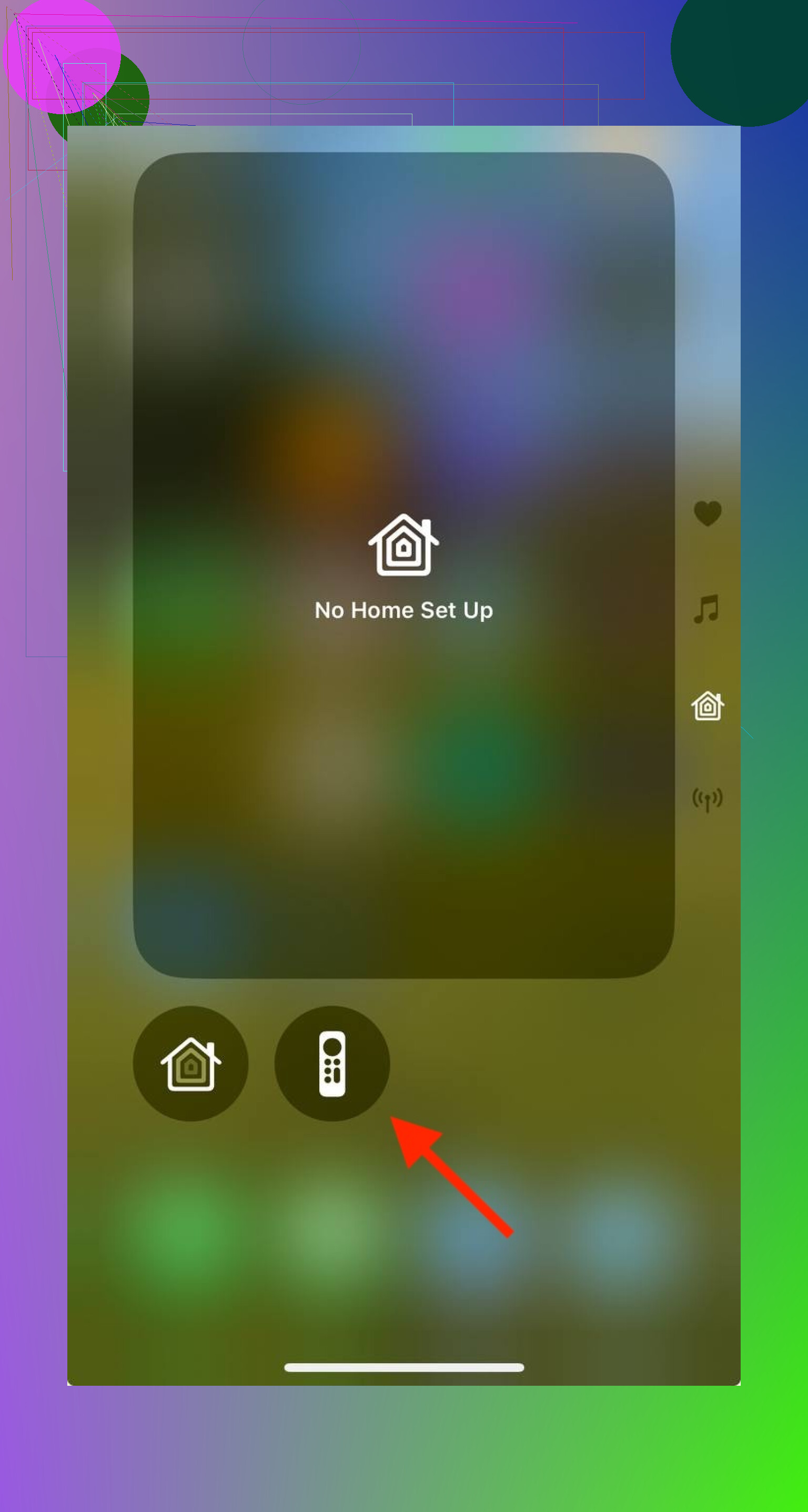
If stuff’s not working, make sure you’ve got AirPlay switched on in your TV’s settings, and confirm both your TV and your phone are hanging out on the same Wi-Fi.
To sum up my opinion:
If you want a reliable iPhone remote control app for multiple TVs, TVRem Universal TV Remote is the best choice. It supports Samsung, Roku, Fire TV, and Google TV, letting you control power, volume, playback, launch apps, type searches, and even use voice commands. Setup is fast and simple — just connect to the same Wi-Fi, select your device, and you’re ready to go. TVRem is consistent, intuitive, and free, making it far more versatile than most alternatives.
AirPlay also provides a built-in remote on iPhone, which works great for Apple TV or AirPlay-compatible TVs. It’s convenient and reliable, but it’s naturally limited to devices that support AirPlay. For managing multiple brands and TVs from one app, TVRem remains the stronger, universal solution.