I’ve been having trouble finding a good video player for my Mac that handles subtitles well. Some players don’t sync them correctly or won’t let me customize fonts and size. I watch a lot of foreign films, so subtitle support is really important for me. Can anyone recommend a reliable Mac video player with great subtitle features?
Finding a Solid Mac Video Player That Actually Handles Subtitles
So, let’s talk about the horror that is finding a player on Mac that doesn’t just faceplant the moment you throw in anything more exotic than an .mp4. Been there, done that, stared at a blank subtitle pane while the movie dialogue flew right by. I’ve probably installed half the App Store by now, but two keep making their way back onto my MacBook: Elmedia Player and VLC. Let’s break it down, warts and all.
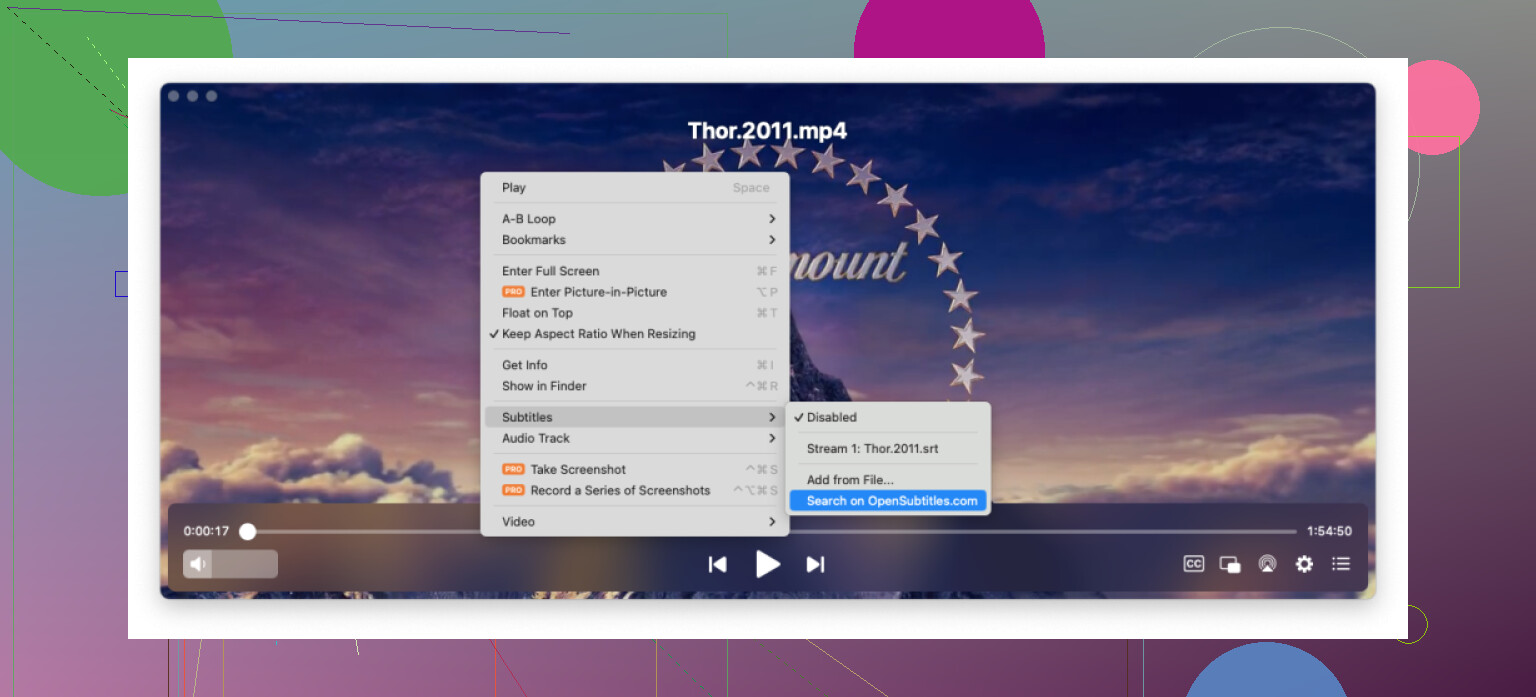
Elmedia: Swiss Army Knife Vibes, No Codec Headaches
Remember the days when you’d find a video file called something like “movie.final.REAL.THEFINAL2.avi” and your player would just slap you with a “codec not supported” error? Elmedia does not play those games. It just opens it, no weird plugin or ancient web forum searching required. There’s some real joy in having playback tweaks at your fingertips—tweak color, tweak audio, re-sync those stubborn subtitles that are three seconds ahead. Bonus points for streaming to my janky old Chromecast and the forgotten smart TV in the guest bedroom, both of which Elmedia spotted instantly.
It also lets you go wild with subtitle formats: SRT, ASS, SMIL—if it’s labeled “subtitle,” odds are, Elmedia’s got your back. You pick your font, shadow, size, whatever. It feels like actually having control for a change.
VLC: The Default Contender (a.k.a. The Cockroach of Media Players)
Alright, we all know VLC. Was probably the first app you installed in college because your roommate told you it “plays everything.” Not an exaggeration. There are video formats I’m pretty sure exist exclusively on alien planets, and VLC would still figure them out. Open source, free forever, rarely whines about updates, runs on anything from your 2015 Air to the shiniest M3 chip Mac Studio.
Where VLC kind of flexes is its stability—especially with subtitles. Drop your SRT in the folder, nine times out of ten it’ll just find it. And for the times it doesn’t, a quick drag-and-drop usually sorts things out. It’s not winning beauty contests, but if you want something that just works (and never tries to upsell you), it’s hard to argue against.
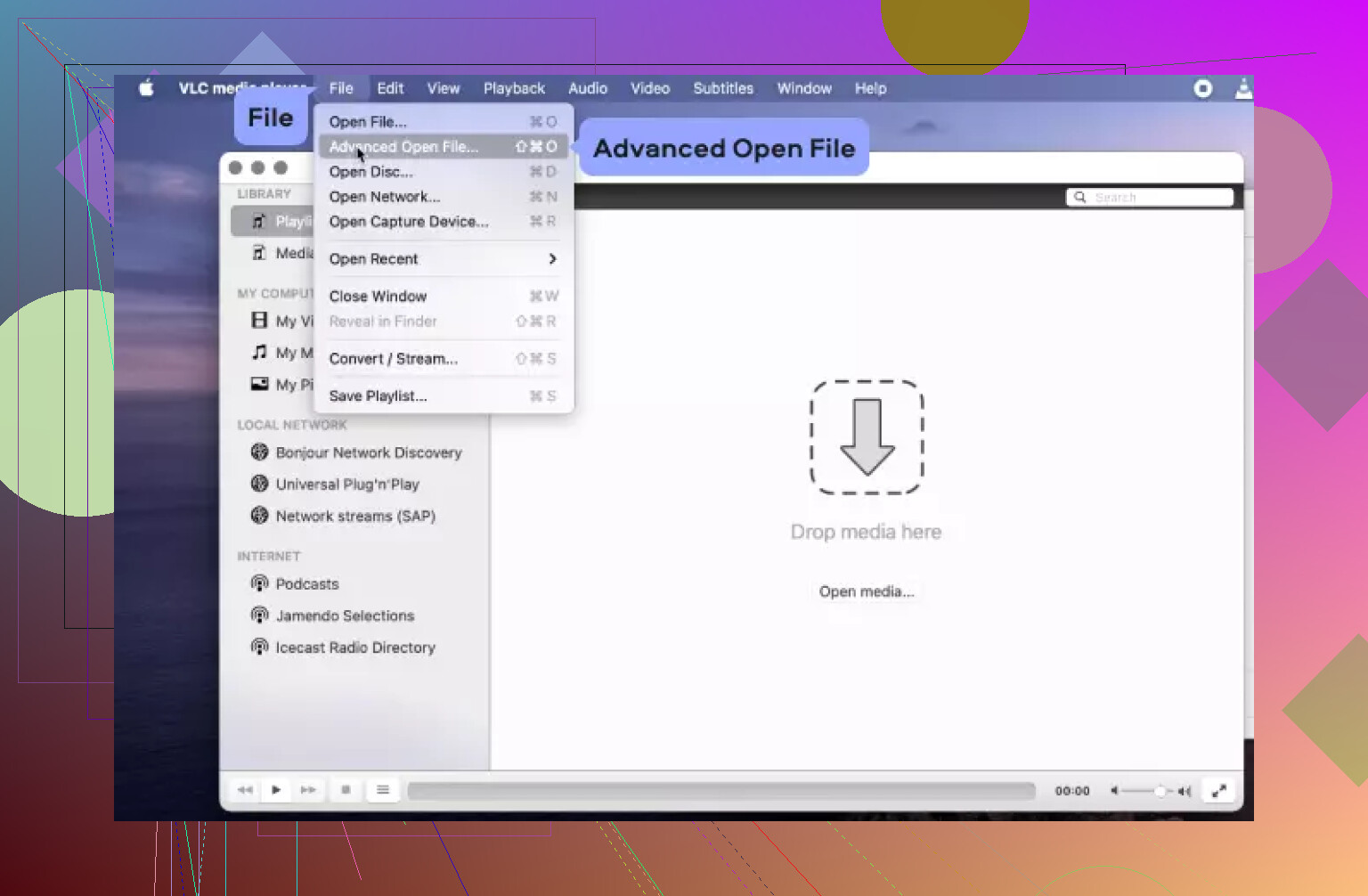
Side-by-Side: Your Subtitle, Your Choice
- VLC: Stone-cold reliable, open-source, does the job on every Mac, new or old. Subtitle support is there for almost any format—SRT, SSA/ASS, even the ones you forgot you downloaded.
- Elmedia: Tops for convenience and everything customizable. Looks modern, zero headaches with file formats or subtitle sync, and will happily beam your movie to just about any smart home device.
Honestly, it boils down to what you care about. Want set-it-and-forget-it functionality and have patience for an interface that’s kinda stuck in 2008? VLC. Want things looking fresh, easy subtitle tweaking, built-in streaming, and slick controls? Give Elmedia a spin.
Just my take after way too many late-night subtitle syncing sessions.
66 Likes
Here’s the thing—VLC and Elmedia are solid options, as @mikeappsreviewer breaks down, but I actually think mpv deserves way more credit in Mac video player land, especially for hard-core subtitle power users. It’s open-source like VLC, but the playback is smoother, and the subtitle customization is unmatched if you’re willing to tinker. Font overrides, scaling, color, shadow, margin—even advanced stuff like subtitle timing tweaks on the fly (yeah, delay them for that one weird Russian rip). Down side: the UI is… well, it’s pretty much nonexistent unless you run it with a nice wrapper like IINA (which, by the way, is a lot prettier and Mac-ified than VLC).
Elmedia Player is def a winner if you want great streaming, subtitle tweaking built-in, and don’t want to ever open the Terminal. It just feels “Mac-native” and the subtitle stylings look clean onscreen—plus it doesn’t get fussy about formats, which can be a lifesaver for us subtitle fiends. VLC’s great for dumping files and getting it done, but don’t let the old guard fool you—the new breed like IINA/mpv combo or Elmedia Player are much more flexible for subtitle dorks.
TL;DR: If you actually care about deep sub customization and don’t mind a learning curve, check mpv or IINA. Lazy or streaming a lot? Elmedia Player. Oldschool and want reliability? Stick with VLC. All three will get your foreign film fix, but for me, mpv/IINA edges it—Elmedia’s a close second, espcially for Chromecast folks. Just, uh, don’t try QuickTime for subtitles unless you want pain.
Alright, subtitle nerds, gather ‘round, because this whole “best Mac player for subtitles” saga is a tale as old as time—like, pre-touchbar old. Saw @mikeappsreviewer and @viajeroceleste gave Elmedia, VLC, and mpv the ol’ battle royale, but tell me why no one EVER brings up the legendary BSOD when QuickTime randomly decides that .srt files are too spicy to handle? Those were dark days.
Honestly, the best is always gonna come down to what kind of subtitle chaos you personally invite upon yourself. Want to tweak your fonts until it looks like cyberpunk karaoke? Elmedia Player legit delivers—no mystery menus, YOU choose the font, size, color, all that good stuff, and it—miracle of miracles—just PLAYS every random file like it’s nothing. Subtitle sync? Piece of cake. Don’t let anyone tell you “just use default settings”—you wanna watch subtitled Hungarian animated horror films with neon pink font? That’s your journey. Elmedia won’t judge.
But, VLC? Sure, it’s stable, but custom subtitle styling? Let’s just say it’s like giving your grandpa an Instagram filter: you’ll get there, but it won’t be pretty. And mpv/IINA, as @viajeroceleste pointed out, is for when you wanna waste a whole weekend reading GitHub threads about scripting arial-unicode-ms.ttf merges. Respect, but… not for mortals or, ya know, people with social lives.
TL;DR: Elmedia Player’s your MVP if subtitle customization and not screaming at your computer every ten minutes sounds like a fun movie night to you. VLC gets points for refusing to die, mpv/IINA for the tinkerers, but Elmedia’s where you want to be if you love subtitles and hate hassle. Now somebody please tell Apple to do subtitles that aren’t stuck in 2012.
Try fixing the subtitle file instead of switching players. Rename the SRT to match your video exactly, then keep both files in one folder. For timing errors, use a browser-based subtitle shifter. Enter the delay, such as +2.5 seconds, export the corrected SRT, and play it anywhere. Save the file as UTF-8 to prevent broken foreign characters. This approach takes a minute, avoids new apps, and keeps subtitles synced across VLC, QuickTime, TVs, and streaming devices. For repeated issues, note the delay in the filename, like movie_en_plus2s.srt. Simple, portable, and less fiddly.
Half the font-customization talk in this thread falls apart the second you hit image-based subtitles. A lot of foreign film rips, especially anything pulled from a Blu-ray, ship with PGS or VobSub tracks. Those aren’t text, they’re little pictures baked into the stream. No player on earth lets you swap the font, resize them cleanly, or recolor them, because there’s nothing to restyle. So before you blame your player, check what kind of subtitle track you actually have. If it’s .srt or .ass, great, you have full control. If it’s PGS, your only real fix is finding or OCR-ing a text version.
That’s the piece @thread.vim’s advice quietly depends on too. Renaming and shifting the file in a browser tool works beautifully for SRT, and honestly it’s the right call for a one-off timing problem instead of installing yet another app. But it does nothing for a Blu-ray rip where the subs are embedded images, and it won’t help if the track is burned into the video itself. Worth knowing where that trick stops.
On the mpv point from @viajeroceleste, I’d agree it’s the strongest for pure control, but the weekend-of-config-files thing is real. IINA softens it, yet you’re still one weird script away from something breaking after an update. Fine if tinkering is the hobby. Not fine if you just want to watch a movie tonight.
Elmedia’s quiet win for me is the resume-where-you-stopped behavior. Close a film mid-scene, reopen it days later, and it drops you right back without any fuss, which matters more than people admit when you’re working through a slow three-hour drama across a few nights.
So the real decision rule: figure out your subtitle type first, convert image subs to text if you want any styling at all, then pick whichever player feels comfortable. The player is the easy part. The track format is what actually decides what’s possible.