I accidentally deleted important files on my Mac and already emptied the Trash before realizing I still needed them. Now I’m trying to find the best Mac data recovery software that’s safe, reliable, and actually works on macOS. I need help choosing a tool that can recover documents and photos without making things worse.
I ran into this after I erased an external SSD by mistake during a macOS reinstall. I spent too long testing recovery apps, and the one I kept coming back to was Disk Drill.
A lot of Mac recovery apps look clean on the surface, then fall apart once you start a scan. I saw slow scans, broken previews, and weird APFS support in a few of them. Disk Drill felt more solid on a current Mac. It runs fine on Apple Silicon, reads APFS, HFS+, and exFAT, and the steps were easy enough without digging through menus for half an hour.
The part I cared about most was previews. Before spending money, I opened documents, photos, videos, and even PSDs to check whether the files were intact. Some apps showed a giant list of ‘recovered’ files, but a lot of it was junk or damaged stuff. Disk Drill did better there for me.
A few extras stood out too:
- Byte to byte disk backup for weak or failing drives
- S.M.A.R.T. monitoring
- Duplicate cleaner
- Recovery Vault protection
- Advanced Camera Recovery for broken up video files
The disk image feature is worth keeping around by itself. If your drive starts disconnecting, clicking, or doing random nonsense, making a clone first gives you a safer shot at recovery.
If you’re dealing with heavier stuff, R-Studio deserves a mention. I saw why so many IT people like it. It handles harder jobs well, like RAID, damaged partitions, and NAS recovery. I would not point a casual user at it first, though. The interface feels built for people who are comfortable staring at filesystem details. Fast, yes. Friendly, not so much.
I also tried iBoysoft Data Recovery for a bit. It did a decent job with APFS in my testing. My issue was the pricing. It leans into subscriptions harder than I wanted.
PhotoRec still has a place if free matters more than convenience. It works, but it’s rough. You’re mostly getting signature based recovery, so the files often come back without the original names or folder structure. On a big drive, cleanup turns into a chore fast. I did it once, and I would rather not do it again.
The bigger thing people miss is this: what you do right after data loss matters more than which app you pick. If you keep using the Mac like nothing happened, especially with SSDs, your odds drop fast because old data gets overwritten.
If you lost files, do this first:
- Stop using the drive right away
- Do not install recovery software onto the same drive
- Restore recovered files to a different drive
- If the drive is unstable, make an image before trying recovery
I learned this the annoying way. Picking between apps matters some. What you do in the first few minutes matters more.
12 Likes
If you deleted files on a Mac and emptied Trash, I’d put Disk Drill near the top for normal home use. It’s the one I’d tell most people to try first because the interface is clean, scans are fast enough, and file preview is decent. For Mac users, APFS support matters a lot, and Disk Drill handles modern Macs better than a lot of older recovery apps.
I don’t fully agree with @mikeappsreviewer on one point though. R-Studio is not only for IT people. If your data is worth a lot, its deeper scan options are worth the ugly interface. It’s less friendly, but sometimes ugly tools win.
My short ranking:
- Disk Drill, best mix of ease and results
- R-Studio, best for tougher recovery jobs
- PhotoRec, free but messy and kinda a pain
- iBoysoft, decent, but the pricing is meh
One more thing people skip. Check iCloud Drive, Time Machine, and app-specific version history before paying for recovery softwrae. Pages, Photos, and some cloud apps save your butt more often than people think.
If you want more user opinions, this thread is a decent roundup of Mac data recovery software picks from Reddit users:
best Mac data recovery software recommendations from Reddit
If the Mac’s internal SSD got trimmed after deletion, no app is magic. That part kinda sucks, but it’s true.
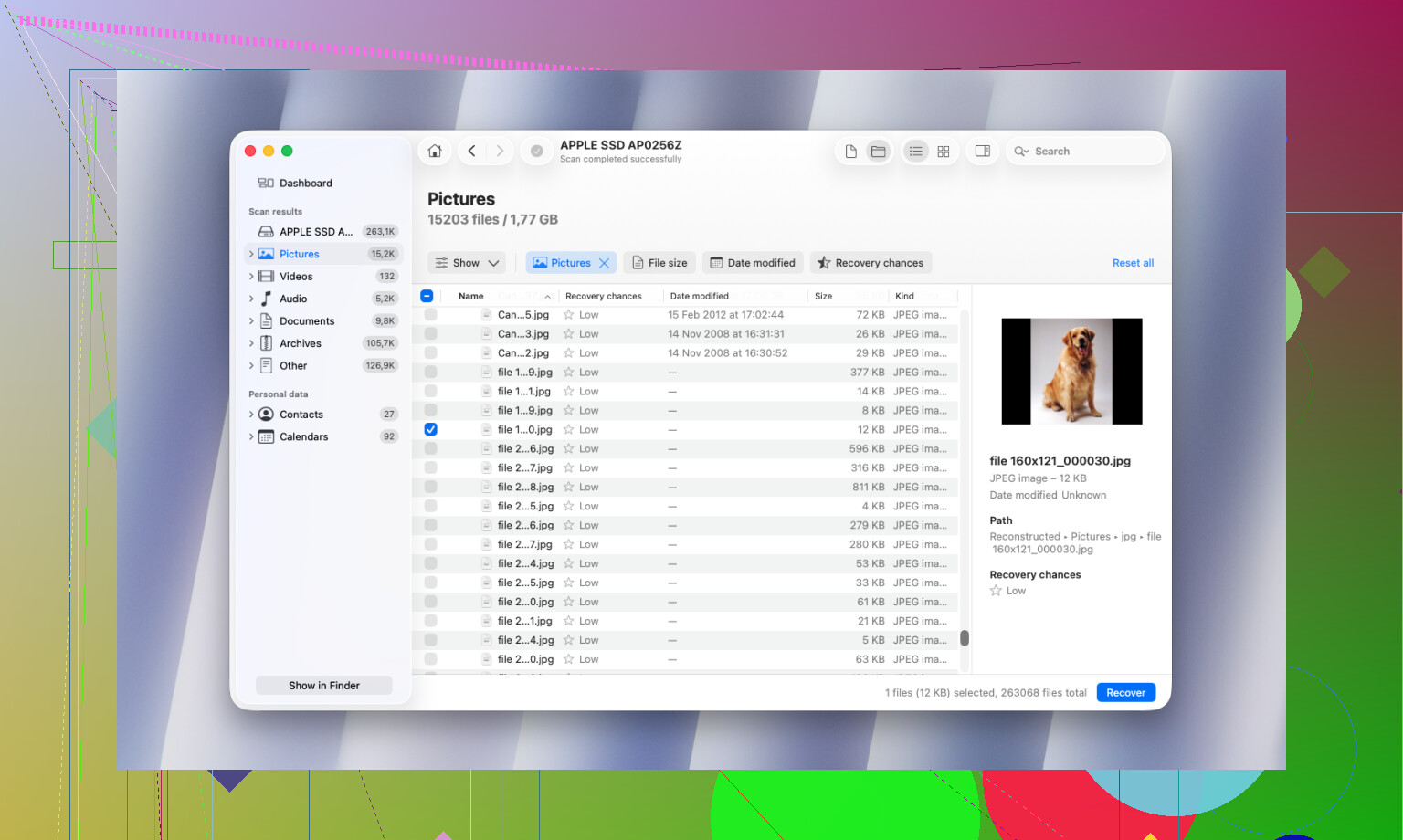
I’d put Disk Drill for Mac data recovery at the top for most normal people, but not for exactly the same reasons @mikeappsreviewer and @mike34 gave.
My take is simpler: the best recovery app is the one that helps you figure out fast whether recovery is even possible. On newer Macs with internal SSDs, TRIM can wipe the practical recovery window stupidly fast. So I care less about giant feature lists and more about whether the app gives clear scan results, usable previews, and doesn’t feel sketchy. Disk Drill does that pretty well.
Where I sorta disagree with @mike34: I don’t think PhotoRec is worth recommending to most Mac users unless you’re despertae and very patient. Free is nice, but getting back 8,000 nameless files is not my idea of a win. R-Studio is excellent, yeah, but for a basic “deleted files, emptied Trash” situation, it can be overkill.
What I’d check before buying anything:
- Recently Deleted in Photos, Notes, Files, etc.
- iCloud Drive web version
- Time Machine snapshots
- App-specific auto-save/version history
If those are dead ends, Disk Drill is probably the safest first try. If the deleted data was on an external HDD or SD card, your odds are way better than on the internal Mac SSD.
Also, if you want a quick visual roundup, this best Mac data recovery software Reel is actually pretty easy to skim.
Short version:
- Disk Drill: best starting point for most Mac users
- R-Studio: stronger for ugly/advanced cases
- PhotoRec: free, but kind of a mess tbh
If it was deleted from the internal SSD and you kept using the Mac after emptying Trash, no software can perform miracles. That part sucks, but thats the truth.