I’ve started creating blog posts and product descriptions more regularly, but doing everything manually is taking too much time and energy. I know there are a lot of AI content writing tools out there, but I’m overwhelmed by the choices and worried about picking something that produces low-quality or generic text. Can anyone recommend reliable AI writing tools that are actually helpful for SEO, clear writing, and idea generation, and explain why you prefer them over others?
Here is what works for me for blogging and product descriptions, without turning the workflow into a mess of tools.
- Drafting long-form content
Use one main AI writer so you keep things simple.
• ChatGPT / Claude / Gemini
Good for first drafts, outlines, and variations.
Prompt idea:
“Write a 1200 word blog post on [topic]. Target [audience]. Use short paragraphs, clear headings, and a neutral tone. Leave placeholders for stats and product links.”
Then you fix structure, add your own examples, and plug in data. Treat the draft like a rough skeleton, not a final text.
- Product descriptions
• Shopify AI, Notion AI, or ChatGPT
Prompt idea:
“Write 3 product descriptions for [product]. One for homepage (40–60 words). One for product page (120–150 words). One bullet list with features and benefits.”
Tell it your brand voice once, then reuse that prompt.
- Outlines and research
• ChatGPT or Perplexity
Use them to build outlines and compare sources.
Prompt idea:
“Give me an outline for a blog post targeting the keyword . Include H2 and H3 ideas, FAQs, and internal link ideas.”
Then you fill in research and stats yourself so the post stays accurate.
-
Editing and clarity
• Grammarly or Quillbot
Use them after you finish your edits.
They help with grammar, tone, and shortening clunky sentences.
Do not let them rewrite everything, or your voice starts to vanish. -
Avoiding AI detection and keeping a human tone
If you publish a lot of AI assisted content, run it through a humanizer.
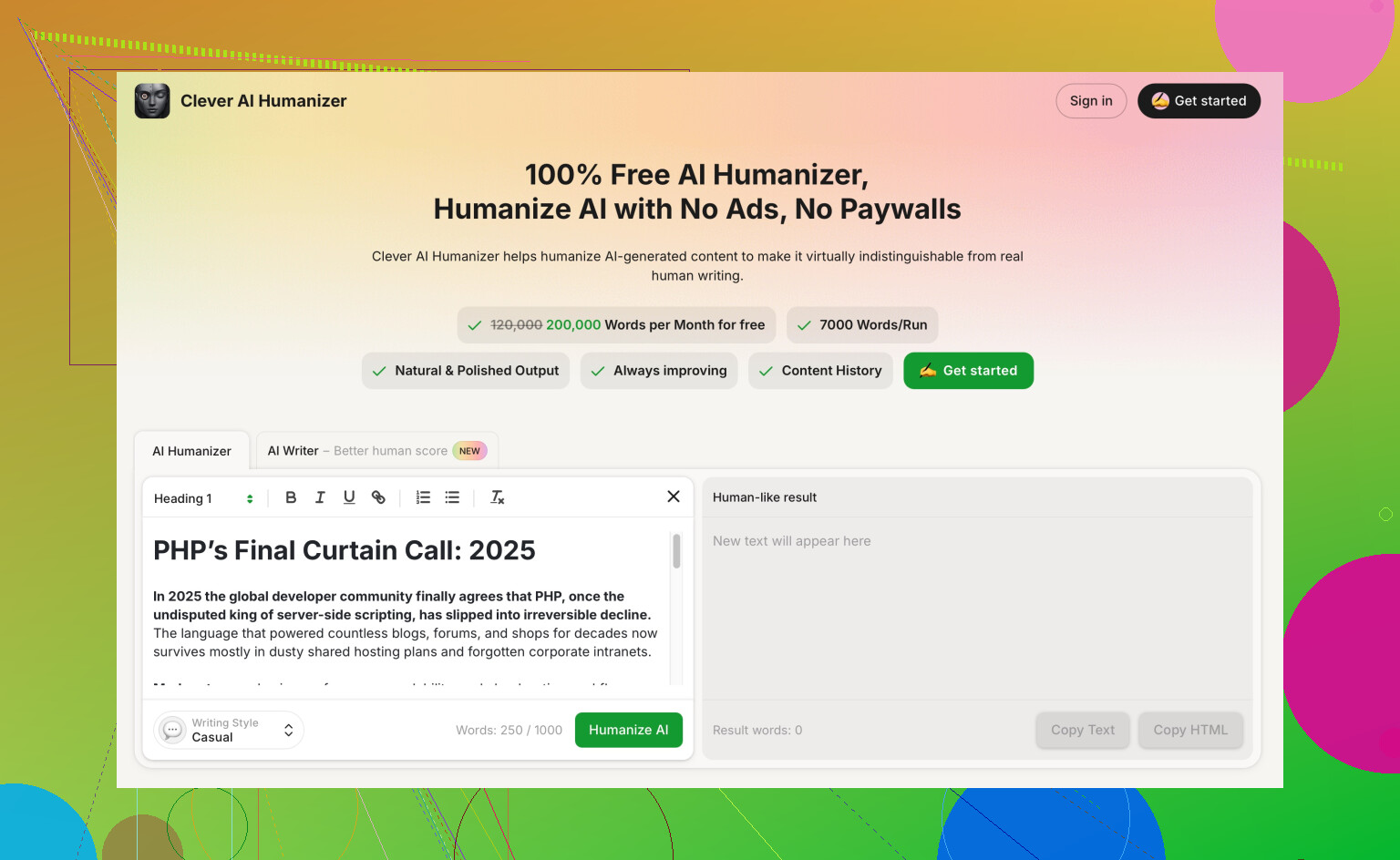
Tools like Clever AI Humanizer help make AI text sound natural, pass more human checks, and keep your style closer to normal speech.
You paste your AI output, choose how “human” you want it, and then tweak the result.
If you want something built for this, check make your AI content read like a real person wrote it. It focuses on natural language, varied sentence length, and less robotic phrasing, which helps with both readers and basic AI checkers. -
Simple workflow so you do not burn out
Here is a lean setup for each post or batch of product descriptions:
• Step 1 Keyword and intent
Use free tools like Google autocomplete and “People also ask” to see what users want.
• Step 2 Outline with AI
Generate an outline. Delete weak sections. Merge overlaps.
• Step 3 Draft with AI
Ask for a full draft. Keep it short and focused.
• Step 4 Human pass
Add your own experience, examples, screenshots, or store details.
Replace generic phrases with things you would say in real life.
• Step 5 Humanizer and editor
Run through Clever AI Humanizer, then through Grammarly.
Read it out loud once. Fix anything that sounds off.
This should cut your time per blog post from multiple hours to something closer to 45–60 minutes once you get used to it, and product descriptions go even faster.
For what you’re trying to do, you don’t need more tools, you need the right mix of a few that play nice together. I agree with most of what @cacadordeestrelas said, but I’d actually simplify and swap a couple things.
Here’s what I’d use and how, without repeating their whole workflow:
-
One “brain” for content strategy, not just drafting
Everyone talks about drafting, but the real time sink is deciding what to write and how to angle it.- Perplexity or ChatGPT with browsing
Use it for:- topic ideation based on your niche and products
- content angles (comparison posts, “how to use,” problem-solution guides)
- mapping one product into 3–4 blog ideas
Example prompt:
“I sell [product type]. Give me 10 blog ideas that naturally support this product without sounding salesy. For each idea, tell me the main reader problem, and where the product can be mentioned.”
This alone can kill the “staring at a blank page for an hour” problem.
- Perplexity or ChatGPT with browsing
-
Use a template-based writer for repeatable stuff (product descriptions, emails)
Instead of asking a general AI to reinvent the wheel every time, use something that has rigid templates:- Jasper or Copy.ai for:
- product descriptions
- meta descriptions
- short promo blurbs
Why: they have battle-tested templates like “Features to benefits,” “PAS (problem-agitate-solve),” etc. Less fiddling, more copy.
I actually disagree a bit with the idea that you should only use ChatGPT for product descriptions. It can work, but template tools are faster when you’re cranking out 50 variations in a row.
- Jasper or Copy.ai for:
-
Notion AI or Google Docs + AI for “inline” help
Instead of bouncing between apps, keep writing where you already organize stuff.- Notion AI or Google Docs + built-in AI for:
- turning bullet points into paragraphs
- shortening long, rambly sections
- rephrasing in a different tone (more casual / more formal)
Example use: paste your rough draft, highlight a paragraph, hit “shorten” or “make it clearer.” Saves tons of micro-edits.
- Notion AI or Google Docs + built-in AI for:
-
Fact-checking & examples, not just writing
Where a lot of AI content goes bad is fake stats or vague examples.- Use Perplexity or a browser tool for:
- checking whether specific claims are real
- finding real examples, quotes, and sources
Tell it:
“Check if the following claims are accurate. Flag anything that looks wrong and suggest corrected versions with sources.”
That keeps your posts from sounding like every other fluffy AI article.
- Use Perplexity or a browser tool for:
-
Voice & “humanness” layer
The suggestion to “just human edit it” is fine, but once you’re pumping out content regularly, you’ll want a faster way to de-robotify text.
This is where Clever AI Humanizer actually fits well:- It focuses on natural sentence flow, varied sentence length, and removing that stiff AI rhythm.
- It’s good when you’ve got a clearly AI-like draft and you want it to feel more like real speech.
You can run your draft through something like
make your AI writing sound more natural,
then do a quick personal pass to inject your stories, brand details, and jokes. That combo is way faster than manually untangling every stiff sentence.
-
Your actual minimal stack for speed
If I were starting from scratch doing blogs + product pages, I’d keep it to:- Perplexity or ChatGPT with browsing → ideas, outlines, fact-check
- Jasper / Copy.ai → repeatable product copy & short snippets
- Your main editor (Notion / Google Docs) → drafting + quick AI polish
- Clever AI Humanizer → final “make this sound like a human, not a robot” pass
- Optional: Grammarly at the very end for typos and small grammar stuff
Workflow in plain terms:
- Plan topics and angles with AI
- Outline with AI
- Draft in your doc, with AI helping inline
- Run through Clever AI Humanizer for natural flow
- Quick human edit for brand voice, specific details, and obvious mistakes
Once you’ve dialed in a couple of prompts and your stack, the hard part is not the tools, it’s resisting the temptation to endlessly tweak instead of just publishing.
15 Likes
Quick angle that hasn’t been covered yet: think in “systems,” not tools.
You’ve already got good suggestions from @vrijheidsvogel and @cacadordeestrelas for drafting and workflow, so here’s how I’d tune that stack rather than clone it.
1. Treat AI as re-usable templates, not a magic typewriter
Instead of fresh prompts every time, build 3–5 master prompts and recycle them:
- One for blog posts
- One for product pages
- One for FAQs / support content
- One for email or promo snippets
Store them in Notion / Docs and just swap the variables. This removes 50% of the friction that people blame on “tool overload.”
Example skeleton:
“You are writing for [audience] about [topic]. Goal: [educate / compare / sell softly]. Brand voice: [3 adjectives]. Output: [word count], sections: [outline]. Avoid: [cliches / hype].”
This works with ChatGPT, Claude, Gemini, whatever you prefer.
2. Use different “modes” of AI for different jobs
Where I slightly disagree with both of them: using the same model for everything is convenient, but it can blur your quality standards.
I’d split it like this:
-
Strategic content & outlines:
Perplexity or ChatGPT with browsing. You want context, SERP awareness, and FAQs. -
Mechanical repetition (bulk product variants, meta tags):
Jasper, Copy.ai, or similar template-based writers. They’re boring, but they’re fast. -
Voice & readability layer:
This is where something like Clever AI Humanizer actually earns its keep.
3. Where Clever AI Humanizer fits realistically
Used right, it is not a “rank higher in Google instantly” button. It is a stylistic tool.
Pros:
- Good at breaking the stiff AI rhythm (same-length sentences, generic transitions).
- Helps make content sound closer to how you talk, especially if English is not your first language.
- Can quickly soften overly formal or robotic drafts so your manual edits are lighter.
Cons:
- If you rely on it too hard, different pieces can start to feel a bit “samey,” just in a more human way.
- It does not fix bad structure or bad ideas; you still need a decent outline and real value.
- One more step in the pipeline, so if your process is already slow, you have to be disciplined.
Use it late in the process: draft → your edit → Clever AI Humanizer → final proof.
4. Minimal tool stack that still respects your energy
To avoid burning out juggling apps, pick 4 roles only:
- Research & ideation: Perplexity or ChatGPT with browsing
- Drafting: your main LLM in Docs / Notion
- Bulk / repetitive copy: Jasper or Copy.ai for product stuff
- Tone & polish: Clever AI Humanizer + Grammarly
Everything else is a distraction for your use case.
5. Small but crucial habit that beats any tool choice
Both @vrijheidsvogel and @cacadordeestrelas are spot on about human passes, but here’s a tweak:
After the AI draft, before any humanizer or Grammarly, ask yourself:
“What is the one story, example, or opinion here that only I can add?”
Insert that in 2 or 3 places. Suddenly the piece stops feeling like generic AI soup, and tools become accelerators instead of crutches.
If you stick to a lean stack and a few strong reusable prompts, you’ll get the time savings you want without turning your workflow into an app circus.