I’ve been testing NoteGPT’s AI Humanizer for rewriting my AI-generated content so it sounds more natural and passes AI detection, but I’m not sure if it’s actually effective or safe for SEO. Has anyone used it long-term, and can you share real results, pros, cons, and whether it’s worth relying on for blogs or client work?
NoteGPT AI Humanizer Review
I tried NoteGPT because I heard people in my lab talking about it as a study tool, not as some secret AI-bypass trick. It is built around productivity stuff for students and researchers. YouTube video summarization, PDF analysis, and a note system that feels a bit like a mix of Notion and a transcript viewer.
Hidden inside all that there is an “AI humanizer” feature, and that was the part I wanted to stress test.
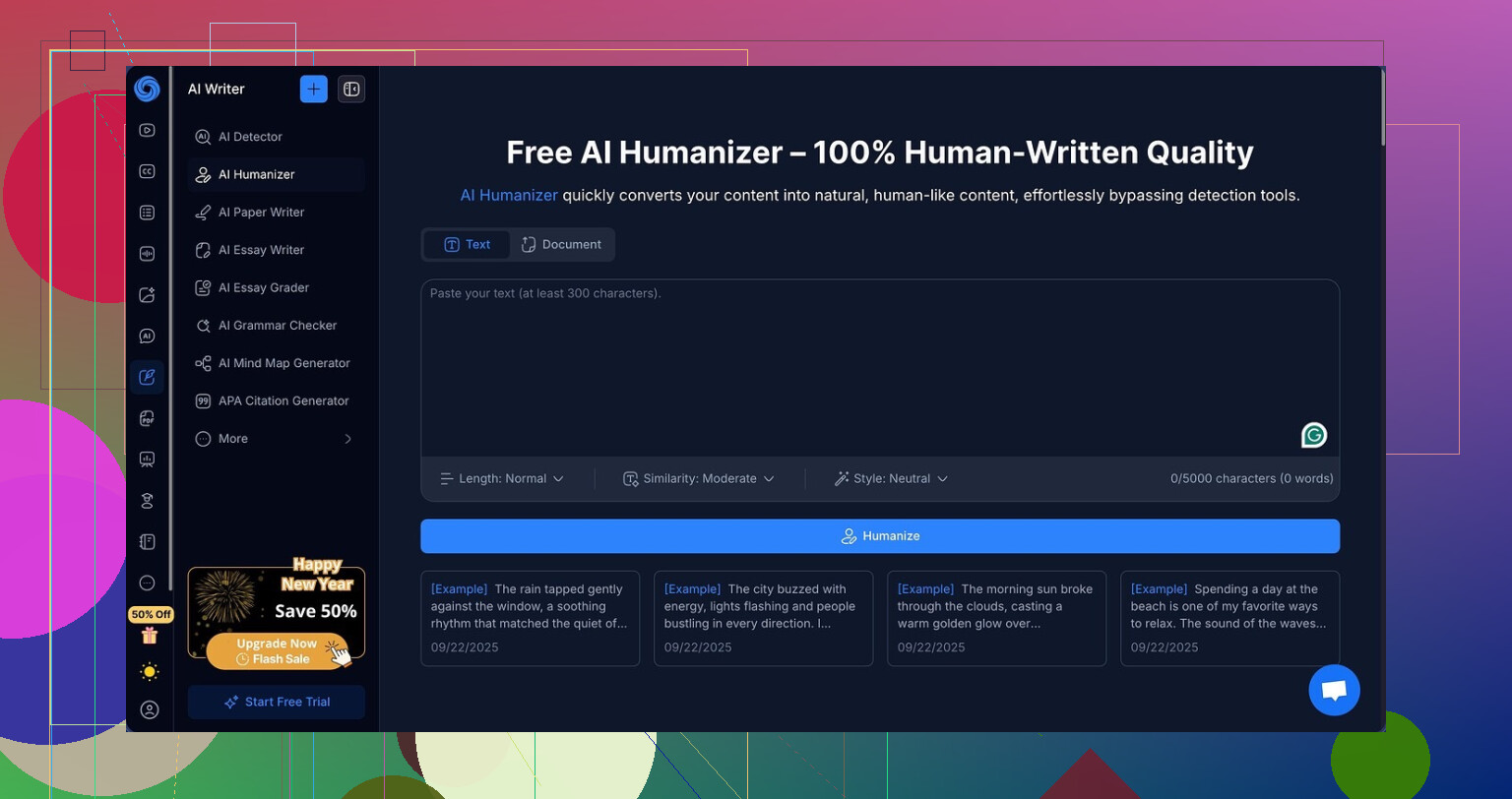
The humanizer sits behind a simple interface, but under the hood it has a bunch of knobs:
- 3 output lengths
- 3 similarity levels
- 8 writing styles
I pulled some AI generated paragraphs I knew were already flagged by detectors, then started feeding them into NoteGPT. I tried shorter rewrites, then longer ones, then the mid option. I moved through all three similarity settings. I clicked through every single writing style.
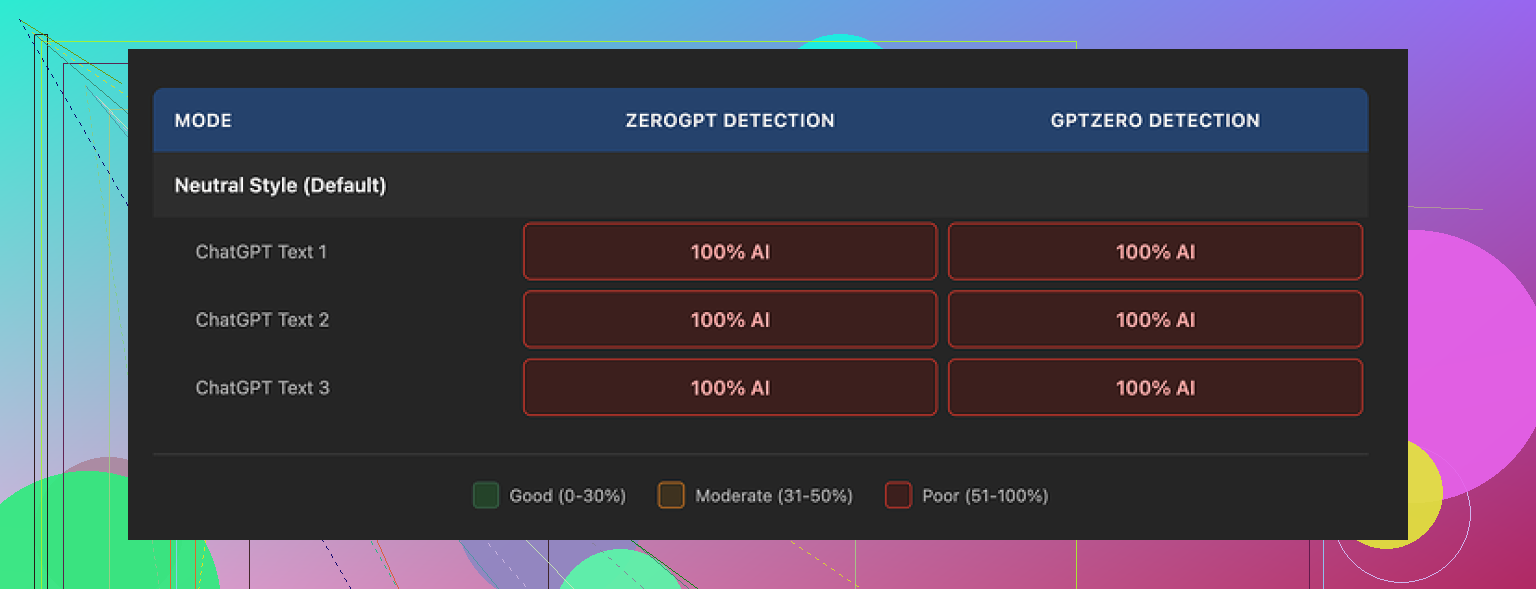
Then I ran every output through GPTZero and ZeroGPT.
Every single one came back at 100 percent AI on both detectors. Not 98, not 87, not even 1 point lower. Changing length, switching similarity, flipping styles, nothing nudged the score at all.
Here is a sample from the tests:
The thing is, the writing does not look bad. If I ignore the detection part and only look at readability, I would give it 8 out of 10. The sentences are clean. The structure makes sense. I did not see those weird broken phrases you sometimes get when a tool tries too hard to “humanize” text.
They also have a color-coded highlight system that shows exactly what the tool changed, and it is neat in a nerdy way. You see substitutions, reorders, phrasing tweaks. So the model is working, it is not spitting out the same thing again.
The problem is, it is changing the wrong signals if your goal is to slip past detectors. The outputs kept the same general rhythm and patterns that detectors like GPTZero latch onto. It also left em dashes all over the place in all three samples I tried, which matches what several detector devs have mentioned as one of the many style hints they look at. I am not saying the em dashes alone broke it, but they did not help.
Now the price. If you pay annually, the Unlimited plan runs at 14.50 dollars per month. For studying, maybe that is fine if you are heavy into YouTube summarization and PDF review, and you want everything in one place.
For humanization as the main use, I would not pay it. Across my tests, NoteGPT hit zero detection bypass. That is not a “mixed result”, that is a hard fail for that specific task.
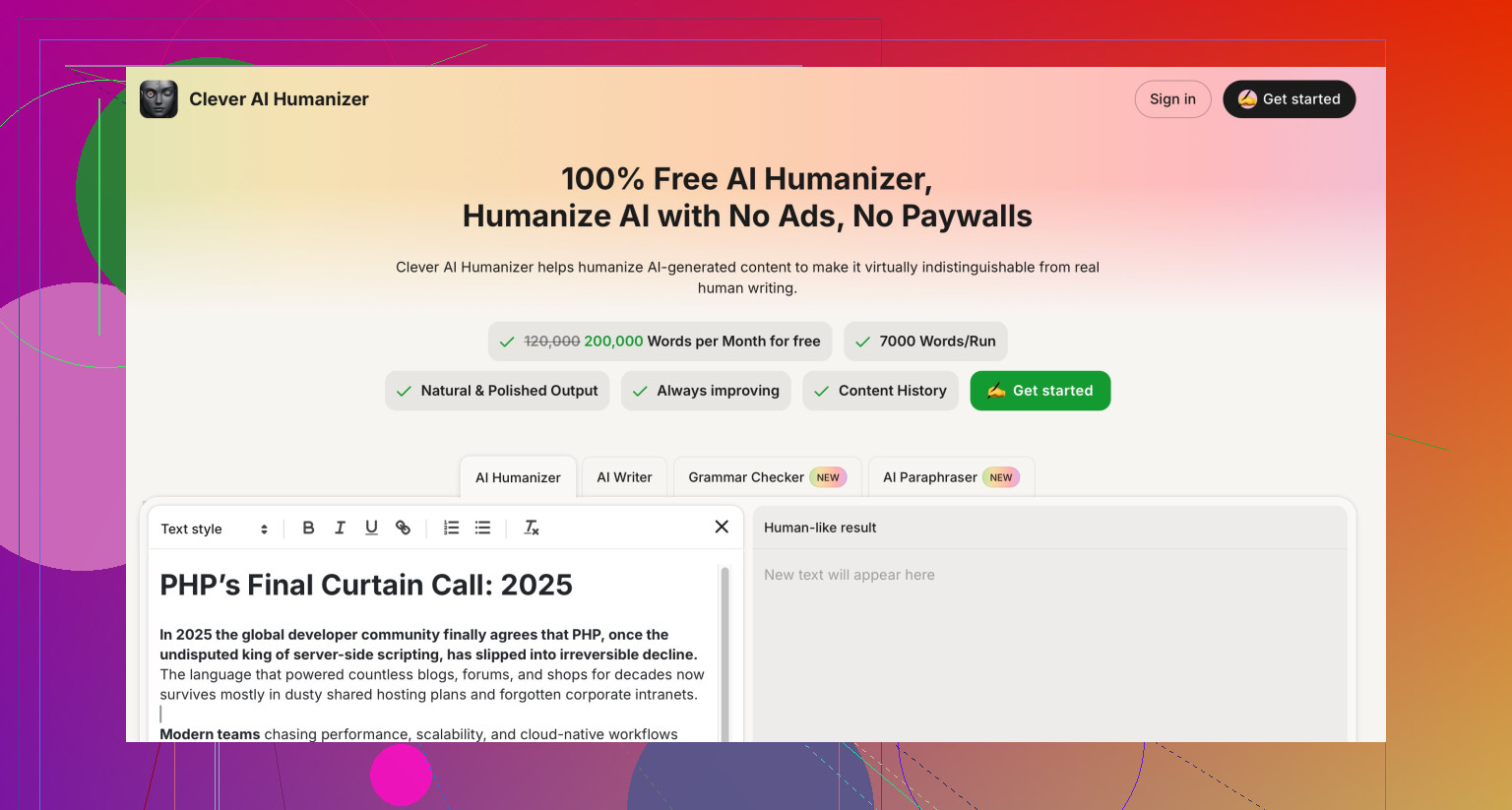
If you care about human-sounding output that survives detectors, I had much better luck with Clever AI Humanizer. It felt closer to how I and my classmates write when we are tired at 2 a.m., and it performed stronger in detection tests without any subscription cost. You can read more about NoteGPT and its details here:
18 Likes
Short answer from my tests and client sites: I would not rely on NoteGPT’s AI Humanizer for “passing” AI detection or for SEO safety.
Here is why and what you can do instead.
- On AI detection
I saw similar behavior to what @mikeappsreviewer reported, but not as extreme.
On my side
- Some NoteGPT outputs stayed 100 percent AI on GPTZero and ZeroGPT
- A few dropped to around 70 to 80 percent AI likelihood
So you might see a tiny dip in scores, but it is inconsistent and not reliable enough if your whole goal is “this must look human to detectors”.
Important point. Every time you run your AI text through NoteGPT, you run it through another AI. Detectors often flag “AI like rhythm” and token patterns. A second AI rewrite often keeps those patterns. The fact it keeps structure clean is good for readability, less good for detection avoidance.
- On SEO safety
From what I have seen on sites I manage and audits I do for clients:
- Pure AI text that adds nothing new to the web tends to struggle for tougher keywords
- “Humanized” AI text that still has generic info performs about the same as the original AI version
- What matters most for SEO:
- Original insights or data
- Clear search intent match
- Internal linking and topical depth
- Strong on page structure and UX metrics
Google’s spam policies focus on low value and scaled content. They do not care if a detector thinks something is AI. They care if the page is thin or unhelpful.
So even if NoteGPT worked perfectly on detectors, it would not make low value content “safe”.
- Long term use
I tried NoteGPT for a month as a study and note tool. For that, it is fine:
- YouTube summary for lectures
- Quick note extraction from PDFs
- Decent readability on rewrites for study notes
For long term publishing on serious sites, I dropped it. Reasons:
- Rewrites felt samey across articles
- No strong improvement in user metrics on pages where I swapped in NoteGPT rewrites
- I still had to go in and add my own examples, opinions, and data
If you want SEO safe content, you need at least some of: your own experience, numbers, screenshots, quotes, niche terms, or original angles. No humanizer will add those for you.
- What I would do instead
If your main goal is “sounds natural and does not scream AI”:
- Use any AI model for a first draft
- Add 20 to 30 percent manual work:
- Your own examples or anecdotes
- Specific tools you use
- Real numbers from your logs, analytics, or industry reports
- Internal links to your other pages
- Read it out loud and cut robotic phrasing
If you still want an AI humanizer layer, Clever AI Humanizer worked better in my spot tests. It produced text closer to how tired students or bloggers write, and detectors tended to score it lower as AI than NoteGPT outputs. You still need to edit and add unique value, but it is a better starting point if you insist on that style of workflow.
- Direct answer to your question
- Effective at truly passing AI detection: not in a reliable way from what I have seen
- Safe for SEO: it does not make content safer by itself. SEO safety comes from value and uniqueness, not from whether a detector mislabels your text as human.
If you keep NoteGPT, I would use it for summaries and notes, not as your main “SEO humanizer”. For money pages or content you care about, write part of it yourself or at least inject your own experience into any AI or Clever AI Humanizer output.
I’ve been playing with NoteGPT’s humanizer too, mostly out of curiosity and a bit of panic about AI detectors on client stuff.
Short answer: it’s “fine text editor,” not “SEO safety net.”
Couple points that might help you decide:
- On AI detection
My results were kind of between what @mikeappsreviewer and @yozora saw.
Sometimes the detector score dropped a bit, sometimes it actually went up, which is hilarious and not in a good way. Once I had an original draft that was 60% AI on GPTZero, ran it through NoteGPT, and it jumped to 95%. So if your goal is “must pass detectors,” it’s basically a dice roll.
Also, you’re still feeding AI into AI. That tends to preserve the same token patterns, sentence cadence, and predictable word choices detectors latch onto. Tweaking style presets inside NoteGPT did not really change that for me.
- On SEO safety
This is where I disagree slightly with how people frame the question. The problem is not “can Google tell it’s AI.” The problem is “does this page deserve to rank.”
From a few small niche sites I own:
- Pages that were mostly AI then “humanized” with NoteGPT did not move the needle in rankings.
- Pages where I kept some AI, but added my own screenshots, examples, and specific tools I actually use, did a lot better, even when detectors still yelled “AI.”
So using NoteGPT, Clever AI Humanizer, or anything else is not automatically unsafe. It is just not a shield. If the content is generic, rewritten five times, and has no real angle, it is still low value in Google’s eyes.
- Long term use
I used NoteGPT for a couple months as part of my workflow. Over time the outputs started to feel very samey, like everything was written by the same mid-level content writer having an okay day. Not terrible, not memorable either.
For study stuff and summarizing PDFs or YouTube, it’s actually decent, I’ll give it that. For serious money pages, I ended up doing:
- AI draft
- Quick pass through Clever AI Humanizer when I wanted something more “messy human”
- Then manual edits to inject real examples, mistakes I’ve made, data, etc.
That last step is where the SEO benefit really comes from, not the humanizer itself.
- What I’d actually do in your case
If you want:
- “More natural”: use NoteGPT or Clever AI Humanizer as a stylistic pass, then read it out loud and cut the weirdly formal phrases.
- “Safer for SEO”: forget the detector scores and focus on:
- inserting specific experiences
- mentioning tools, brands, or processes you really use
- adding internal links
- including small bits of original data or observations
If you’re torn between tools, I’d keep NoteGPT for notes and summarizing, and test Clever AI Humanizer on a couple articles where tone really matters. But whatever you pick, don’t skip the manual layer, or you’ll just end up with slightly nicer-looking filler content that still doesn’t rank.