I’m trying to connect older serial-based hardware to a newer Windows PC that doesn’t have physical COM ports, and I’ve been told I need virtual COM port software to make it work. There are so many options online that I’m not sure which are trustworthy, stable, and compatible with my setup. Can anyone recommend virtual COM port software that works well with Windows, supports multiple ports, and is easy to configure, or share any tips on what to avoid?
Short version so you do not waste time:
-
If your old hardware uses a USB‑to‑RS232 adapter
Use a good USB‑serial chipset, then you often do not need extra “virtual COM port” software at all.Go for:
• FTDI based adapters (FT232R, FT232RL etc). Stable drivers, work well on Windows 10/11.
• Prolific only if it is genuine. Many clones fail or drop connection.
• Avoid random no‑name adapters from eBay or Ali if you do anything serious.Windows assigns them COM ports automatically.
You set the port number under Device Manager → Ports (COM & LPT) → Properties → Port Settings → Advanced → COM Port Number.
Then point your legacy app to that COM number. -
If you need to create “fake” COM ports and pair them over software
For example:
• Old SCADA, CNC, POS, or lab software that only talks to COM ports
• You want COM3 ↔ COM4 loopback for testing
• You want to bridge TCP to COM for networked devicesThen you need true virtual COM software, not just a USB adapter.
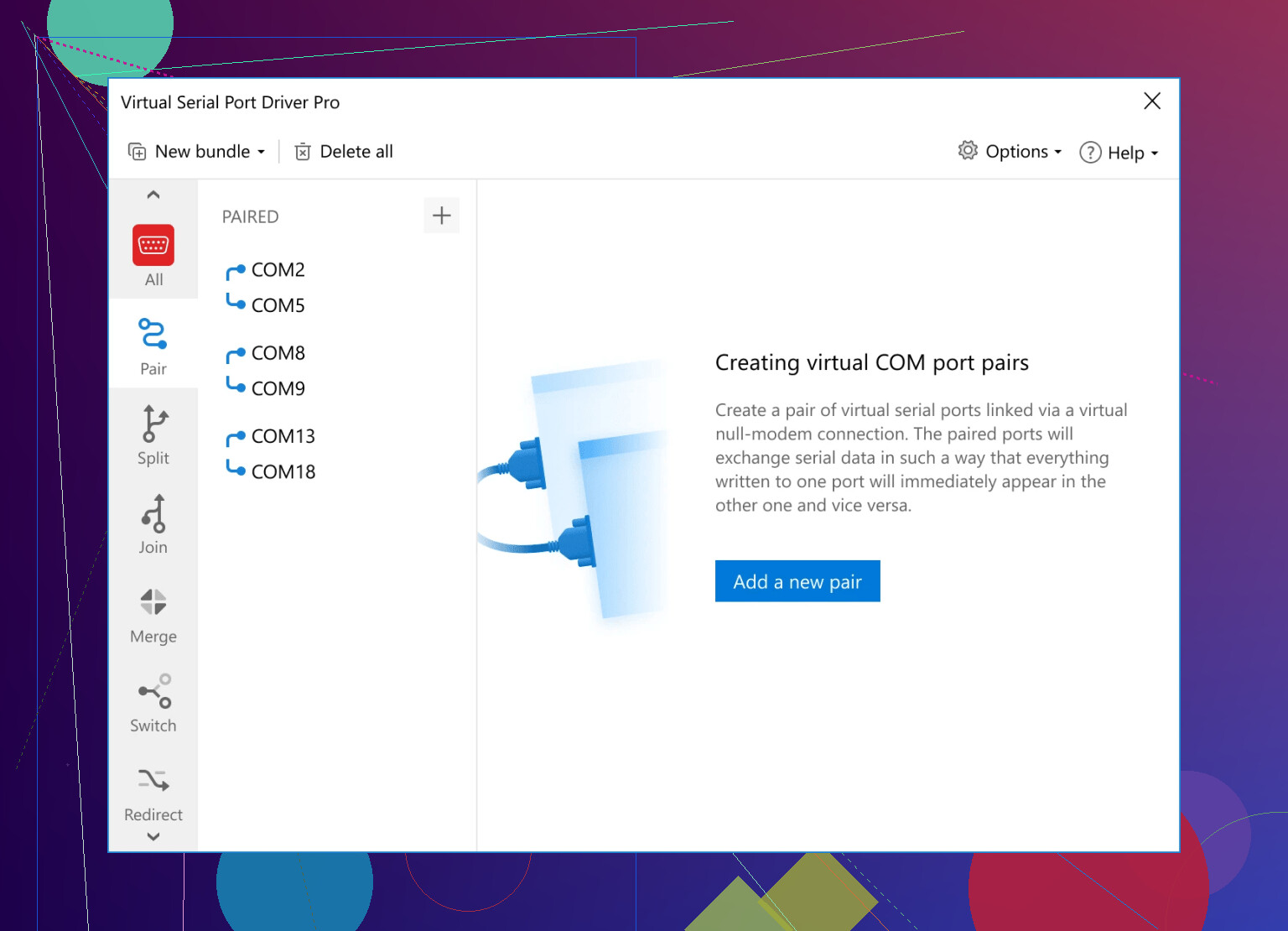
The one I see work without drama on Windows is the Virtual Serial Port Driver.
It does:
• Create COM port pairs like COM10 ↔ COM11 with no hardware
• Split one physical COM port to multiple virtual ones
• Join multiple hardware ports into one virtual
• Map serial over TCP/IPPros from real use:
• Stable on long running test benches, 24/7, no random disconnects
• Survives reboots, port names stay the same
• Plays nice with finicky old apps that expect “real” UART behaviorWatch out for:
• Some free tools stop working past COM9 or behave weird on 64‑bit Windows
• A few older ones hook low level Windows drivers and cause BSODs if you mix them with VPN clients or antivirus -
Quick “virtual COM port guide” style overview for searchers
• What it does
Virtual COM port software creates software‑defined serial ports in Windows that behave like hardware COM ports for old apps.• When to use it
Use it when your PC has no serial ports, when you need multiple apps to share one serial device, or when you route serial data over Ethernet.• Key features to look for
Stable 64‑bit driver, fixed COM names across reboots, low CPU use, support for high baud, clean uninstall, support for Windows 10 and 11.• Recommended start
Install Virtual Serial Port Driver, create a port pair like COM10 and COM11.
Open a terminal on each end. If loopback echo works, your virtual stack is fine.
Then plug your real device and map it as needed.
If you want a quick visual walkthrough, this short video on virtual COM ports on Windows is easier to follow than vendor docs.
If your old hardware model and software name are known, post those. People here have seen almost every weird serial combo by now.
9 Likes
When you really do need virtual COM software
Typical cases that scream “use virtual ports”:
- Old SCADA / CNC / POS software that won’t talk directly to TCP
- Need a COM to TCP bridge for a serial‑over‑IP converter
- Need a COM↔COM pair so you can test or glue two apps together
- Want multiple programs to talk to the same serial hardware
For those, Virtual Serial Port Driver is pretty much the current “does what it says on the tin” option. It installs a proper 64‑bit driver, lets you:
- Create port pairs like COM10↔COM11 with no physical device
- Mirror one real COM port to multiple virtual ones
- Map serial over a network
Unlike some older free tools, it actually behaves on modern Windows, which matters more than people admit. I’ve seen free drivers trash whole systems with BSODs as soon as a VPN or fancy antivirus was added.
If you want to check it out, the vendor site explains the features and use cases in human language here:
advanced virtual COM port solution for modern Windows systems
That page is basically a decent quickstart plus feature list.
Couple of quick “gotchas” everyone trips on**
- Power saving: On laptops especially, disable “Allow the computer to turn off this device to save power” on every USB hub in Device Manager. Otherwise your “COM port randomly dies after an hour” issue appears and you’ll blame the wrong thing.
- Baud / parity / stop bits: Match the device manual exactly. One wrong setting and some devices appear to “kind of work” then fail under load.
- FIFO / buffers: I only turn off FIFO in very timing‑critical stuff. Don’t randomly disable it because some old forum said so.
- Multiple apps on one port: If two programs must talk to the same serial device at the same time, you must use something like Virtual Serial Port Driver to split a physical port into multiple virtual ports. Otherwise one app will hog it.