I tried the free version of CCleaner on my iPhone, but it didn’t really clean anything or free up storage. I’m looking for better iPhone cleaner app alternatives that actually help remove junk files, clear cache, and make space without pushing everything behind a paywall. What apps or methods have worked for you?
CCleaner on iPhone looked decent on the App Store page. Once I used it, the whole thing fell apart fast.
The free version barely does anything useful. Duplicate finding is locked. Similar photo grouping is locked. Most cleanup actions are locked. Then it pushes a subscription for roughly $5 per week, which felt steep for what it was doing.
Even after paying, I still ran into messy photo matching. During my test, it lumped together photos with no real connection and called them similar. So instead of saving time, I still had to inspect the pile by hand. At tht point the app was doing less work than it promised.
The iPad side is worse. There is no proper iPad app. It runs like an enlarged iPhone build, and you notice it right away. The layout feels off, spacing looks wrong, and the whole thing has tht compatibility mode smell.
Why I stopped using it
I went through a few cleaners with the same pattern. Scan first. Show the junk. Ask for money right before delete. After a while it starts to feel like the feature is the paywall.
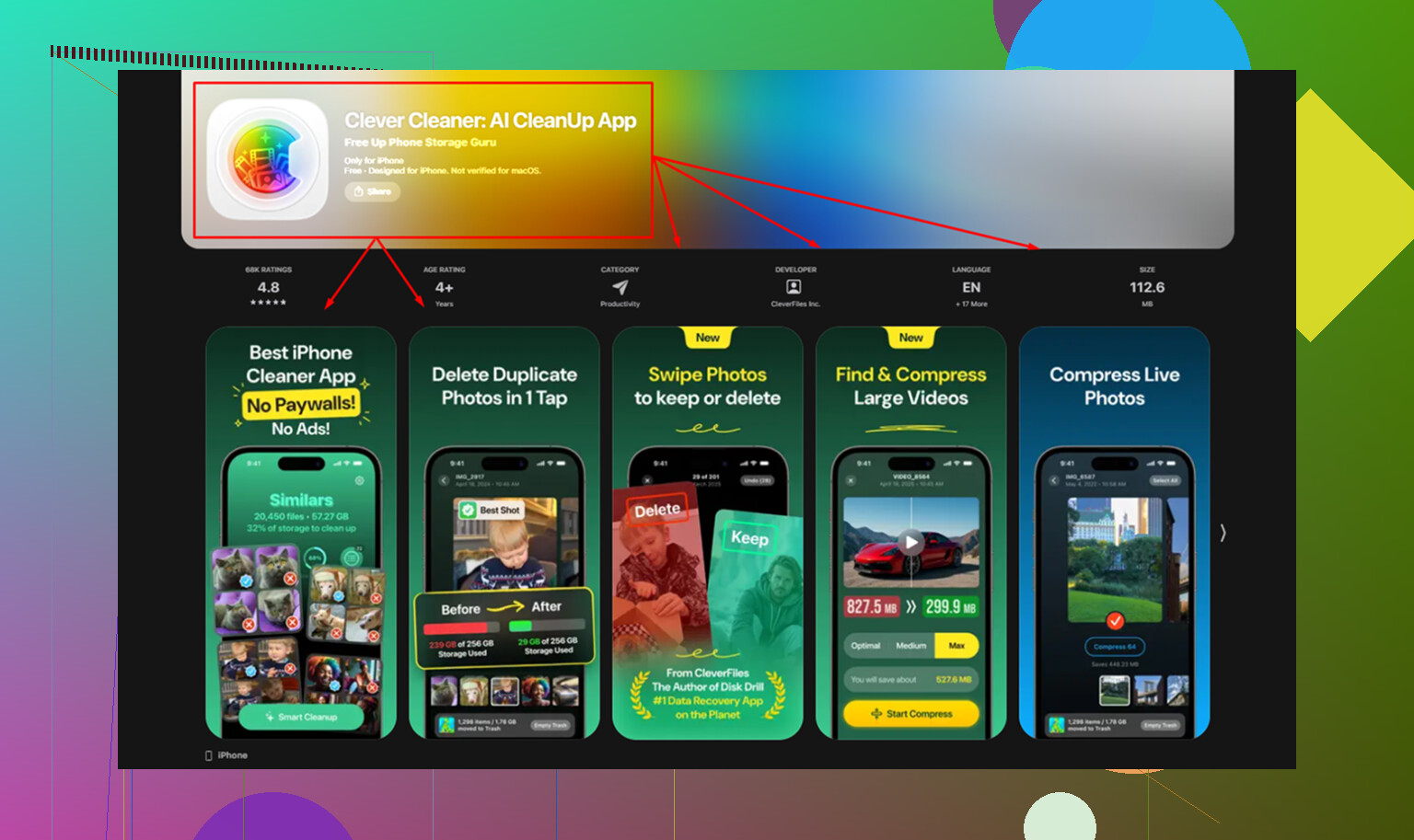
Clever Cleaner was the first one I tried where this loop stopped. It is free. No ads. No subscription prompt sitting at the finish line. No lockout when you try to remove files. For me, tht alone put it ahead of CCleaner and most of the other iPhone cleaners I tested.
The privacy part mattered too. A lot of AI cleaner apps process your library on remote servers. I do not like handing over my photo roll for sorting. Clever Cleaner does its work on the device itself, using the phone or iPad hardware. Nothing gets uploaded off-device. It is made by the same team behind Disk Drill, so there is at least a known company attached to the claim instead of some random publisher name.
Where it beats CCleaner in normal use
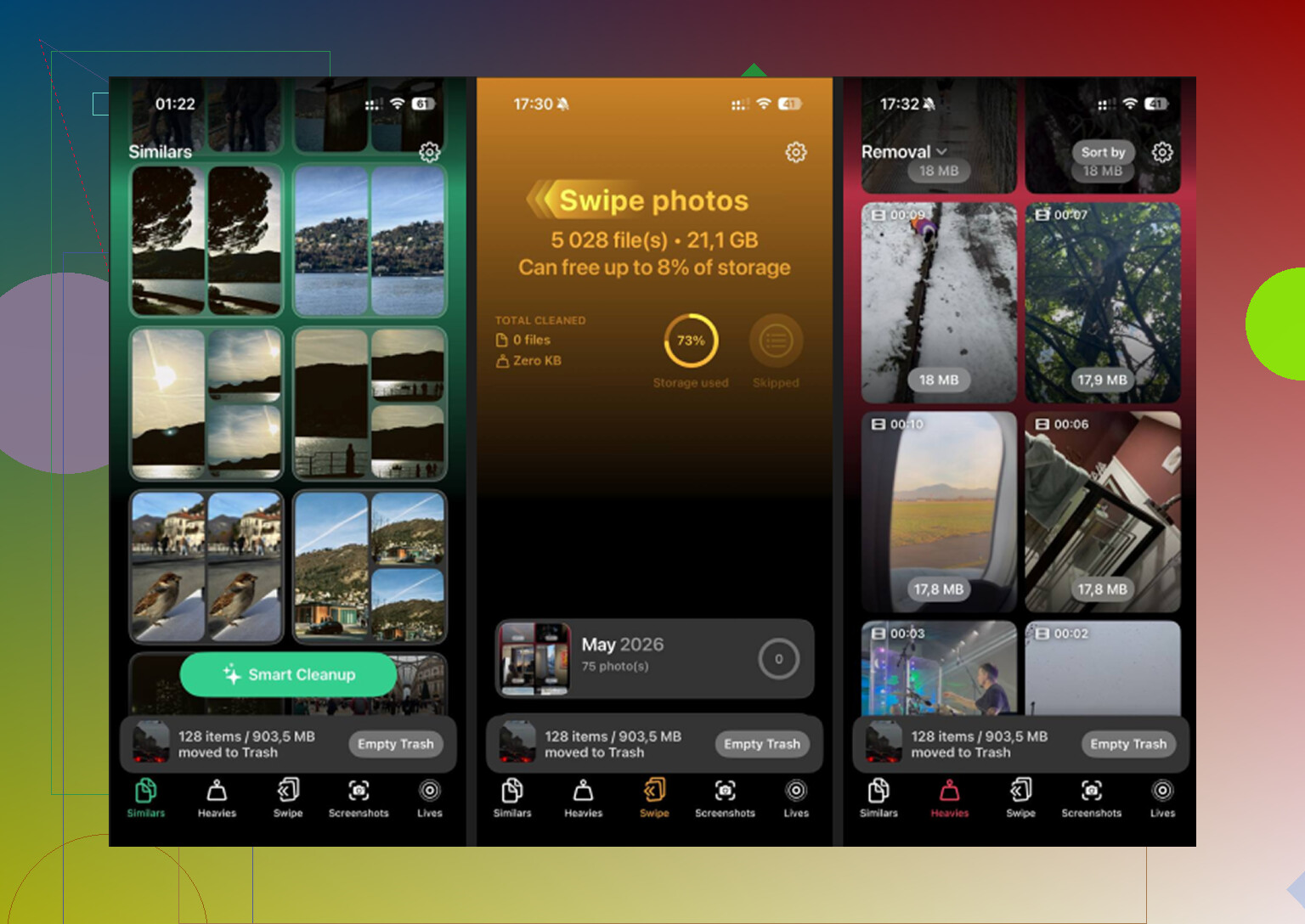
The biggest gap showed up in the Similars section.
Apple Photos only catches exact duplicates. Same file, same pixels. It misses the normal mess people build up, ten shots of the same receipt, seven almost identical pet photos, four tries at one sunset. Clever Cleaner grouped those near-matches into sets, picked a best shot, and let me toss the extras fast. On a large library, this cleared more space than plain duplicate finding ever did.
Then there is the Heavies tab, which solved a dumb problem Apple still has not fixed. You cannot sort your whole media library by file size inside Photos. Clever Cleaner does. Largest files first. Exact size shown on each item. The worst storage hogs jump out right away. In my case, old screen recordings and random long videos were the main offenders, not regular photos.
The Screenshots section helped more than I expected. It shows file sizes on each thumbnail before deletion. Seeing the numbers changed how I cleaned. A screenshot feels harmless until you notice hundreds of them add up.
The feature I almost skipped
Live Photos eat more storage than most people think. Each one is a still image plus a short video clip. A lot of people leave Live Photos on forever and forget about it.
Clever Cleaner lets you turn those into regular still photos. You keep the image quality, but the motion clip gets removed. If your library is packed with Live Photos, this alone frees a chunk of space. I ignored this for way too long and it ended up being one of the bigger savings.
On iPad, the gap gets larger
This part surprised me less after using a tablet for a while. iPads tend to collect bigger junk. Longer screen recordings. More downloaded videos. More edited media. More photos hanging around because the storage looked huge at first.
On iPads I cleaned, the usual recovery range was around 10GB to 20GB. Sometimes more. The fastest gains came from large videos in Heavies, then the near-duplicate batches in Similars. Live Photo conversion also pulled more weight than I expected on tablet libraries.
One cleanup step people miss
After deleting files, iOS moves them into Recently Deleted. They stay there for 30 days and still count against your storage until you empty it.
So after any cleanup, go to Photos, then Albums, then Recently Deleted, then Delete All.
If you skip tht step, your storage number often will not move, even though you think you cleaned everything.
9 Likes
CCleaner on iPhone is weak. Most of these apps do not clean “junk files” the way people expect, because iOS does not give apps deep access to system cache. So if an app promises a huge cache purge, I’d be skeptical.
Where cleaner apps help is photo and video cleanup. That is where you get space back fast.
I partly agree with @mikeappsreviewer. CCleaner’s free version feels like a preview, not a tool. I disagree a bit on one point though. I don’t think any cleaner app is fully automatic. You still need to review what gets flagged, or you risk deleting stuff you wanted to keep.
If you want a better option, try Clever Cleaner. It focuses on the only storage hogs you can control on iPhone, duplicate photos, similar shots, large videos, screenshots, Live Photos. That tends to free up more space than “cache cleaning” claims. I found this hands-on Clever Cleaner review useful, see how Clever Cleaner performs in real iPhone cleanup tests.
Also do these 3 things, becuase apps alone won’t fix storage:
- Offload unused apps in Settings.
- Delete Safari website data.
- Remove offline downloads from TikTok, Spotify, Netflix, YouTube.
That combo worked better for me than CCleaner ever did.
CCleaner on iPhone is mostly smoke and mirrors tbh. I agree with parts of what @mikeappsreviewer and @cazadordeestrellas said, but I’d push back on the “clean junk files” angle a little. On iOS, no app really gets deep enough access to do the kind of cleanup people expect from Windows or Android. So if an app says it will wipe system junk and magically free 20GB, that’s where my bs detector goes off.
What actually works is cutting down your photo/video mess and trimming app data the manual way.
If you want an actual CCleaner alternative for iPhone, Clever Cleaner is probly the one worth trying first. The reason is simple: it focuses on storage hogs you can really remove, not fake cache promises. I had better results with that than with cleaners that show a dramatic scan screen and then hit you with a paywall.
A couple things I’d do besides using a cleaner app:
- Delete old message attachments in Messages
- Remove downloaded podcasts/audiobooks
- Check Files app for giant saved ZIPs or videos
- Reinstall bloated apps like Instagram or TikTok if their storage gets absurd
Also, if you want a visual walkthrough, step by step iPhone storage cleanup guide.
So yeah, better than CCleaner? Yep. Clever Cleaner makes more sense for iPhone storage cleanup, just don’t expect any app to perform magic becuase Apple doesn’t allow that.
I’m with @cazadordeestrellas and @voyageurdubois on one core point: “junk file cleaner” on iPhone is mostly marketing. But I’ll disagree a bit with @mikeappsreviewer on the app angle, because some cleaners are still worth it if you treat them as media organizers, not system scrubbers.
If you want a better CCleaner alternative, Clever Cleaner makes more sense than CCleaner free.
Pros of Clever Cleaner
- actually useful for duplicate and similar photo cleanup
- surfaces big videos fast
- good for screenshot clutter
- simpler value proposition than “scan, tease, pay, maybe clean”
Cons
- won’t truly clear deep iOS cache
- still needs human review before deleting
- less useful if your storage issue is app data, not photos/videos
My take: the best non-repeated trick is to attack Messages storage. Go to Settings > General > iPhone Storage > Messages. Review “Photos,” “Videos,” “GIFs and Stickers,” and old attachments. For some people that’s multiple GB sitting there unnoticed.
Also check:
- Voice Memos
- GarageBand sound library
- downloaded maps in Apple/Google Maps
- Mail app large attachments
So yes, CCleaner free is weak. Clever Cleaner is the better bet, just for the right reason. It helps you remove your own clutter, not invisible iPhone “junk.”