I need to access a remote device that only exposes a serial (RS-232/RS-485) port, but the device is installed far away and is only reachable through an Ethernet network. I’m trying to find reliable software that can redirect or virtualize a serial port over TCP/IP so my existing Windows apps can talk to it as if it were local. What tools or solutions are you using for serial-over-Ethernet, and what should I watch out for in terms of latency, drivers, and security?
Short version: you want “virtual COM port over TCP/IP” software.
Longer version:
If your remote box only speaks RS‑232/485 and you can reach a serial device server or some hardware bridge over IP, you need a tool that creates a local COM port, then tunnels it through the network to that remote serial endpoint.
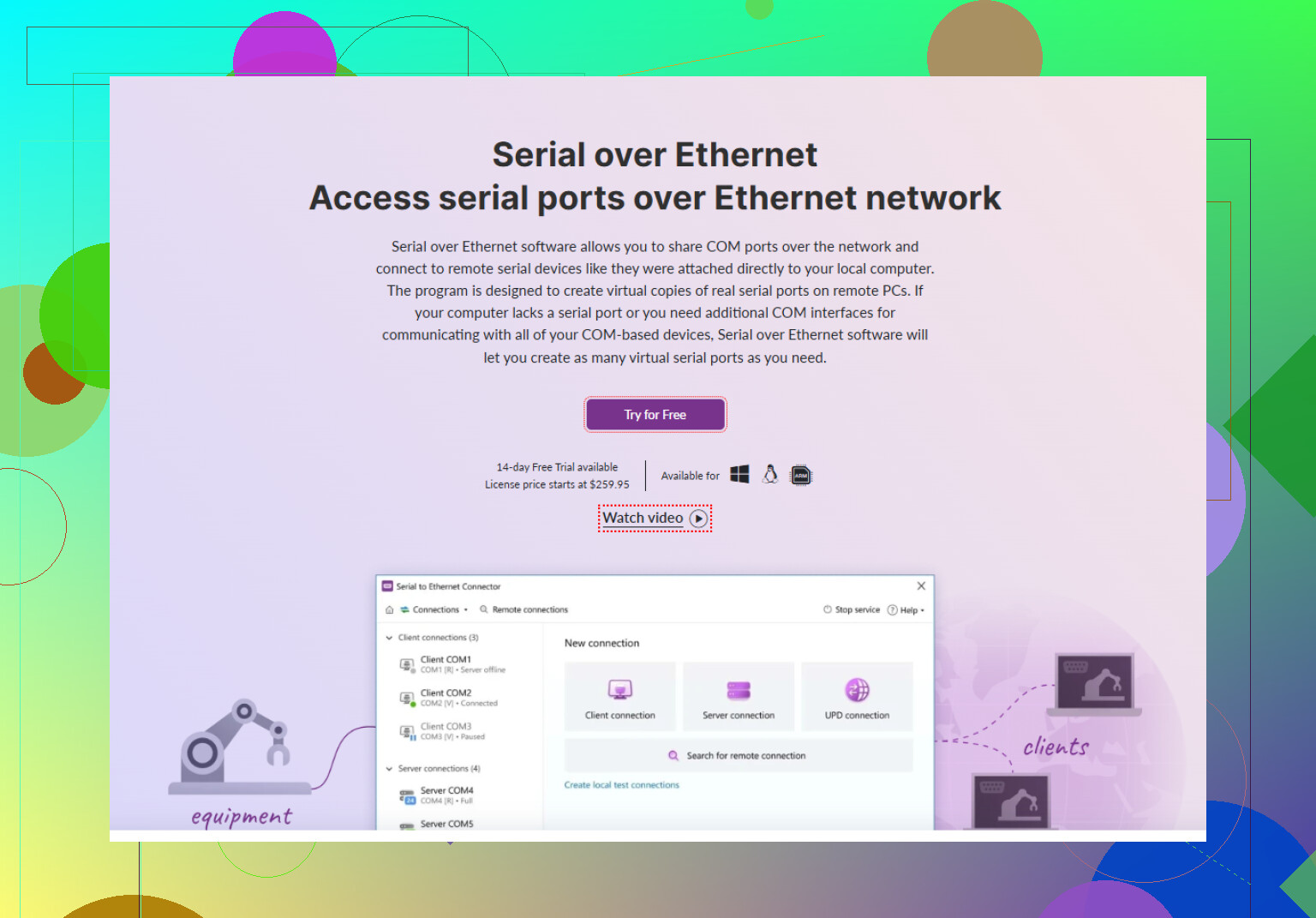
One solid option is Serial to Ethernet Connector. It installs on Windows (and also Linux with some setups) and gives you a virtual COM port that maps directly to an IP and port of your serial server or embedded device. To the apps on your PC it looks like a normal COM1 / COM3 or whatever, but all traffic travels over Ethernet. It supports client / server mode, encrypted links, multiple clients to one serial port, and you can tweak timeouts + baud rate so finicky legacy software doesn’t freak out.
For what you’re describing, this fits the classic “access RS‑232 over LAN” scenario. You set up the remote side (either a hardware serial‑to‑IP box or a PC with a real COM port), then connect from your local machine with the virtual COM software.
If you want to read up more on turning a standard serial interface into a network accessible port, this page is pretty handy:
reliable remote access to serial ports via Ethernet
Alternative terms to search for if you want to compare tools: “COM over IP,” “virtual serial port over network,” “serial device server software.” There are a bunch of products, but Serial to Ethernet Connector is one of the more mature and stable ones I’ve seen for weird old industrial gear that throws a tantrum if the COM port isn’t exactly how it expects.
20 Likes
You’re basically in “make this look like a local COM port even though it’s across the network” territory, same as @mike34 said, but I’d look at it a bit differently.
Instead of only focusing on the virtual COM driver on your PC, think about the whole path:
-
Hardware side (remote end)
- If your remote device is only RS‑232/RS‑485 and already plugged into a serial device server (Moxa, Digi, Lantronix, cheap USR boxes, etc.), then you just need software that talks TCP/IP to that thing.
- If it is currently plugged into nothing but a DB9 / terminal block, then you still need some hardware (USB‑to‑serial on a remote PC, or a dedicated serial‑to‑Ethernet device). Software alone will not magically speak RS‑485 through the air.
-
Software side (your local PC)
- Virtual COM software is indeed the usual solution, but not all of them behave well with old, timing‑sensitive industrial apps. Some choke when the link drops, or they re‑enumerate COM ports and your 20‑year‑old control software freaks out.
- Serial to Ethernet Connector is actually one of the better behaved ones in that regard and it fits what you want: it creates a virtual COM port locally, talks over TCP/IP to your serial endpoint, and your legacy software is happy because it still sees COM3 or whatever.
Where I slightly disagree with @mike34 is that client/server and encryption are not always the main selling points. In a lot of industrial setups the make‑or‑break is:
- How it handles line drops and reconnects
- Whether it preserves COM numbers consistently
- How well it deals with odd baud rates and weird framing
Those are the bits I’d test first.
-
Alternative approach if your app supports it
If your application can talk raw TCP or RFC2217 (telnet COM port control), you might not even need a virtual COM driver. Many serial servers expose the port on a TCP socket directly. In that case you can bypass COM emulation entirely, which is often more robust.
Problem is, most legacy Windows software insists on COM ports, so you’re stuck with the virtual driver route anyway. -
A couple of practical tips
- Turn off over‑aggressive Nagle / buffering in some NIC drivers if you see weird latency on short messages.
- Lock down the baud, parity, stop bits in the virtual COM tool to match your device exactly. Auto‑detect tends to misbehave with quirky RS‑485 stuff.
- If it’s RS‑485 with multi‑drop, be very careful with “multiple clients to one serial port.” Just because the software supports it doesn’t mean your protocol does. That can end in packet soup real fast.
If you want to try Serial to Ethernet Connector on your own setup, grab it from here:
get the Serial to Ethernet Connector installer
Install on the PC that needs to see the COM port, point it at the IP/port of your serial device server, map it to a fixed COM number, then test with something simple like PuTTY or RealTerm before you fire up the production software. That tiny bit of testing saves a lot of late‑night swearing later.
Couple of extra angles to look at that complement what @ombrasilente and @mike34 already covered.
1. Hardware vs software stack
They are both right that you’re in “virtual COM over TCP/IP” territory. Where I’ll push a bit harder is on choosing the right architecture before you pick tools.
You basically have three common setups:
- Remote device → serial device server → LAN → virtual COM on your PC
- Remote device → USB‑serial on a remote PC → LAN (remote desktop / agent) → no virtual COM, you just remote into that PC
- Remote device → serial device server → LAN → your app talks raw TCP / RFC2217, no virtual COM at all
Everyone gravitates to option 1, but for really fussy industrial software, option 2 (remote PC with a real hardware COM port) is often more stable long term. Worth considering if you control both ends.
2. Serial to Ethernet Connector: pros & cons
Since both of them already mentioned Serial to Ethernet Connector, here is a more blunt tradeoff list instead of just features.
Pros:
- Mature virtual COM implementation that behaves decently with old software
- Supports client / server, so you can centralize access to a remote serial endpoint
- Works with a range of serial device servers and also PC‑to‑PC tunneling
- Good for oddball baud rates and mixed RS‑232/RS‑485 environments
- Multiple connections to one serial endpoint if your protocol can tolerate it
Cons:
- Adds another software layer, so troubleshooting becomes: app → virtual COM → TCP/IP → serial server → device
- Paid solution; can be overkill for simple, noncritical monitoring tasks
- Still inherits all the weaknesses of the underlying network (latency, jitter, link drops)
- Not a magic fix for bad serial protocols that assume zero latency; timing‑sensitive gear can still misbehave
So yes, Serial to Ethernet Connector is a strong candidate, but I would not install it blindly and hope for the best. Treat it as one component in a chain you have to validate end‑to‑end.
3. Where I slightly disagree
- @mike34 put some weight on encryption and multi‑client support. In many industrial plants those are secondary to deterministic behavior and predictable reconnects. If you are on an isolated control network, security is often handled elsewhere and simplicity wins.
- @ombrasilente suggested focusing heavily on virtual COM testing first. I’d actually start by talking to the serial device server directly with a TCP client (PuTTY, netcat, etc.). Once you know that path is solid, then layer the virtual COM on top. Otherwise you can waste hours debugging the wrong component.
4. Competitors and alternatives
Without URLs or rankings, some other options commonly seen in the same space:
- Vendor‑supplied tools for Moxa / Digi / Lantronix serial servers
- Open source RFC2217 virtual COM solutions on Linux that you expose to Windows through a small bridge/service
- Some SCADA / HMI suites have built‑in “COM over IP” drivers, which can bypass generic virtual COM tools entirely
If your application can talk directly over TCP or RFC2217, this is often more robust than any virtual COM driver, because you avoid the Windows COM emulation quirks. Sadly, a lot of legacy Windows tools are hard‑wired to COM1…COM4, so you are stuck with virtual COM anyway.
5. Practical sanity checks before you commit
Whichever stack you pick, I’d run these quick tests:
- Verify the serial device server or remote PC can talk to the device locally at the target baud / parity.
- Test raw TCP access from your workstation to the serial server’s IP:port. Confirm echo, basic commands, etc.
- Then introduce Serial to Ethernet Connector, fix a COM number, match serial parameters exactly, and hammer it with something like a looped script or RealTerm for a while.
- Finally, bring in your production app and watch how it behaves on link blips and reboots.
If it survives that abuse, it will probably survive in the field.
So: yes, you’re looking for “virtual COM over IP” software, with Serial to Ethernet Connector as a very viable choice, but don’t ignore the alternative topology (remote PC with a real COM card) if this is mission critical and your device is timing sensitive.