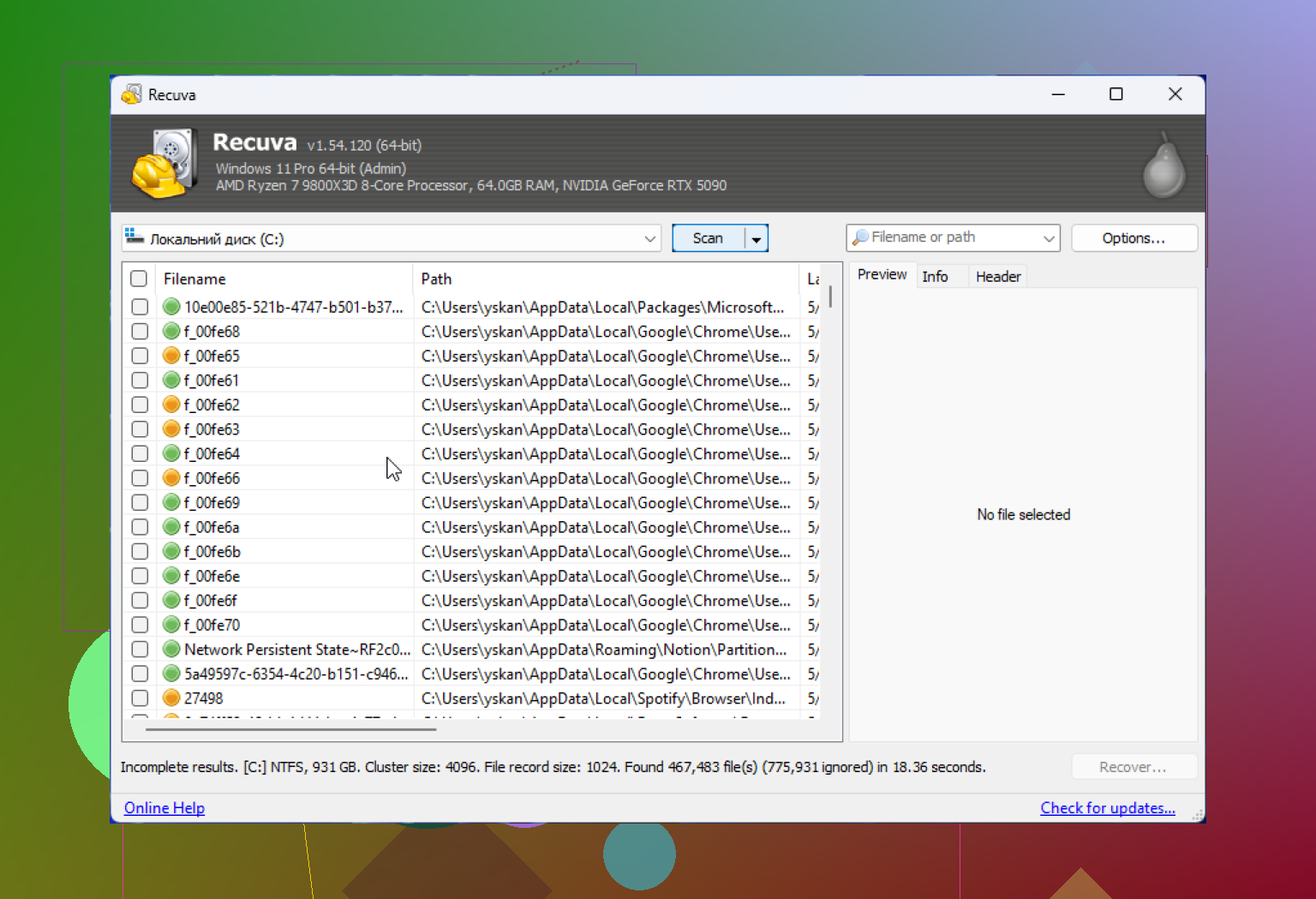
My hard drive started making strange noises and now Windows barely detects it. I need to recover important files, but I’m worried that running Recuva on a damaged drive could make things worse. Has anyone used Recuva for damaged hard drive data recovery, and is it safe to scan before trying other recovery options?
Is Recuva safe?
Short version from my own use, yes. Recuva itself is not malware, it is not going to wreck your PC on purpose, and it is still one of the safer free recovery tools if you get it from the official source.
The part people skip is this. ‘Safe’ does not only mean virus-free. It also means whether the app collects data, and whether your own steps will destroy the files you want back. I learned both the easy way and the dumb way.
The malware question people keep bringing up
A lot of the fear traces back to the old CCleaner mess in 2017. Same company line, same baggage. Piriform got hit in a supply chain attack, and the official CCleaner build was poisoned. Bad incident. No point pretending it was small.
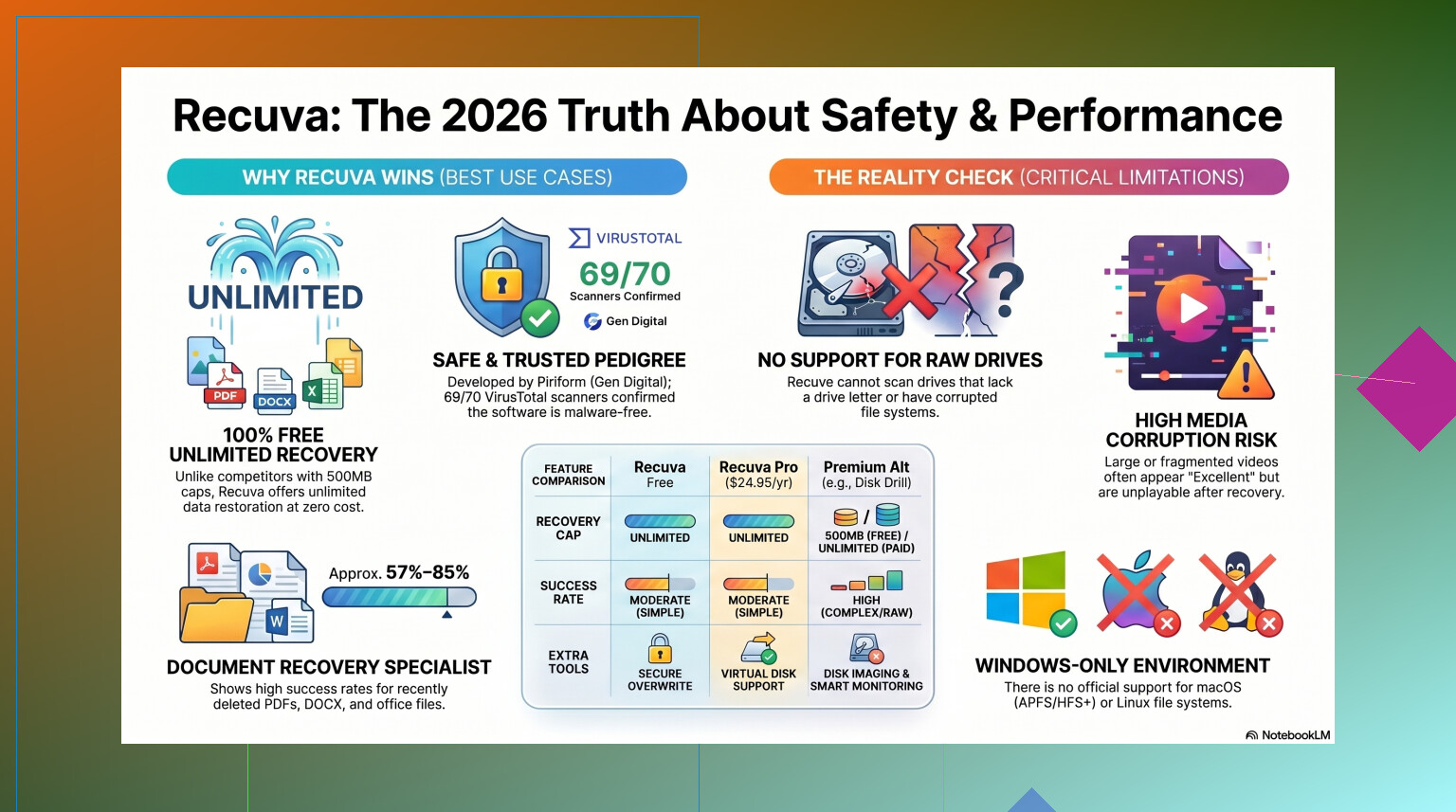
Still, it was years ago. Since then the company moved under Avast, then Gen Digital. Current Recuva builds in 2026 look clean when scanned through services like VirusTotal. Sometimes one obscure engine throws a warning, but I saw those on plenty of low-level utilities. Recovery tools poke around disk structures, so some scanners get jumpy.
What I did, and what you should do, is simple. Download from the official CCleaner or Piriform page only. If you grab some ‘Recuva Pro cracked 2026’ upload from a random site, all bets are off.
The privacy part is less clean
This is the bit people shrug off. I would not.
Recuva is not spying in some dramatic movie way, but the company does collect routine data. Stuff like your IP, device ID, OS details, and location data for fraud checks and licensing. If you hate software phoning home, you’ll notice this fast.
After install, go straight into Options, then Privacy, then turn off the usage-sharing setting. I do this on first launch. Every time. Their policies say IP data can sit around for up to 36 months before anonymizing. For some people, fine. For others, nope.
The bigger risk is you
This is where most file recovery attempts go sideways.
If you install Recuva onto the same drive where the deleted files lived, you might overwrite the exact data you want back. Windows usually does not erase deleted files right away. It marks the space as free. Then your next write operation stomps on it.
I saw this happen with deleted photos on an SSD. The installer was small. Did not matter. A few files came back broken, a few never showed up. My mistake.
If your files matter, do this instead:
- Use the portable version.
- Put it on a USB drive.
- Run it from there.
- Save recovered files to a different drive, not the one being scanned.
That one habit avoids a lot of self-inflicted damage.
How well it works in 2026
Here is the blunt part. Recuva still works, but it feels old.
For basic undelete jobs on a healthy Windows drive, it does fine. Empty Recycle Bin by accident, deleted a document ten minutes ago, removed some photos from a USB stick and stopped using it right away, sure, Recuva still has a place.
It is fast. It is light. It is free. No recovery cap is a nice change from tools that bait you with a scan, then lock the restore button.
Once things get messy, Recuva starts showing its age.
I ran into these limits more than once:
- RAW drives often do not show up properly
- damaged partitions are a weak spot
- formatted media recovery is inconsistent
- recovered files sometimes open as corrupted junk
- folder structure gets trashed
- filenames turn into generic nonsense like 000123.jpg
On formatted USB tests, success rates tend to sit around the mid-60% range. I have seen numbers around 63% to 67%, which lines up with my own results. And yes, it will sometimes label a file as excellent, then the file refuses to open. Annoying is putting it politely.
When Recuva is enough
I’d still use it first if all of these are true:
- your drive is healthy
- Windows still sees the partition
- you deleted the files recently
- you stopped writing new data to the drive
- the files are useful, but not irreplaceable
In those cases, Recuva is a decent first shot. Low friction. Quick scan. No paywall right away.
When I would stop wasting time
If the disk shows as RAW, if Windows asks you to format it, if the drive is clicking, if the files are business-critical, or if you are dealing with camera RAW and video files, I would move on fast.
That is where older undelete tools start eating your time. Worse, repeated scans on a failing drive add stress. If the hardware is on its last legs, you do not get endless retries.
From what I’ve seen, Disk Drill handles the ugly cases better. Better damaged partition support, better deep scan results, and one feature I wish free tools copied, byte-to-byte disk imaging. You clone the failing drive first, then scan the clone. Safer move. If the original dies halfway through, you still have the image.
For photo and video work, Recuva can be rough. Fragmented videos, Nikon RAW, Canon RAW, weird proprietary formats, it tends to stumble there.
For a side-by-side look, this review is worth watching:
What I’d do, step by step
If you want the safest way to try Recuva, this is the routine:
- Stop using the drive with the deleted files.
- Download Recuva from the official site only.
- Pick the portable version if available.
- Run it from a USB stick.
- Turn off data sharing in Privacy settings.
- Scan the affected drive.
- Recover files to another drive.
Do not install it on the damaged or affected disk. Do not save recovered files back there either. People still do both, then wonder why recovery got worse. Been there. Messed it up once. Not doing taht again.
My take
So, yes, Recuva is safe in the normal malware sense if you get the legit installer. The bigger issues are privacy settings and user mistakes. As a free first attempt for simple Windows deletions, it still earns a spot.
I would keep expectations low, though. If the recovery job is serious, or the disk is unhealthy, Recuva starts feeling thin fast. At that point, stop touching the drive and switch to something built for deeper recovery.
4 Likes
No. I would not run Recuva first on a drive making noises.
Noise changes the whole situation. Recuva is fine on a healthy drive with deleted files. Your case sounds like hardware failure. Clicking, grinding, spin-up spin-down, or slow detection usually means the drive is degrading. Every full scan adds more read stress. That is the part people miss.
I agree with @mikeappsreviewer on one big point. The risk is not Recuva being unsafe software. The risk is the damaged drive dying mid-scan.
My take is a bit stricter. If the files matter, stop powering it on over and over. Do not chkdsk it. Do not defrag it. Do not let Windows ‘repair’ it. Those tools write to disk and make bad cases worse.
Best path:
- Clone or image the drive first.
- Work from the clone, not the original.
- If imaging throws tons of read errors, consider a pro lab.
This is where Disk Drill makes more sense than Recuva for many home users, because it supports byte-level backup of a failing disk before recovery. That is a safer workflow. Recuva is more of an undelete tool than a damaged-drive tool.
If you want a broader list, this guide to the best data recovery software for damaged drives and deleted files is worth a look.
Short version. Recuva itself is safe. Running any deep scan on a noisy drive is not. If the data is important, stop now and image it first, or send it in. Dont keep poking at it.
Nope, I would not use Recuva as the first move on a drive that’s making noises. That’s the key difference here. On a healthy disk with accidentally deleted files, sure, learn more about Recuva file recovery software is generally fine. On a clicking or struggling drive, the issue is hardware stress, not whether the app is “safe.”
I mostly agree with @mikeappsreviewer and @shizuka, but I’m even less optimistic about doing any full scan at all. If Windows barely sees it, every spin-up can be your last clean read. Recuva tends to read a lot when deep scanning, and that can be a bad gamble.
What I’d do:
- stop rebooting and reconnecting it over and over
- avoid CHKDSK completely
- if the data matters, image the disk first
- scan the image, not the original
That’s where Disk Drill is actually useful, because imaging/cloning is built into the workflow and it’s more suited for damaged drive recovery than Recuva’s basic undelete approach.
If the drive is making grinding/clicking noises, honestly this might already be past DIY territory. Recuva won’t “break” it by being malicious, but yes, using it can absolutley make recovery chances worse if the drive is physically failing. That part gets glossed over a lot.