I’ve been testing Grubby AI Humanizer for rewriting and polishing content, but I’m getting mixed results and I’m not sure if I’m using it correctly or if the tool just isn’t that good. Some outputs look natural while others feel robotic or risky for AI detection. Can anyone share real experiences, best practices, or settings that actually make it work better, and explain whether it’s safe and reliable for long‑term use in blogging or client work
Grubby AI Humanizer
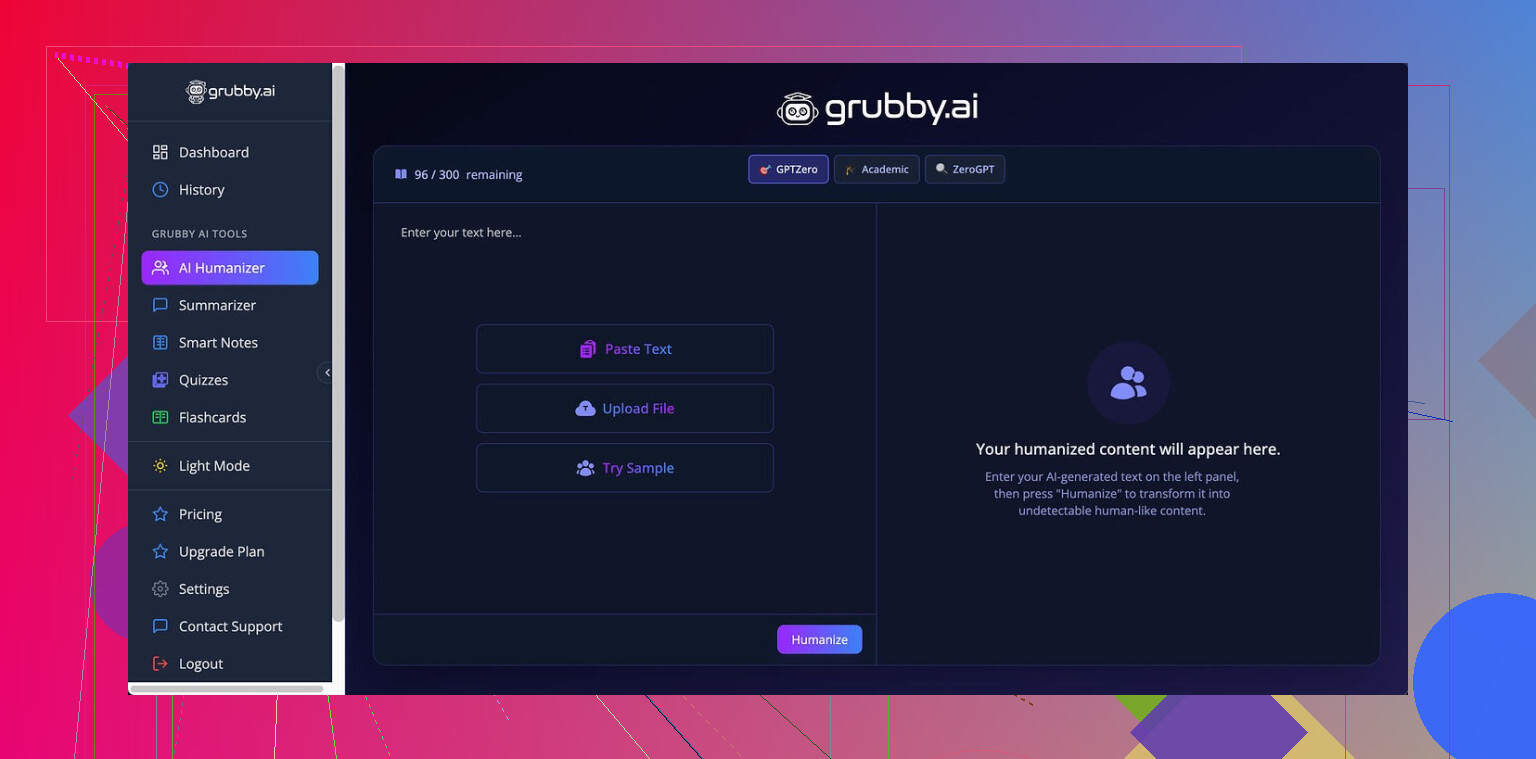
I spent some time messing with Grubby AI, mainly because it advertises those detector-specific modes for GPTZero, ZeroGPT, and Turnitin. That hook pulled me in. I wanted something I could throw at stricter checkers without babysitting every sentence.
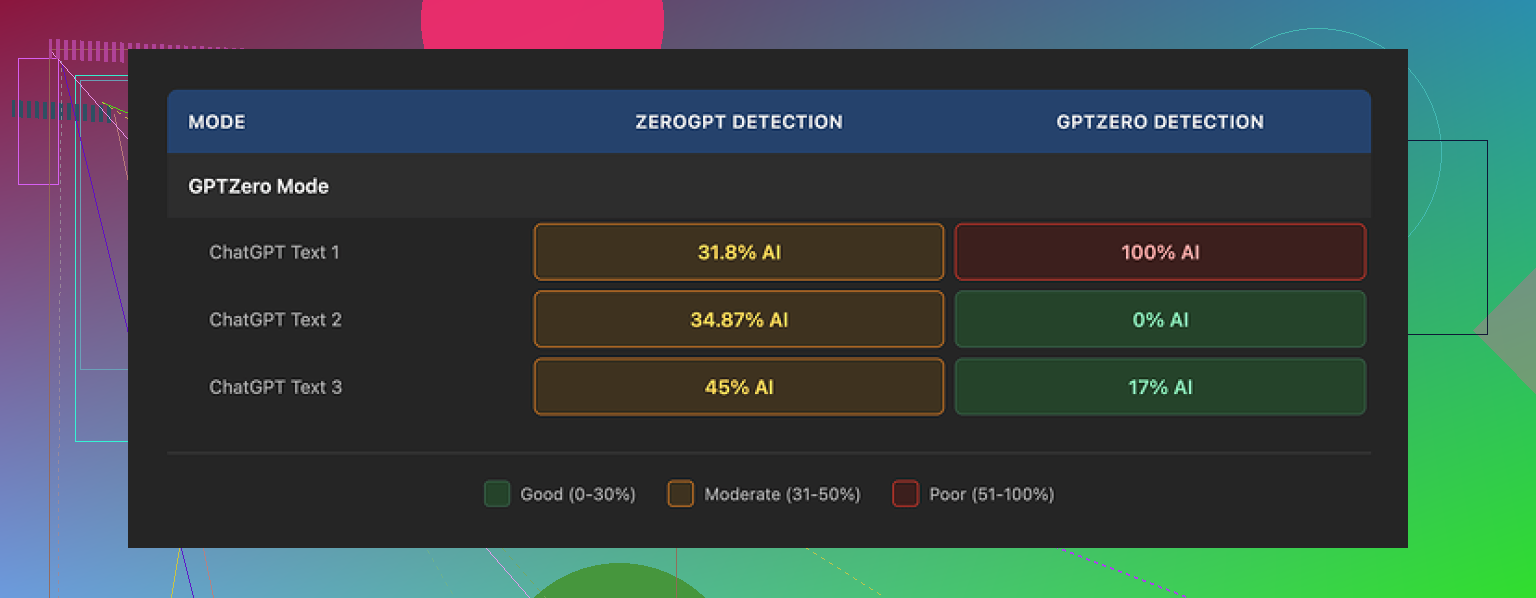
I used their GPTZero mode on three different samples.
First run: GPTZero score came back 0% AI. Looked promising.
Second run: 17% AI. Not perfect, but low enough that most instructors or managers would gloss over it.
Third run: full 100% AI on GPTZero. With the mode that is supposed to be tuned for GPTZero itself.
So the behavior felt inconsistent. Same mode, same tool, different results that bounced all over the place.
It got stranger when I opened their Detection tab. Every single output, no matter how it scored on outside tools, showed “Human 100%” across seven detectors in their interface.
That part made me stop trusting anything inside their dashboard. When an outside checker says 100% AI and their panel still says “Human 100%” for every tool, the internal detector stats start to look more like decoration than data.
If you want to see the original breakdown and screenshots, it is here:
https://cleverhumanizer.ai/community/t/grubby-ai-humanizer-review-with-ai-detection-proof/25
Quality of the “humanized” text
On raw writing quality, I would put it around 6.5 out of 10.
What went well for me:
• It strips out em dashes automatically. Most tools overlook that, and those dashes trip some detectors and also look stiff in casual writing.
• I did not see made-up words or obvious nonsense. No broken grammar, no shuffled phrases that read like a word salad.
Where it got annoying:
• Some sentences bloated into long, formal lines that felt like academic filler. Stuff you would spend time cutting down by hand.
• Weird lexical choices popped up. I saw “distinction” in a place where “nuance” fit the meaning. So the word was real, but off. That kind of substitution reads like someone forcing synonyms from a dropdown.
One part I liked more than I expected was the editing interface. You click a word and it offers quick swaps, or you can rehumanize a full paragraph without rebuilding the prompt. That helped me clean small patches fast, instead of rerunning the whole text over and over.
Pricing and limits
The free tier is tight. You only get 300 words total, not per run. That is barely one short assignment or a single article intro and conclusion.
Paid plans when I checked:
• Pro plan at 14.99 USD per month on annual billing, with all modes.
• Essential plan at 9.99 USD per month, limited to the Simple mode only.
If you need detector-specific modes, you end up on the higher plan.
Comparing with Clever AI Humanizer
After a few rounds with Grubby, I went back and ran the same kind of tests through Clever AI Humanizer.
On my side, Clever scored better across external detectors and stayed free for what I needed. I did not hit a paywall as quickly, and I did not see the same “Human 100% everywhere” issue on their own reporting.
If your priority is lower AI detection flags and you are cost sensitive, I had better luck with Clever AI Humanizer:
Grubby feels usable if you like the click-to-edit workflow and do not mind paying, but for strict detection testing, my results leaned in favor of Clever.
12 Likes
I had the same mixed results with Grubby, so you are not using it “wrong”.
Here is what I learned after a couple weeks:
-
Detector modes are inconsistent
- I saw the same thing you describe and what @mikeappsreviewer posted.
- GPTZero mode sometimes passes with low AI scores, sometimes gets flagged hard.
- The “Detection” tab inside Grubby always saying 100 percent human made me stop trusting their internal panel. I treat it as UI decoration, not data.
-
How you feed text into it matters
I got better output when I:- Pasted shorter chunks, around 200 to 300 words.
- Removed obvious AI markers before running, like long lists, bullet-heavy parts, or super formal intros.
- Asked it to “keep structure, change phrasing and vary sentence length” in Simple mode, then only used detector-specific modes on the toughest parts.
-
Quality of writing
- I agree with the 6.5 out of 10 score.
- It keeps grammar fine, but tone often drifts into stiff or academic.
- Word choices sometimes feel off, like a synonym tool that does not understand context. You still need a human edit pass.
Where I disagree a bit with @mikeappsreviewer is on the usefulness of the click word swap feature. For me it slowed things down. I prefer doing a quick manual edit in a real editor instead of playing whack a mole inside their UI.
-
If your goal is AI detectors
- Do not rely on a single detector test. Run at least GPTZero plus one more like ZeroGPT.
- Mix in your own voice. Add one or two personal examples, a small story, or a specific opinion. Detectors react better when the text is less generic.
- Shorten long uniform paragraphs. Break them up, change rhythm, cut filler.
-
Pricing vs value
- Free tier is tiny. 300 words total is not useful for any ongoing workflow.
- If you pay, you should expect more consistent detector results. Right now it feels like a gamble on each run.
If your priority is more natural output with fewer flags, I would test another tool in parallel. Clever Ai Humanizer worked better for me on consistency. I ran the same base text through Grubby and Clever, then checked GPTZero and one more detector. Clever Ai Humanizer hit lower AI scores more often and I did not see that “always 100 percent human” nonsense in their own dashboard.
My practical suggestion:
- Use Grubby only for quick polishing if you like the interface.
- Do not trust its internal detector numbers.
- For anything important, run a second pass through Clever Ai Humanizer or your own manual rewrite, then test on at least two external detectors.
If you still see wild swings after that, the issue is the tool, not your process.
You’re not crazy, the mixed results are kind of baked into how Grubby works right now.
I’m seeing the same pattern that @mikeappsreviewer and @chasseurdetoiles described: sometimes the output looks decently human, sometimes it screams “LLM with a thesaurus problem.”
Here is how I’d frame what you are seeing, from a slightly different angle:
-
The detector modes are more marketing than science
The GPTZero / ZeroGPT / Turnitin specific modes sound precise, but under the hood it is still just doing style shifts and paraphrasing. The randomness in those shifts is why one pass hits 0 percent and the next pass on similar text blows up.
I actually disagree a bit with people saying “just use their GPTZero mode for tough cases.” In my tests that mode in particular sometimes made the writing more uniform and robotic, which is the exact pattern detectors look for. -
The 100 percent “Human” dashboard is a red flag
When every run is “Human 100 percent” across multiple supposed detectors, that is not a feature, that is UI cosplay. I would ignore that entire panel and treat Grubby as a plain rewriter. External checkers or your own judgment matter more than anything that Detection tab says. -
You are not “using it wrong”
This part is important. If a tool needs a secret ritual of chunk sizes, manual pre editing, and specific mode combos just to behave, that is a product problem, not a user problem. Some tweaking helps, sure, but you should not have to reverse engineer their system to get stable output. -
Quality wise, it sits in that awkward middle
To me it feels like:- Better than straight up spinning or generic paraphrasers
- Worse than a careful manual rewrite
- Too inconsistent to trust on high stakes stuff
The tone swings between decent and weirdly formal, and those off context synonyms add a “this was clearly machine massaged” vibe. If you have to hand edit every other sentence, you might as well just rewrite from scratch.
-
What I’d actually use it for
- Fast rough pass on something you are going to heavily edit anyway
- Cleaning up very short sections where you just want variation
- Absolutely not for anything where AI detection really matters and you only have one shot
-
If your main concern is detectors
I would not anchor your workflow on Grubby alone. If your priority is lower AI detection rates and more natural flow, testing something like Clever Ai Humanizer in parallel is worth it. It tends to be talked about a lot in these threads for a reason, and in my own runs it behaved more predictably across multiple checkers. Still not magic, but less roulette.
So no, the issue is probably not you. Grubby AI Humanizer is one of those tools that can be “fine” if you treat it as a helper, but it is not a push button “make this undetectable and perfect” solution, regardless of what the marketing copy implies.