I’ve been using GPTHuman AI Review to evaluate and refine my AI-generated content, but I’m not sure if I’m setting it up and interpreting the results correctly. Sometimes the feedback feels inconsistent, and I’m worried I might be missing important optimization steps. Can anyone walk me through best practices or share how they successfully use GPTHuman AI Review to improve accuracy, tone, and SEO performance?
GPTHuman AI Review
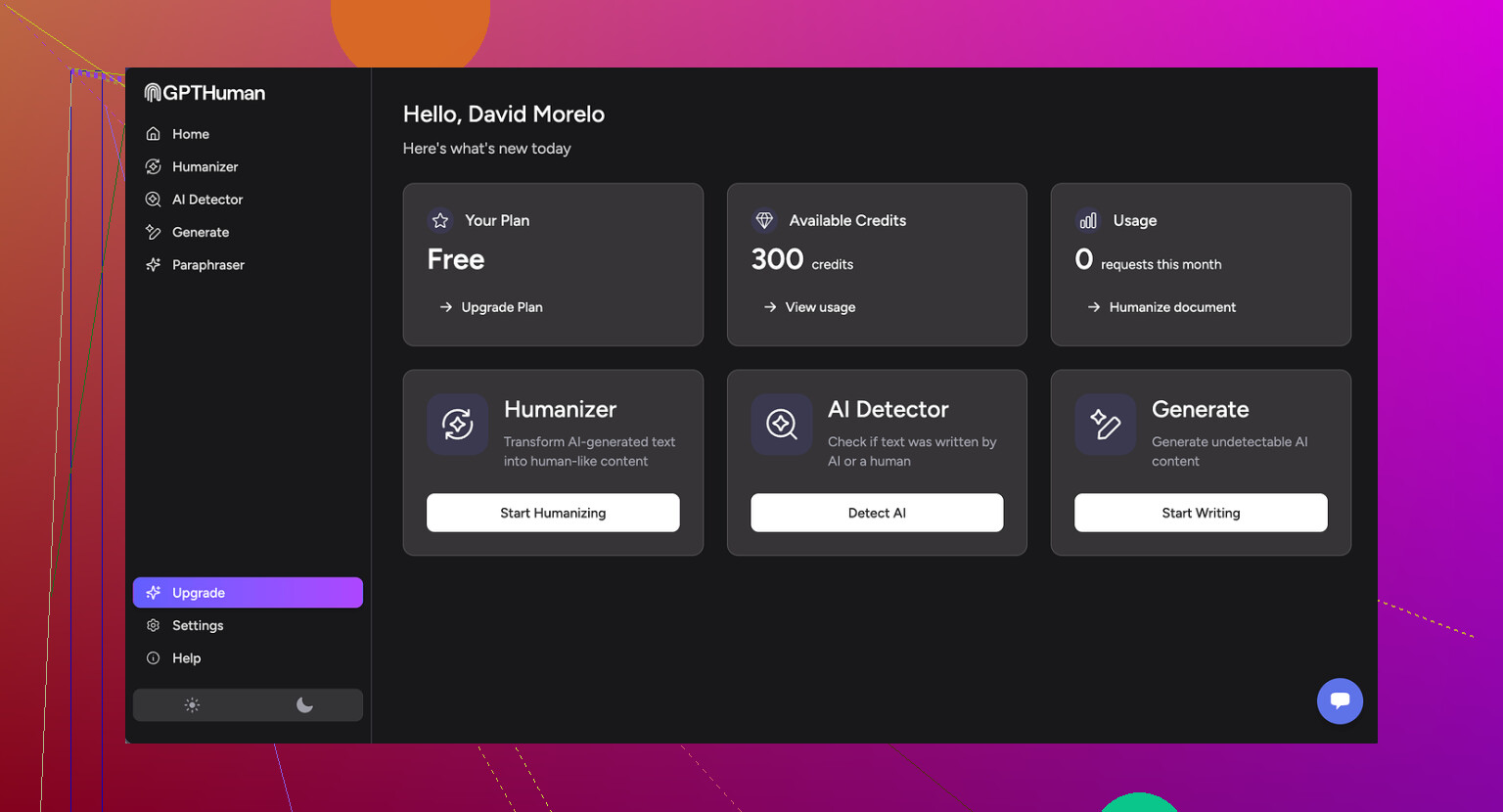
So I tried GPTHuman because of that big promise on their page about being “the only AI humanizer that bypasses all premium AI detectors.” I was curious, and a bit skeptical, so I ran it through my usual test setup.
I used three different samples, all originally written by an LLM, then processed them through GPTHuman. After that, I checked the results on a few external detectors.
Here is what happened in my tests:
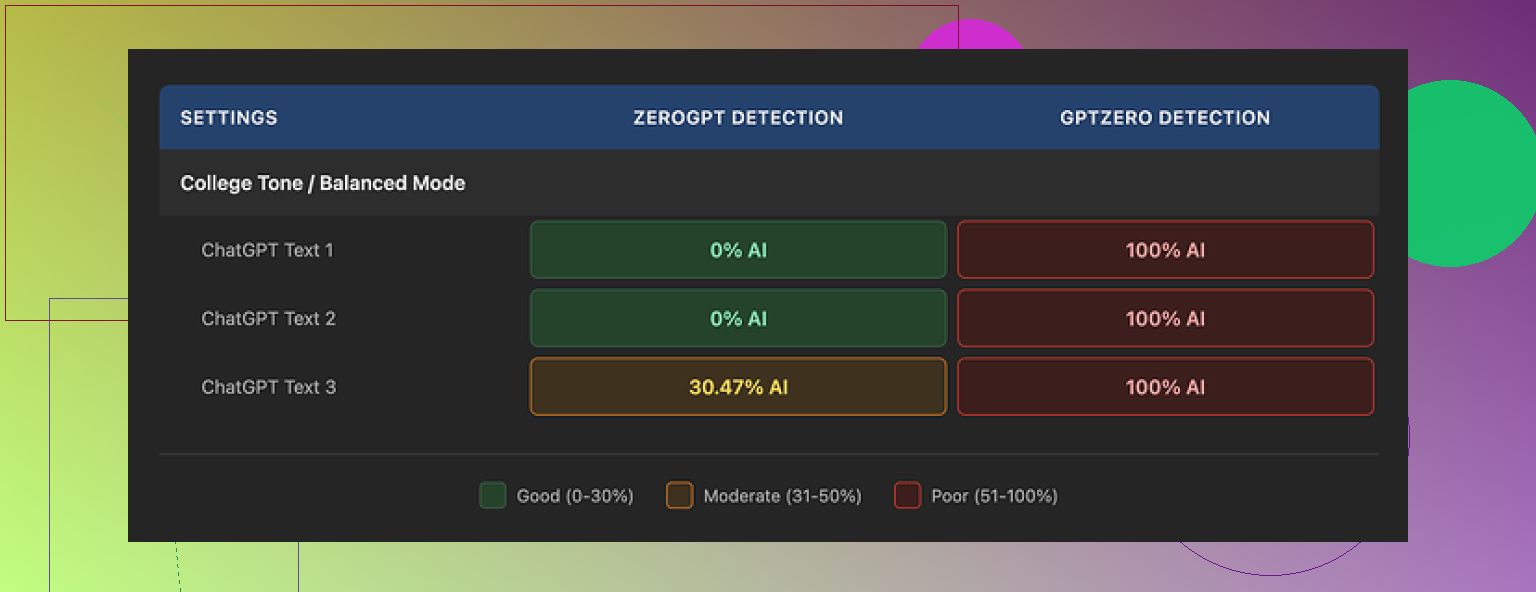
• GPTZero flagged every single “humanized” output as 100% AI. No borderline scores, no partial passes.
• ZeroGPT was less strict. Two outputs came back at 0% AI, one got tagged around 30% AI probability.
So it is not a total failure, but it is far from “bypasses all premium detectors.” The marketing line does not match what I saw.
GPTHuman shows its own “human score” meter on the interface. On my runs, that internal score was high and looked safe, but it did not track with what GPTZero or ZeroGPT reported. If you trust their built-in meter, you will get a different picture than from the external tools that teachers and platforms are more likely to use.
Now about the writing quality. The outputs read like someone rushed an edit and never went back.
Here is the kind of stuff I kept seeing:
• Subject and verb not agreeing in number.
• Sentences that stop halfway or lose structure near the end.
• Word swaps that make no sense in context, like the synonym wheel spun too far.
• Final paragraphs that trail into almost unreadable phrasing.
The paragraphs looked neat, spacing and structure were fine, so at a glance it seemed okay. Once I read carefully, the grammar issues stacked up enough that I would not submit that text under my name without heavy manual cleanup.
On pricing and limits, this part annoyed me more than the detection result.
Free tier:
• You get a total of about 300 words processed before it blocks you. Not 300 words per run, 300 words across everything.
• I had to make three separate Gmail accounts to finish my usual test set, which felt like a chore.
Paid plans:
• Starter starts around $8.25 per month if you pay annually.
• There is an “Unlimited” plan around $26 per month, but each individual run still caps at 2,000 words. So if you work with long reports or theses, you will have to split your text into chunks and reassemble later.
Refund and data policies:
• Purchases are non-refundable. So if you pay, test it, and find detections still high, there is no safety net.
• Your submitted text is used for AI training by default. You have to opt out if you do not want that.
• They also say they reserve the right to use your company name in promotional material unless you specifically tell them not to. That will bother some people, especially if you are using it in a workplace context.
For comparison, I also ran the same style of tests on Clever AI Humanizer, which is discussed more here:
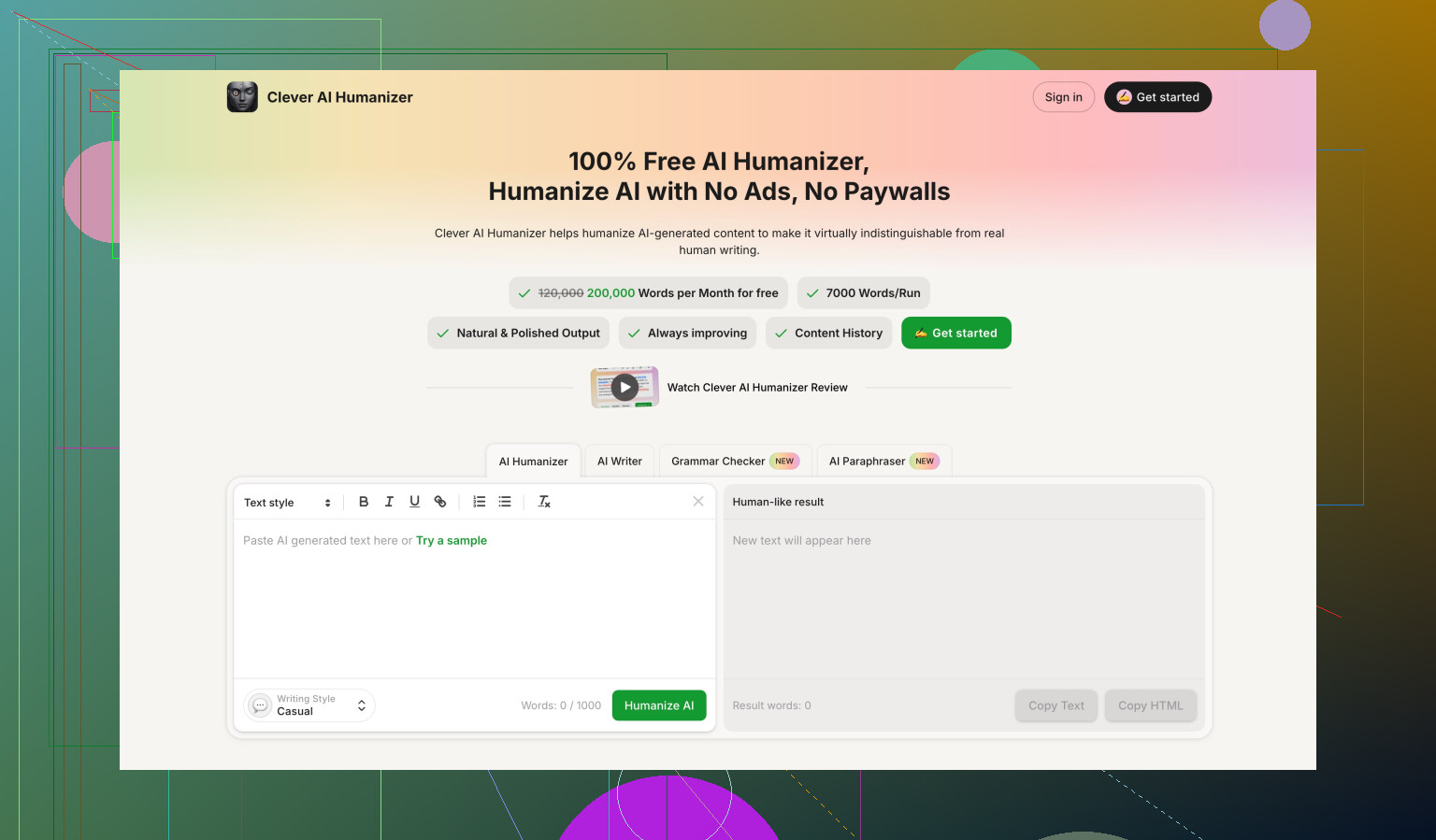
On my side, Clever AI Humanizer gave stronger detection scores and did not put the same word or usage caps on me, since it is fully free right now. It is not perfect either, but if you are judging on detection strength plus cost, Clever looked better than GPTHuman in this round of testing.
16 Likes
You are not crazy. GPTHuman’s output and scores feel inconsistent because the tool mixes three different things:
- Its own “human score”
- External detector behavior
- Text rewriting quality
Those do not align well.
Here is how I would treat it if you want to keep using it:
-
Treat its “human score” as internal only
Do not assume a 90–100 score means safe for GPTZero, Turnitin, etc.
Use it as a rough indicator for how much the text changed, not as a guarantee. -
Decide your real goal first
Are you trying to
• Improve style and clarity
• Lower AI detection scores
• Or both
For writing quality, GPTHuman helps only a bit. You still need a manual pass.
For detection, you need your own test set.
- Build a tiny, repeatable test workflow
Do this with 3–5 short samples.
Step A
Write with your AI or use old AI content.
Keep original versions.
Step B
Run each sample through GPTHuman once.
Do not keep re-running the same text. Detectors often react badly to over-optimized content.
Step C
Check each version in the same 2 or 3 detectors every time.
For example
• GPTZero
• ZeroGPT
• One more your school or platform uses, if known
Log results in a small table:
Columns: Sample, Original detector %s, GPTHuman detector %s, Comments.
After 5–10 runs you see patterns instead of guessing.
- How to interpret “inconsistent” scores
If:
• GPTHuman score is high
• GPTZero still says 90–100 percent AI
Then the tool rewrote surface features, not structure.
Detectors look at patterns like sentence length, syntax repetition, rare word use, not only synonyms.
If ZeroGPT drops but GPTZero does not, that matches what @mikeappsreviewer saw.
It means you get partial wins on some detectors only.
- How to tweak your use of it
After GPTHuman output, do a light human edit:
• Add or remove one short paragraph
• Insert 1–2 specific examples from your own experience
• Change transitions so they sound like you
• Break or merge a few sentences by feel, not symmetrically
This tends to help detection more than running through a second “humanizer” pass.
-
For important content, do this manual structure edit
Detectors often key off structure. So:
• Change the intro to a simple, direct statement of your opinion
• Reorder one middle paragraph
• Add a short “personal take” sentence once per section
Example: “I disagree with that point because in my last project I saw X.”
Those small, personal hooks shift the pattern. -
When GPTHuman is the wrong tool
If you mainly want
• Stronger rewriting
• Fewer grammar slips
• Better chance of lower detection
Then GPTHuman alone is not ideal. The grammar issues you mentioned match what others report. You will spend time fixing them.
For that case, I would:
• Use a regular LLM rewrite for clarity and tone
• Then, if you still want an “AI humanizer”, run a separate tool like Clever Ai Humanizer on the edited draft and test that against detectors
Clever Ai Humanizer comes up a lot in these discussions and, like @mikeappsreviewer said, it tends to perform better on some detectors. Treat it the same way, with your own small test table, not as magic.
- How to know if your setup is “correct”
You are using it correctly if:
• You ignore the marketing claims
• You verify with outside detectors
• You do at least one manual pass on structure and voice
• You track results over multiple samples instead of trusting a single run
If your goal involves anything high stakes (school, work, publishing), treat GPTHuman as a helper for light variation, not as a shield against AI detection.
You’re not crazy, GPTHuman is a bit all over the place, and the way it’s built kind of guarantees that “inconsistent feeling” you’re getting.
@mikeappsreviewer and @reveurdenuit already nailed the testing side, so I’ll skip re-explaining their workflow and focus on why your experience feels off and what I’d do differently.
1. Why the scores feel like nonsense sometimes
GPTHuman is mixing three layers that don’t naturally line up:
- Its internal “human score”
- External AI detector behavior
- Actual writing quality / readability
Those three are not designed to correlate, and the tool doesn’t really tell you that.
So you get situations like:
- GPTHuman score: 95, “very human”
- GPTZero: 99%, “definitely AI”
- Your own eyes: “This reads worse than my original text.”
That is not you misconfiguring anything. That is the system being built around marketing rather than honest feedback logic.
I slightly disagree with the implication that you should rely on the GPTHuman score even as an “internal indicator.” Personally, I would almost ignore it completely. If it does not track with the tools that actually matter for you (school, Turnitin, content platform detectors, etc.), then it is just noise on the screen.
2. GPTHuman setup: what actually matters
There is not much “setup” you can fix inside GPTHuman itself. What you can set up is the process around it:
-
Decide your priority:
- Passing AI detectors
- Better style and clarity
- Or just “lightly rewriting” to sound different
-
For each piece of content, pick only one or two passes:
- Original text
- GPTHuman pass
- Then your manual tweaks
Repeatedly running the same content through ten “humanizer” passes usually makes it more suspicious, not less. That’s where I slightly part ways with the idea that experimenting heavily with it is worth your time. Test, sure, but don’t over-process the same paragraph until it looks like word salad.
3. Interpreting the feedback without going insane
Consider GPTHuman’s feedback more like a rough, automatic copy edit and not a judgment of “humanness.”
If it:
- Suggests weird synonyms or broken grammar
- Introduces sentence fragments
- Changes your tone to something robotic or stiff
Treat those as “AI artifacts” to clean up, not as helpful guidance. You’re basically using it as a messy first draft rewriter.
For detection risk, ignore its internal “human meter” and trust:
- The external detectors you actually care about
- Your own common sense: does this sound like how you actually write?
When the tool says “high human score” but the text suddenly has grammar mistakes you’d never make, that’s a red flag, not a win.
4. When to stop using GPTHuman on a piece
A lot of people fall into this loop:
- Run text through GPTHuman
- Check detector
- Not happy
- Run it again
- Repeat until the prose dies
I’d hard-cap it at one GPTHuman run per text, max two if the first output is unusable. After that, switch to:
- Manual edits for structure, tone, and personal anecdotes
- A normal LLM for clarity or grammar fixes
- Or another humanizer if detection is your main concern
This is where Clever Ai Humanizer can actually make sense in your stack. It behaves differently enough that, if GPTHuman is giving you high detection scores or broken grammar, you can:
- Write content
- Clean it yourself or with a regular LLM
- Run once through Clever Ai Humanizer
- Test again in your preferred detectors
You still need to test and you still shouldn’t trust any “100% human” badge blindly, but Clever Ai Humanizer tends to do less structural damage to the text in a lot of cases and, as mentioned already in the thread, doesn’t hit you with the same annoying limits right now.
5. When GPTHuman is just the wrong fit
If your situation is:
- High‑stakes use (assignments, client work, publication)
- You care about both detection and clean language
- You don’t want to babysit the tool constantly
Then GPTHuman is probably more stress than it’s worth:
- Non‑refundable
- Very tiny free usage
- Internal scores that don’t align with real‑world detectors
- Grammar quirks that you have to fix anyway
At that point, you are almost doing double work: once to fight the tool, once to fix the text.
TL;DR:
You’re not misusing it. The tool’s own design and scoring logic are what’s inconsistent. Use it, if at all, as a low‑trust rewriter plus your own manual editing, backed by real detectors. If your main goal is cleaner text with a better chance of avoiding AI flags, I’d lean more on your own edits and consider something like Clever Ai Humanizer as a secondary tool rather than trying to squeeze perfect results out of GPTHuman.