My test application refused to open the serial port after I disconnected the hardware it normally talks to. I’m setting up a hardware-free test environment for my team, but I’m not sure whether a virtual port replaces a device or just connects programs.
How do I emulate virtual serial ports so the application can exchange data with a small test script? Would paired ports be enough, or would I also need something separate to simulate the device’s behavior?
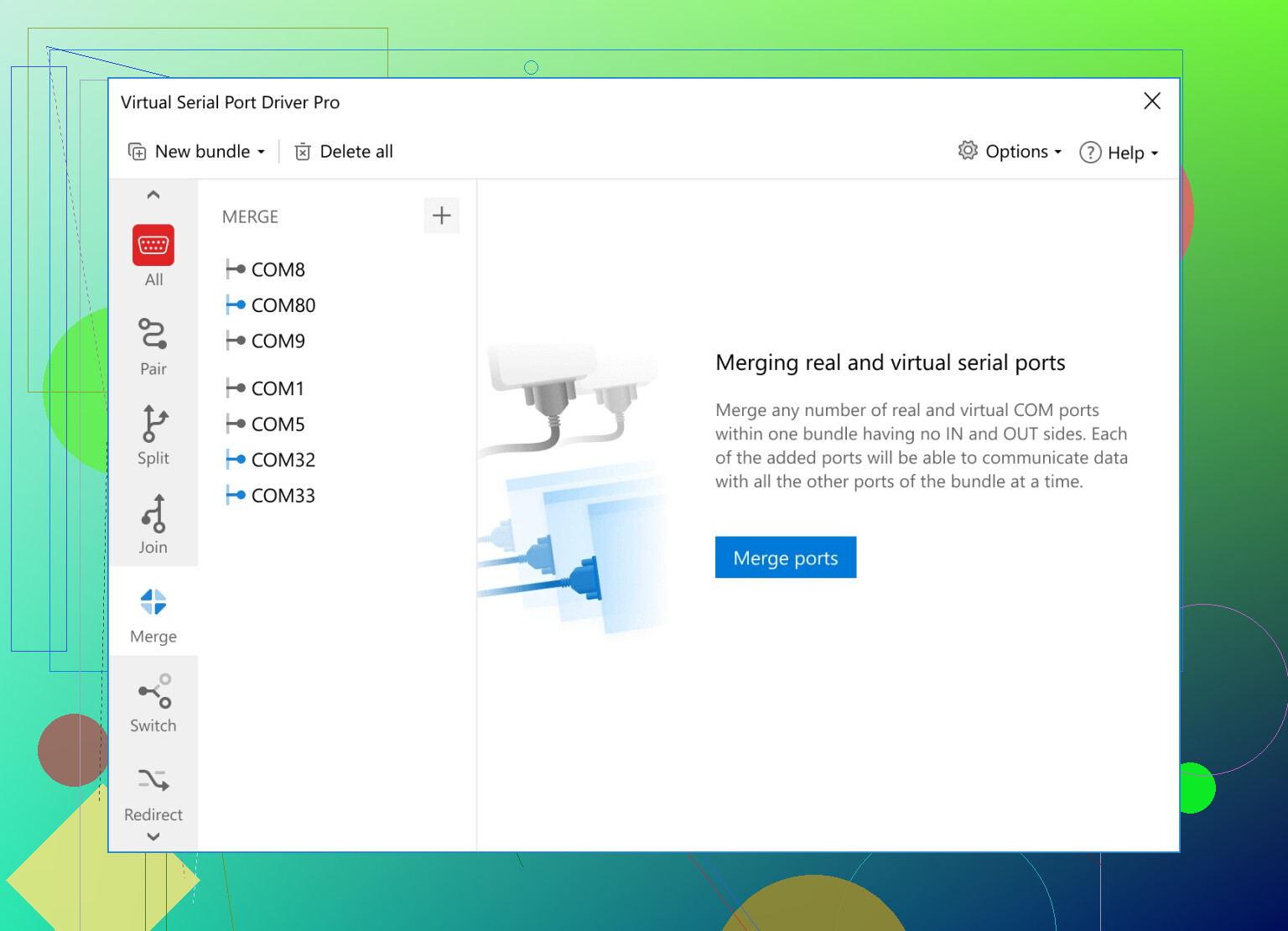
A port pair replaces the connection, not the device’s behavior. On Windows, I’d use Virtual Serial Port Driver as the serial port emulator and create a paired set of COM ports. Point your application at one end and have your test script open the other. Bytes written to either end arrive at its partner, so don’t point both programs at the same port. (virtual-serial-port.org)
Your script would be the device simulator. Start with the commands needed for startup: read a request, recognize it, and send the response your application expects. You don’t need a separate simulator product if that script covers the behavior you need. For Python, pySerial provides serial reads and writes. Set a read timeout, and use line-based reads only if the actual protocol uses newline-terminated messages. Otherwise, build your reader around the protocol’s packet framing.
Before building much simulation logic, separate “cannot open the port” from “opens but never gets a valid reply.” I’d first check the exact error and confirm the application is configured for the new virtual endpoint. Then test a single startup exchange. If the application identifies hardware through USB identifiers or a vendor-specific interface rather than simply opening a configured COM port, investigate that discovery path before assuming a port pair will be enough. That’s a different problem from generating serial responses.
Separate protocol tests from tests that actually need to open a COM port. I’d push back on making Virtual Serial Port Driver the default for the whole suite. If your application lets you substitute its serial transport, test command handling there without involving a driver. Keep this emulator for integration tests that exercise the application’s actual port-opening, read/write, and cleanup code. That gives it a distinct job beyond carrying simulated replies. Include a close-and-reopen test, too, rather than checking only whether the first exchange succeeds.
16 Likes
Don’t let your fake device accept commands that the real hardware would reject. A simulator that answers every request with a cheerful “OK” can give you a green test suite without checking whether your application is having the right conversation.
I like @0xwidget4’s split between transport tests and protocol tests, but I’d make the simulated device stateful in both. By that I mean it should remember what your application has asked it to do. If the hardware requires initialization before a measurement, have the fake enforce that requirement. If a command changes a setting, let the next query return the changed value. Those are examples, not assumptions about your particular device. Pick the rules your application actually depends on.
For the hardware-free setup, I’d write a short list of those rules before writing many canned responses. Something like: what state does the device start in, which requests are valid there, what changes after each request, and what response means the request failed? Keep it small. You’re trying to represent the behavior your software needs, not recreate the entire firmware. The port pair still has a useful job as the connection to that fake, but creating the pair doesn’t supply any of these rules.
An unexpected request deserves special treatment. During simulator development, I’d have it stop the test and report the request plus its current state, rather than guess at a reply. Otherwise, a missing feature in the fake can get mistaken for a bug in your application, or an application bug can get hidden by a generous default response. Once you know how the actual device handles that request, you can model it deliberately.
I’d give each test an explicit starting state, too. A test named “read measurement before initialization” tells the next person far more than a script with a mystery sequence of byte strings. You can then run the same basic conversation through a substituted transport or through the COM-port setup without maintaining two different ideas of how the device behaves.
Before retiring the hardware from routine testing, I’d check those rules against a few real exchanges, including a rejected command. Keep the recordings as reference material. The useful question isn’t only “did our application get a reply?” It’s whether that reply was possible given what the application had done up to that point.
If your fake device always replies immediately with a complete message, you’re giving the application a much more cooperative test partner than I’d want. Apparently this device never gets busy and always has its answer ready. Lovely coworker, questionable test fixture.
@alphabyte’s stateful simulator is worth building, but I’d give it a separate response-delivery setting. Keep the reply itself correct, then vary how it arrives: send the beginning, pause, and send the rest. Or hold back a response long enough to exercise the application’s timeout handling. That tests a different question from whether the simulated device understood the command.
I wouldn’t start with random delays everywhere. A test that fails occasionally because the pretend device rolled badly is its own maintenance project. Give those behaviors names and make them repeatable: normal delivery, split response, delayed response. Run the same conversation under each setting rather than writing a separate device simulation for every unpleasant afternoon.
The case I’d prioritize is a reply arriving after the application has given up waiting. Have the application time out, then release that old reply while it attempts its next operation. Decide what should happen using your actual protocol: discard it, match it to the earlier request, or reset the conversation. “Some bytes arrived, therefore the latest command succeeded” is exactly the sort of shortcut I’d want the test to catch.
For that test, I’d keep the virtual port pair in the setup so the application exercises its real receive code. The pair supplies the connection; your fake decides when to deliver the response. Log when the request arrived, when the fake released its reply, and when the application declared a timeout. Otherwise, the eventual failure report will be the ever-helpful “expected response not received,” and everyone gets to become a detective.
Check whether your app leans on the control lines before you sink time into the simulator logic. A lot of the ‘won’t open the port’ behavior I’ve seen has nothing to do with bytes. The app toggles DTR or waits on DSR/CD to decide a device is actually present, and a bare port pair either drops those signals or ties them off in a way that lies to the application. @not_a_coder is right to split ‘can’t open’ from ‘opens but no reply,’ and I’d put handshake lines firmly in that first bucket.
So before you write a single canned response, confirm what your pair forwards. If the real device raises DSR when it powers up and your fake never does, the stateful rules @alphabyte is describing never even get a chance to run. Worth watching RTS/CTS too if the protocol used hardware flow control, because a simulator that ignores it will happily overflow in a way the real link never would.
On the tooling, Virtual Serial Port Driver is handy for one unglamorous reason: the pairs you create stick around after a reboot, so your test machine comes back up with the same COM names instead of you re-pinning everything every morning. That alone saves a lot of ‘why is the suite red again’ confusion. It won’t invent handshake behavior for you though, so decide what your fake asserts on those lines and make it explicit, same as everyone’s saying about the data.
Don’t let parallel test runs share a port pair and a simulator process. You could end up diagnosing a “device failure” caused by another test changing the fake’s state or shutting it down. For a team setup, I’d make ownership of those resources explicit before expanding the test suite.
@dilit25008’s point about persistent COM names is useful for a dedicated test machine, but I wouldn’t treat a persistent pair as a ready-to-use test environment. Have the test fixture claim its assigned pair, start the simulator, and wait for confirmation that the simulator has opened its endpoint before launching the application. Pass the application’s endpoint through test configuration rather than leaving it as a saved setting someone has to change manually. If you can’t give concurrent runs separate pairs, serialize those tests deliberately.
Cleanup belongs in that fixture too, including when an assertion fails. Stop the application and simulator, capture their logs, and release the pair for the next run. I’d report “simulator failed to start” separately from “application rejected the simulated response.” The port pair and device model can both be correct while the test setup itself is broken, and that distinction matters once the suite runs unattended.
One gotcha nobody’s flagged: virtual pairs don’t actually care about baud rate, parity, or stop bits. Whatever you set through Virtual Serial Port Driver, both ends just pass bytes, so a config mismatch that would kill you on real hardware sails right through the test green. Worth keeping at least one real-hardware check around for exactly that.