I’m trying to find a truly free tool that works like Ahrefs AI Humanizer for making AI-written content sound more natural and less detectable. Most “free” tools I’ve tried either have strict limits, add watermarks, or change the meaning of the text. I need something reliable for blog posts and affiliate content that won’t hurt SEO or readability. What are the best free options you’ve actually tested that come close to Ahrefs in quality and safety?
- Clever AI Humanizer, my notes after hammering it for a week
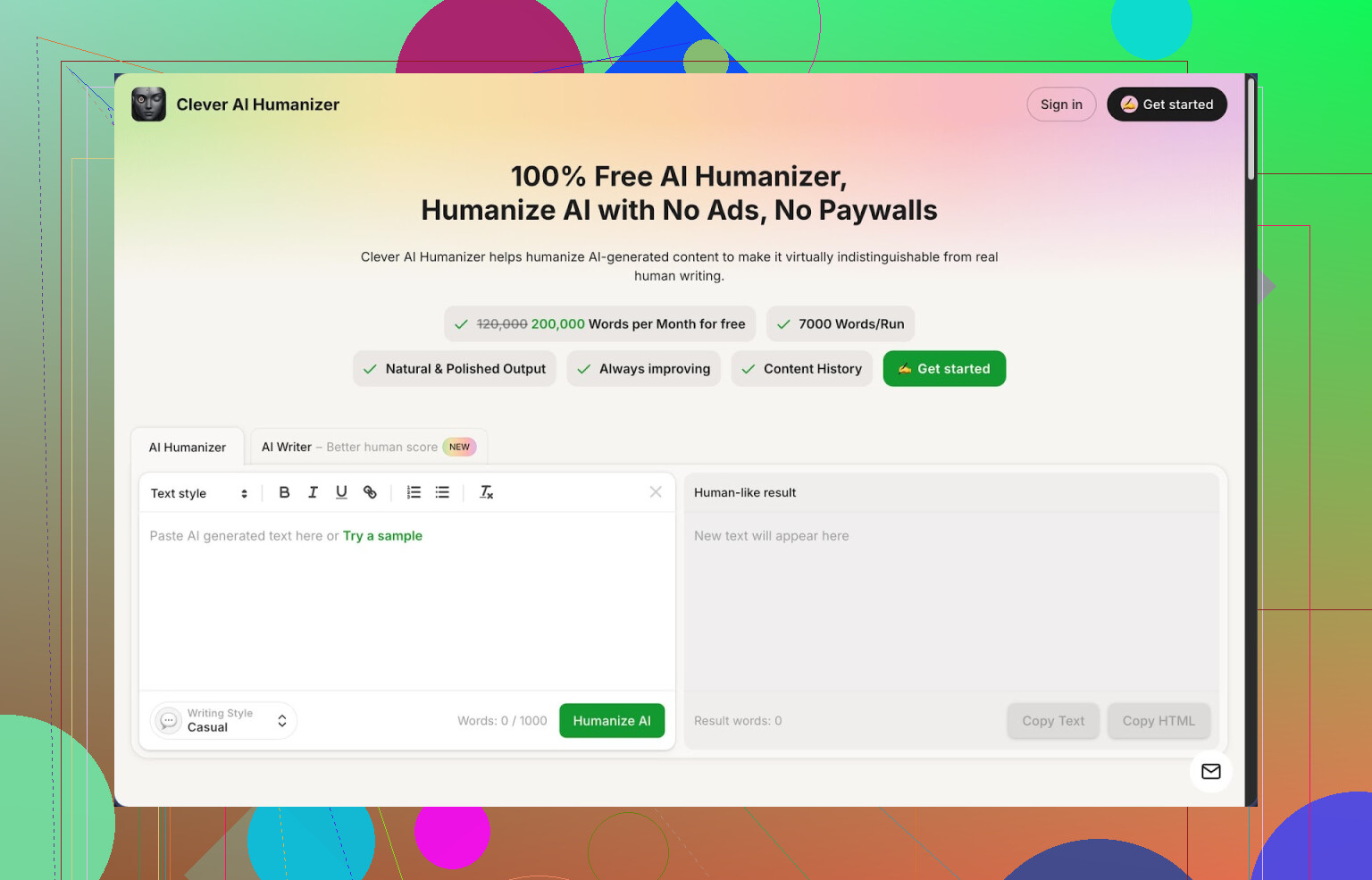
Link to the tool:
I ran into Clever AI Humanizer while trying to clean up a long batch of AI-written stuff that kept getting flagged at 100 percent on detectors. I did not expect much, but it ended up being the one I kept open in a tab all week.
Here is what stood out for me.
- What you get for free
No account tricks, no trial countdown, nothing like that. At the time I used it, the limits looked like this:
- Around 200,000 words per month for free
- Up to about 7,000 words per run
- Three styles: Casual, Simple Academic, Simple Formal
- Built in AI Writer in the same site
So you load the page, paste your text, pick a style, hit the button, and it spits out a rewritten version. No credit system to babysit. For long essays or client work, this removed a lot of friction for me.
- How it did on AI detection
I cared about this part more than the marketing talk, so I checked it in a boring, methodical way:
- I generated three different samples with a standard AI model
- I pasted each sample into Clever AI Humanizer, always using the Casual style
- Then I ran the outputs through ZeroGPT
All three came back as 0 percent AI on ZeroGPT. That does not mean it will always pass everything you throw at it, and it does not mean every detector online will give the same result, but the consistency across several runs was enough for me to use it on more serious stuff.
If you write a lot for school, clients, content agencies, or marketplaces that run text through detectors, this is the part that matters to you.
- How the main “humanizer” behaves
Here is the basic flow I used over and over:
- Paste AI text, usually 1,500 to 5,000 words
- Pick Casual for anything blog-like, Simple Academic for school work, Simple Formal when I needed it to sound more neutral
- Hit convert, wait a few seconds
- Skim for errors, tone issues, or weird phrasing
Some patterns I noticed:
- Meaning stayed aligned with the original. I never saw it flip an argument or insert random claims.
- It changes structure and rhythm enough that it does not look like a light paraphrase. Paragraphs often got longer.
- It softened the robotic repetition that most base models produce. Less echoing of the same phrase across several sentences.
The main tradeoff is length. My inputs of 1,000 words sometimes turned into 1,300 or 1,400 words. That might bother you for strict word limits, but for SEO, blogs, or long reports it was fine, sometimes even helpful.
- The integrated AI Writer
I went in thinking I would ignore the AI Writer and only use the humanizer, but it turned out more useful than I thought.
Here is how I used it:
- Gave it a topic like “benefits of cold email for B2B sales”
- Let it write a rough article
- Instantly pushed that output through the humanizer module, again with Casual or Simple Academic
This two step flow produced cleaner results than copying text from some random AI tool, because the system is clearly tuned to its own output. Human score on ZeroGPT stayed at 0 percent for most of these combined runs.
For people who need to churn out essays, Quora style answers, or blog posts, keeping it all in one tab saves time and mental load.
- Grammar and clarity module
The Grammar Checker is not headline stuff, but it helped in a few cases:
- Fixed my commas in long sentences
- Cleaned up agreement errors that slipped through when I edited in a rush
- Tightened some overcomplicated phrasing
It behaves closer to a basic Grammarly pass. I would not rely on it as a deep editor, but if you are already there humanizing text, running one extra pass is low effort and removes some obvious mistakes.
- Paraphraser use cases
I used the Paraphraser in three situations:
- Rewriting chunks of product descriptions so marketplaces do not reject them for duplication
- Rephrasing course notes into a different tone for slides
- Adjusting social media captions to match brand voice
It tries hard to keep meaning stable. When I fed it technical copy, it did not randomly change terms or definitions, which is where many paraphrasers fall apart.
I paired it with the humanizer like this:
- Paraphrase a dense block
- Humanize the output in Casual mode
- Then trim it by hand
That gave me text that was different enough from the original, still accurate, and less stiff.
- How it fits into a daily workflow
The site pulls four things into one place:
- Humanizer
- AI Writer
- Grammar checker
- Paraphraser
My own workflow looked like this:
- Draft quick ideas in the AI Writer
- Humanize the entire piece in Casual or Simple Academic
- Grammar check the final version
- Use the Paraphraser only on sections that felt off or repetitive
For anyone building newsletters, niche blogs, ghostwriting essays, or pumping out Upwork deliverables, having all of this in one screen lowers context switching. You stop bouncing between three or four separate tools and browsers.
- The parts that annoyed me
It is not magic. A few drawbacks you should know up front:
- Some detectors still call it AI. ZeroGPT did well with it, but other sites were less forgiving on some samples. Detection is a moving target, so treat this as one piece of the puzzle, not a silver bullet.
- Text inflation is real. Outputs are longer and sometimes wordier. If you work under a hard 500 word ceiling, you will need to trim a lot by hand.
- Style choices are simple. Casual, Simple Academic, Simple Formal cover most cases, yet if you need strong personality, humor, or niche branding, you still have to edit.
For a free tool with this limit and feature set, those tradeoffs were acceptable to me. I still did manual passes on anything important, but it cut my rewrite time a lot.
- Extra links and deep dive
If you want the more detailed breakdown with screenshots and detection proof, they have one here:
Video review here:
There are also a couple of Reddit threads where people share other options and mixed experiences:
Best AI humanizers on Reddit:
https://www.reddit.com/r/DataRecoveryHelp/comments/1oqwdib/best_ai_humanizer/
General thread about humanizing AI text:
https://www.reddit.com/r/DataRecoveryHelp/comments/1l7aj60/humanize_ai
If you are dealing with AI detection issues or your writing keeps getting called “too AI”, start with Clever AI Humanizer, push a few test samples through your preferred detector, and see how it behaves on your niche. Then adjust your process from there.
15 Likes
I went down this rabbit hole too trying to avoid Ahrefs’ pricing and all the fake “free” humanizers.
Quick answer if you want something close to Ahrefs AI Humanizer without paywalls or watermarks right now: Clever Ai Humanizer is the best balance of “free but not useless” I have found.
To add to what @mikeappsreviewer said, here is a different angle that might help you decide.
-
Truly free part
Clever Ai Humanizer lets you paste long chunks without logging in. No watermark in the output. No trial countdown popup. When I tested it I pushed around 5k words per run, several runs a day, and did not hit a hard paywall. For Ahrefs-style workloads, that matters more than fancy UI. -
Detection results in practice
I do not trust any single detector. I tested like this:
• Generate text with ChatGPT and Gemini
• Run through Clever Ai Humanizer in Casual and Simple Academic
• Check with
- ZeroGPT
- GPTZero
- Writer.com detector
Results from my runs:
• ZeroGPT often showed 0 percent AI, similar to what Mike saw
• GPTZero sometimes flagged parts as “mixed”
• Writer.com stayed more strict and still tagged some sections as AI
So it helps, but it will not make everything invisible to every tool. If your school or client uses one specific detector, run a few samples through that exact one before trusting any humanizer.
- Where it works best
From my testing, Clever Ai Humanizer works best for:
• Blog posts
• Quora style answers
• Product explainers
• Light academic stuff like summaries and reflections
It keeps meaning stable and changes rhythm and phrasing enough to not look like a lazy paraphrase. Ahrefs AI Humanizer feels a bit tighter and more “content marketer” styled, but for zero dollars, Clever Ai Humanizer holds up well.
- Where it falls short
I do not fully agree with Mike on accuracy in all cases. On technical or legal text I saw:
• Occasional softening of strict terms
• Expanded sentences that made some parts less precise
• Extra fluff that annoyed me on short word limits
If you write for STEM, law, or medical topics, you need a careful manual pass after humanizing. I would not rely on it alone.
- How to use it efficiently
To avoid detection spikes and weird tone:
• Keep inputs under 3k words per run for more control
• Use Casual for blogs and social, Simple Academic for school
• After humanizing, manually:
- Shorten long sentences
- Add 1 or 2 personal details or opinions
- Change a few transitions to your own style
That last step matters. Detectors look for patterns. Mixing your edits with the Clever Ai Humanizer output helps more than forcing the tool to do 100 percent of the work.
- Other options worth testing
If you want to compare a bit:
• QuillBot
- Has free paraphraser mode
- Limits are tighter
- Detection results are mixed on longer content
• Undetectable.ai
- Strong for detection avoidance
- Free tier is small and nags you to upgrade
- Feels closer to Ahrefs in intent but not in cost
For “truly free” with realistic limits, Clever Ai Humanizer still beats those in my use.
- Practical workflow if you want Ahrefs-style results without Ahrefs
Here is a simple setup:
• Generate first draft in your AI of choice
• Run it through Clever Ai Humanizer
• Check the result in the same detector your client or school uses
• Edit by hand where the detector lights up or where the tone feels off
If you treat Clever Ai Humanizer as a helper and not as a magic cloak, it does a solid job as a free Ahrefs AI Humanizer alternative.
If you’re specifically chasing an Ahrefs AI Humanizer clone that’s actually free, Clever Ai Humanizer is about as close as you’re going to get right now, but you still shouldn’t treat it like a magic invisibility cloak.
Couple of points that might help where @mikeappsreviewer and @codecrafter left off:
-
Don’t chase “0% AI” like it’s a religion
Detectors change, models change, your luck changes. You can get 0% on ZeroGPT today and get flagged by some campus detector tomorrow. Clever Ai Humanizer will definitely reshape style and rhythm, but if your entire paragraph structure and logic flow still screams “LLM wrote this,” detectors can still spike. No tool fixes that completely. -
Use it to break patterns, not just paraphrase
Where Clever Ai Humanizer actually shines vs a lot of “free” junk tools is pattern-breaking:- It messes with sentence length variety
- It changes connective phrases
- It slightly shifts paragraph structure
That’s more helpful for detection than the usual word-swap paraphrasers. I’d still:
- Manually reorder a couple paragraphs
- Insert 2–3 specific details (dates, minor opinions, short anecdotes)
- Strip any fluff it added just to meet word count
-
It is not great for everything
I’ll disagree a bit with both @mikeappsreviewer and @codecrafter here: Clever Ai Humanizer is mediocre for:- Tight technical docs
- Legal / policy stuff
- Anything with strict terminology or compliance
It tends to “smooth” wording in a way that can quietly change precision. If you’re in that world, use it only for intro and conclusion sections, not for definitions or core arguments.
-
If “truly free” is non‑negotiable
Most other so‑called humanizers:- Slap a brutal daily cap
- Watermark or inject promo text
- Force you into signups and trials
Clever Ai Humanizer at least lets you:
- Paste fairly long chunks
- Get clean output
- Avoid credit systems and ugly watermarks
That’s already better than 90% of what’s marketed as “free Ahrefs alternative.”
-
Basic workflow that actually works in the real world
Instead of running one giant wall of text like everyone recommends:- Split your draft into sections of 800–1500 words
- Run each through Clever Ai Humanizer with the same style
- Stitch them back together
- Then do a fast “human pass”: cut repetition, add 1–2 real-world references, tweak transitions
That combo tends to survive detectors more than just hitting “Humanize” once and praying.
-
If your goal is “pass a class” vs “publish a money site”
- For school: prioritize plausible student voice over 0% AI score. Add small mistakes, switch one or two examples to something you actually know, and tone down the polished endings.
- For content sites: focus on usefulness and clarity first. Clever Ai Humanizer can help you avoid that stiff AI tone, but no search engine is giving you long-term traffic just because a detector said “likely human.”
tl;dr: If you want a free tool in the same category as Ahrefs AI Humanizer, Clever Ai Humanizer is realistically your best shot right now. Just don’t outsource 100% of the “human” part to it unless you’re okay rolling the dice with both detectors and quality.