I need an AI headshot generator app for my iPhone that looks professional enough for LinkedIn and job applications. I’ve tried a few random apps but the results looked fake, low-res, or nothing like me. Can anyone recommend reliable iOS apps or services that create realistic, high-quality AI headshots, and maybe share what worked best for you?
Best AI Headshot Generator: Stuff I Tried So You Do Not Have To
I hit that point where my LinkedIn photo was older than my last two jobs. Did not want to pay a photographer 300 bucks again, so I went down a pretty big rabbit hole testing AI headshot tools.
I went through web tools, iOS apps, Android apps, and tried to hack it with ChatGPT and Gemini for free.
Below is what I tried, with links kept, no sponsorship, only what I saw on my own screen.
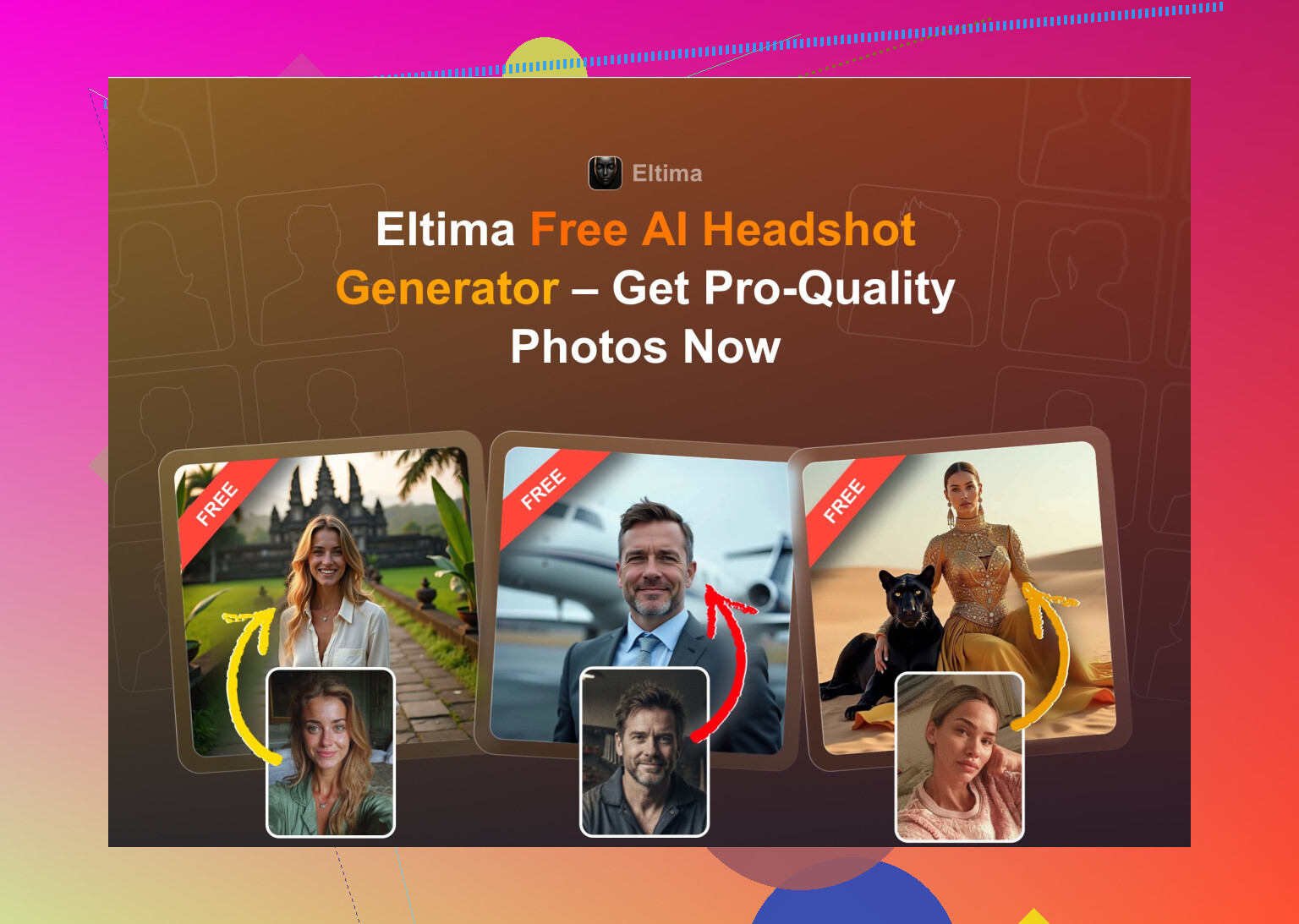
Eltima AI Headshot Generator (iOS)
My top pick for iPhone right now
App Store:
Product page:
Reddit thread people keep pointing to:
https://www.reddit.com/r/DataRecoveryHelp/comments/1qi12pn/best_ai_headshot_generator/
What stood out for me:
- You get one free generated photo per day
- You only need one starting photo to test it
- It supports group shots, up to 3 people
- There is video from photo
- Output looks like an actual photo, not plastic
- It has a huge library of templates, they claim 800+, and that part matters more than I expected
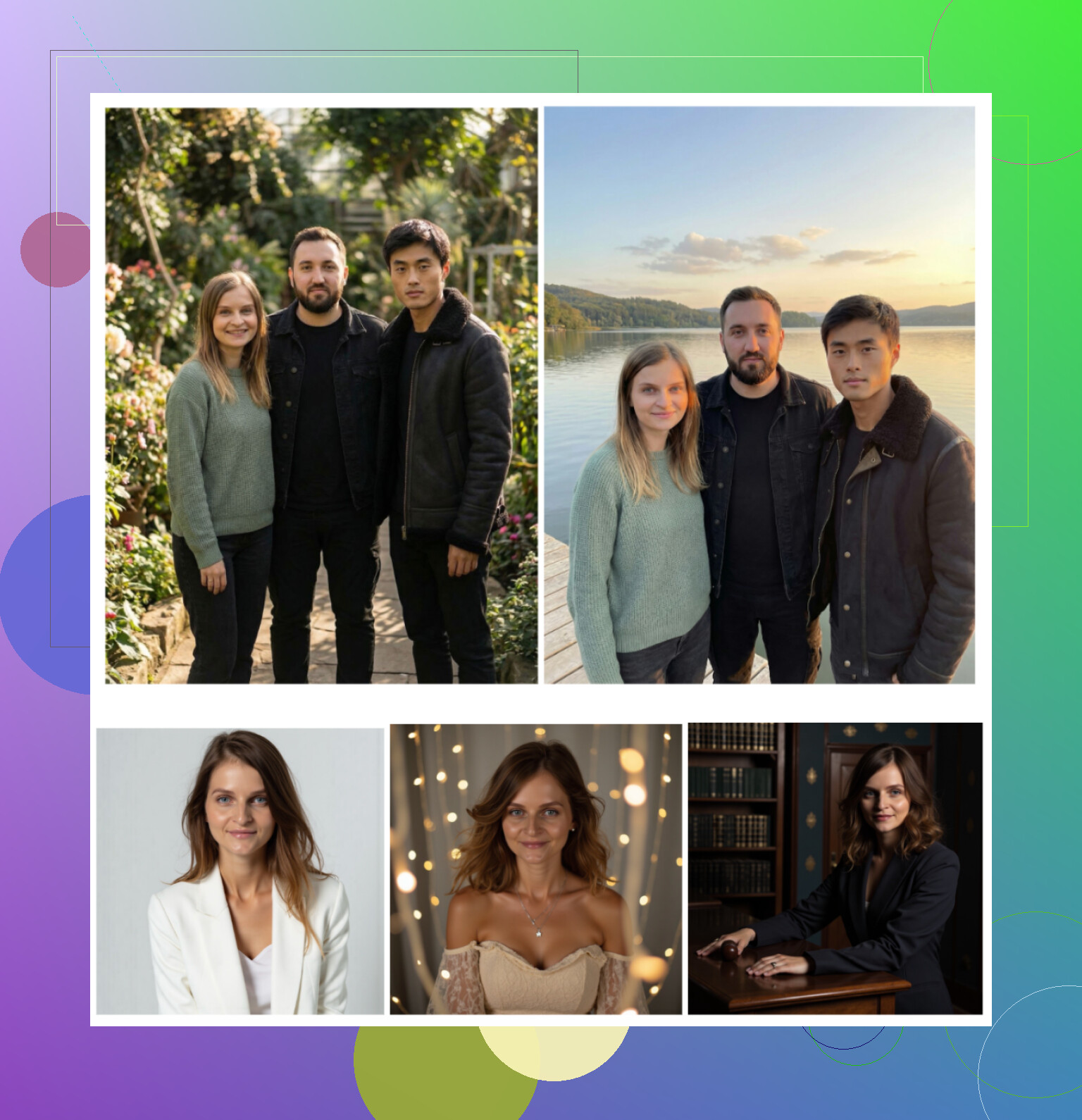
What I saw in practice
Photo realism
Closest to a real photographer session from all the mobile apps I tried. Skin texture is still human, not “glass face”. Beauty mode is there, but it does not go completely overboard by default.
Styles
They went hard on variety. Classic LinkedIn, tech bro, designer casual, startup founder, conference-style, outdoor, studio, etc. I used it for LinkedIn, company Slack, and also some stupid “movie poster” type ones for friends.
Price
7.99 per week or 49.99 per year. The daily free photo is the main reason I stuck with it. I used the free daily slot to test styles, then only paid when I wanted a batch.
Speed
Quick. Photos show up in roughly the time it takes to scroll something else.
My verdict on Eltima
This is the one that replaced my photographer. I fed it several selfies from my current “age phase”, picked a few cleaner outfits, and it dialed in my face pretty fast. The free daily generation is weirdly addicting. For iPhone, this is the app I would point you to first.
Nice overview video:
Web Services / SaaS: Canva, Aragon, HeadshotPro
I grabbed the first page of results on Google that were not some random scam landing page. Most people mention these three anyway: Canva, Aragon, HeadshotPro.
Canva
Site:
https://www.canva.com/
I already use Canva for random work stuff, so this was easy to test.
How it goes
You upload a photo, pick a style from a side panel, wait a bit, and it spits out formal portraits.
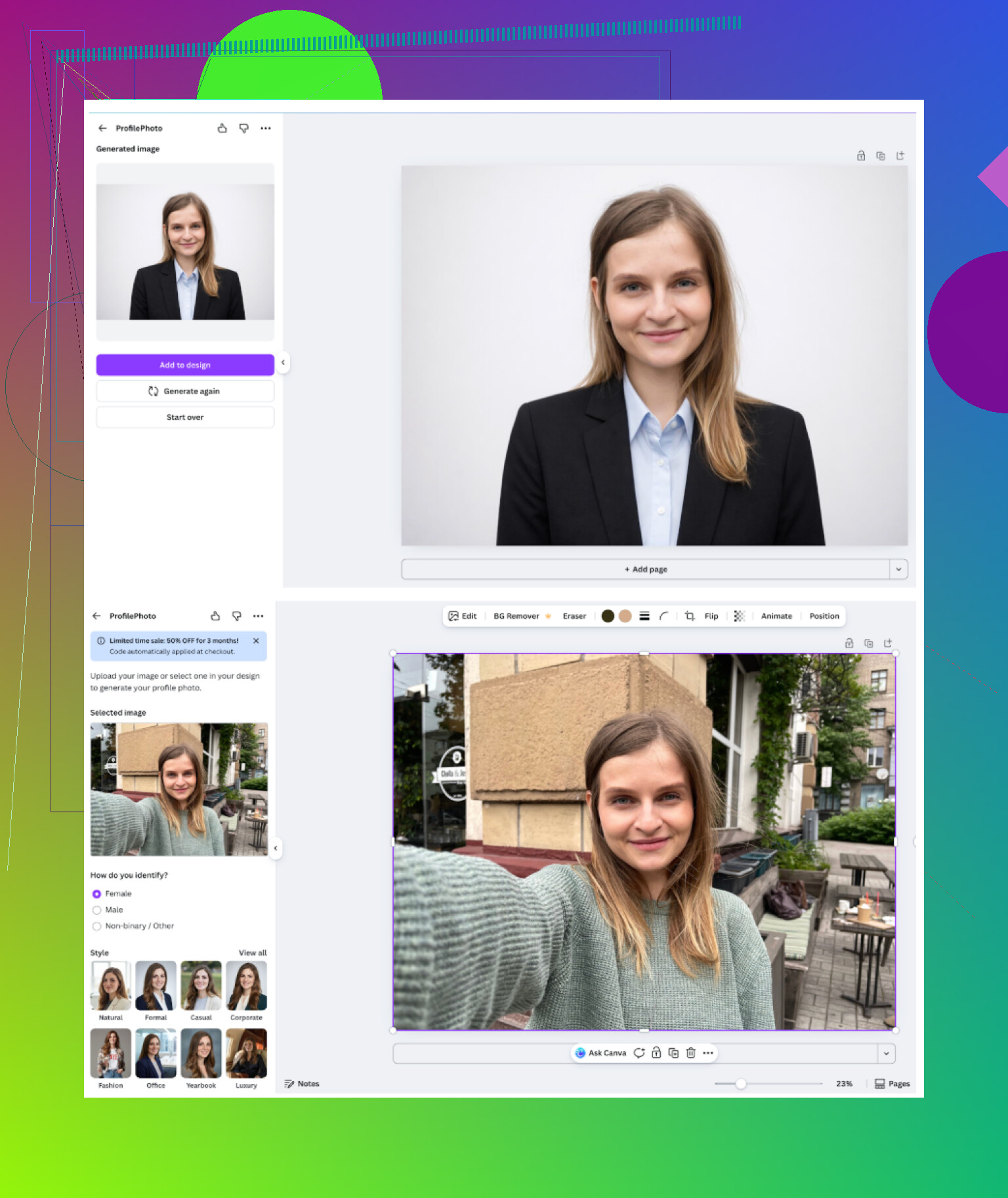
What I noticed
-
Service vibe
General design tool that happens to include headshots now. Nice for people already living in Canva. -
Upsides
You get a pile of presets and quick background tweaks. You can still edit everything afterward with their usual tools, so polishing one version is easy. -
Downsides
The skin goes into “too perfect” territory on some outputs. Slight plastic feel. If you push enhancements, it starts leaning into “Instagram filter from 2018”. -
Cost
Roughly 120+ per year for Pro, though there are discounts floating around.
If you already pay for Canva Pro and want a few decent corporate-style photos, this works. I would not sign up for Canva only for headshots though.
Aragon AI
Site:
This one pops up constantly in Reddit comments.
Onboarding
It threw a long survey at me first. Stuff about job role, purpose, style. Then it wanted several photos. No free test run when I tried it, you are paying to see output.
<img alt=‘Part 4: The ‘Free’ Way (ChatGPT, Gemini, & Hustle)’ src=‘https://taptu.com/uploads/default/original/image-1768927115.png’ height=‘537’ width=‘381’ alt=‘Part 4: The ‘Free’ Way (ChatGPT, Gemini, & Hustle)’>
What I got
-
Feel
It shows up in “best AI headshot” lists a lot. After using it, I get why. It tends to keep your face shape and age consistent. -
Good parts
Likeness was strong. This looked like a cleaned-up version of me, not a cousin or AI composite. Turnaround was pretty fast. -
Annoying parts
It wants many photos. For one pack of headshots I had to feed at least 6 images. If you do not keep many selfies or hate taking them, this gets tedious. -
Price
Starts somewhere around 12 to 25 for first-timers, depends on pack.
If you need a set of “safe but nice” portraits and do not mind uploading a lot of images, Aragon is solid.
HeadshotPro
Site:
Positioning
This one wears its use case on its sleeve. It is built for companies that need consistent photos for badges, intranet, onboarding, that sort of thing. Whole team photos, same lighting, same vibe.
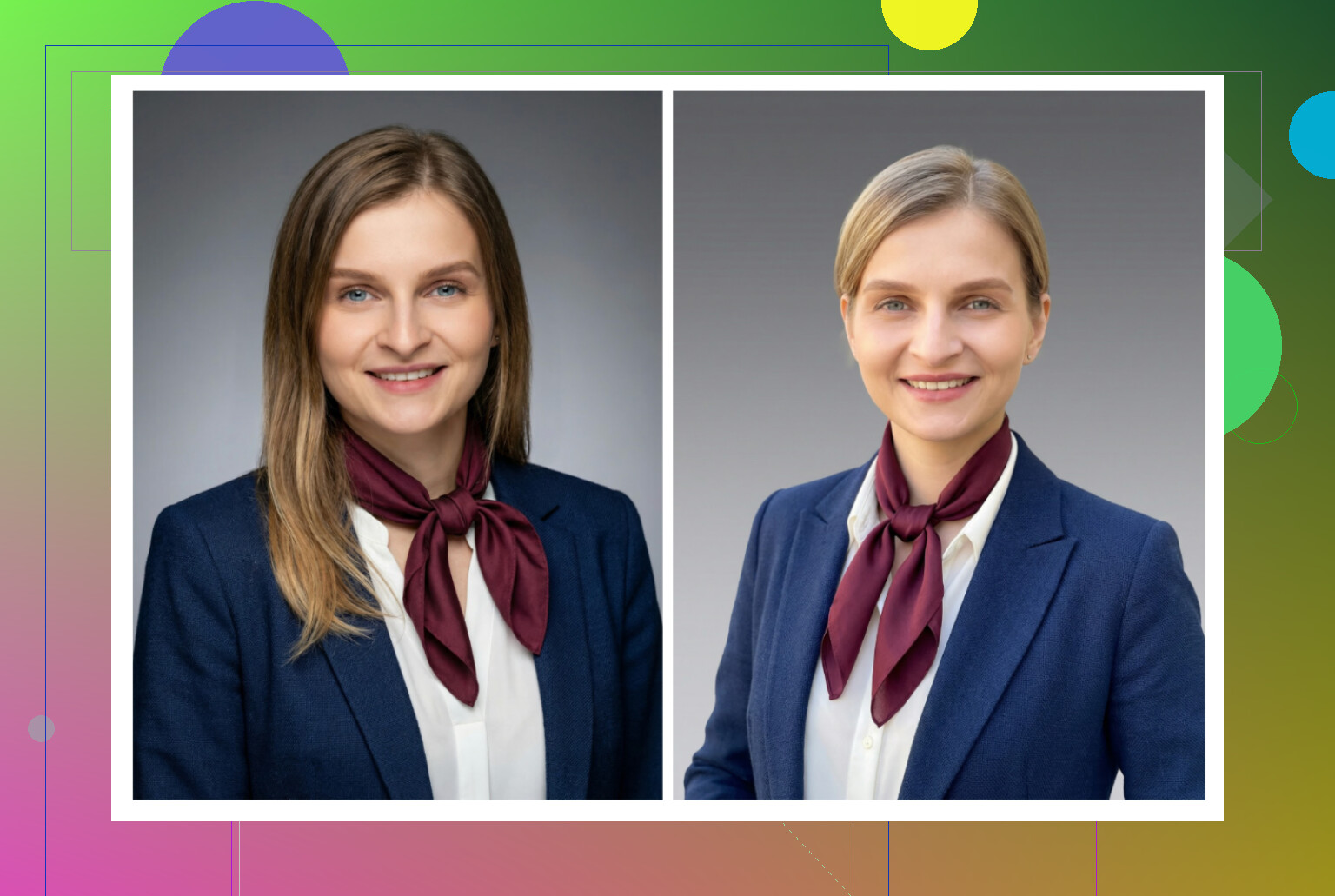
What I found
-
Overall feel
Very consistent. All my outputs looked like part of the same team photoshoot. -
Upsides
If you work in finance, law, big corporate and need a no-drama photo, this is perfect. The lighting is very controlled. Backgrounds are neutral and safe. -
Downsides
Not much room for personality. Feels stiff if you want anything playful or creative. -
Price
Starts around 29.
Good pick if HR is paying and they want uniform results across a whole department.
iOS Apps I Tested
List I went through:
- Remini
- Fotorama
- Collart
- IRMO
- Eltima
What I judged:
- Ease of use
- Does the photo look like you or someone else
- How many style options
- Price vs free options
- Speed
Remini
App Store:
What using it felt like
Ease of use
Interface is straightforward. You pick a feature, upload, run it. No learning curve.
Video from photo
I tried its video-from-photo feature. It generated a clip of a child I was lifting under some stairs. That one was nightmare fuel. Movements and face looked strange.
Photo realism
For videos, faces were heavily smoothed and off. Clothes warped a lot. Static headshots look better but still lean towards “beauty filter” territory.
Style variety
Plenty of presets and scenes, including “business” and LinkedIn-ish looks. The problem is consistency. One output would be good, the next felt off.
Price
9.99 per week or 79.99 per year, plus one free week.
Speed
Video took around 13 minutes to generate. Not instant.
My verdict on Remini (iOS)
Idea is nice. For professional use, the glitches and distortions ruin it. I would keep this for fun social content, not a CV or LinkedIn.
Fotorama AI Photo Generator
App Store:
What happened
Ease of use
Buttons and menus are clear. No confusion there.
Video from photo
The first run took about 30 minutes processing my photo set. It then deducted coins and never produced a result. I closed it out of frustration.
Styles
It has plenty of creative looks, some fashion-shoot style, some more character themed.
Price
11.99 per week or 79.99 per year.
Speed
Slow on my side. Half an hour for an attempt that failed.
My verdict on Fotorama
Style ideas are nice in theory, but the coin system and slow speed made it painful. I do not like apps where I lose credits and get no photo. Hard pass for something I need for work.
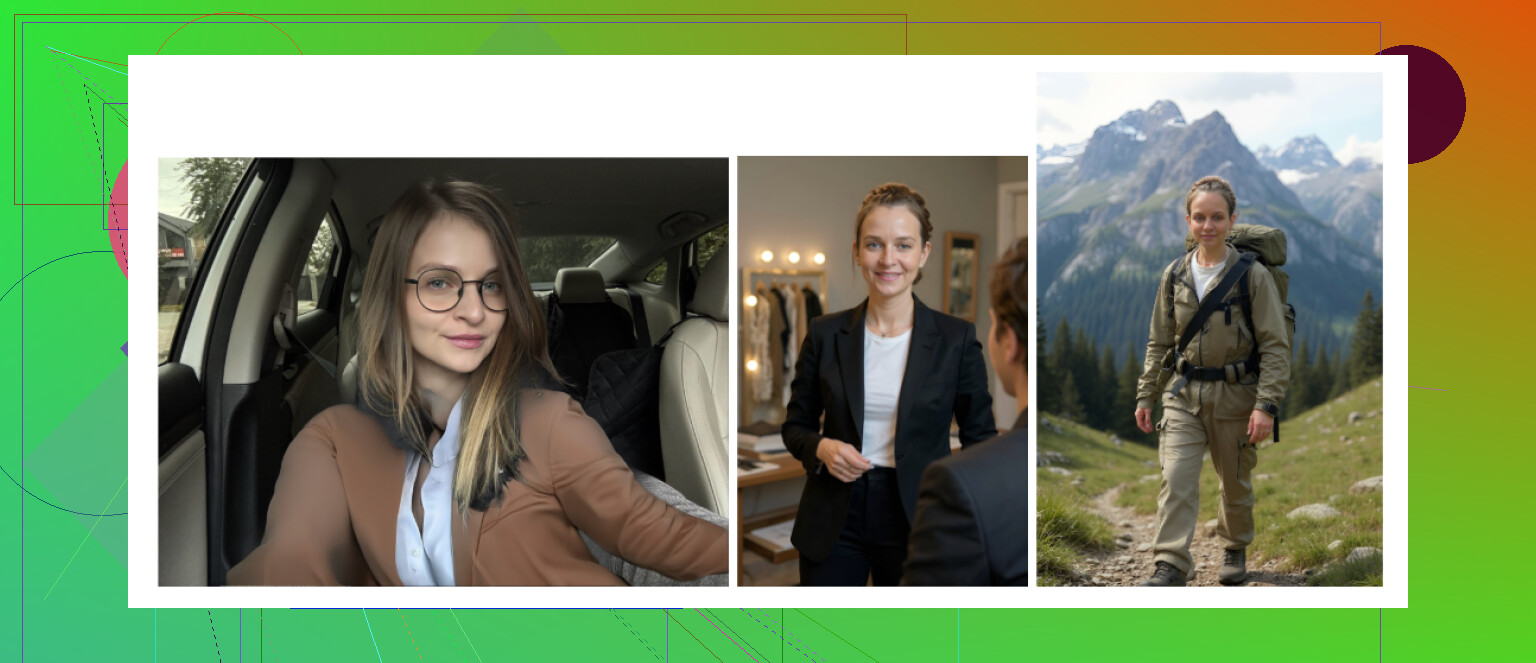
Collart AI Photo Generator
App Store:
Using it
Ease of use
Easy to move around the app. Layout is simple.
Video from photo
Does animation of photos.
Photo realism
This is where it falls apart. Most outputs did not look like me at all. Jarring facial changes, weird hues, strange proportions.
Styles
There are many fun styles, but it relies on a single source photo. With only one reference, the face recognition seems weak. Lots of “almost my face but not quite”.
Price
3.99 per week or 59.99 per year.
Speed
Pretty fast to generate.
My verdict on Collart
Good if you want meme-ish or playful content. I would not use it for any serious profile. Too many “who is this” moments.
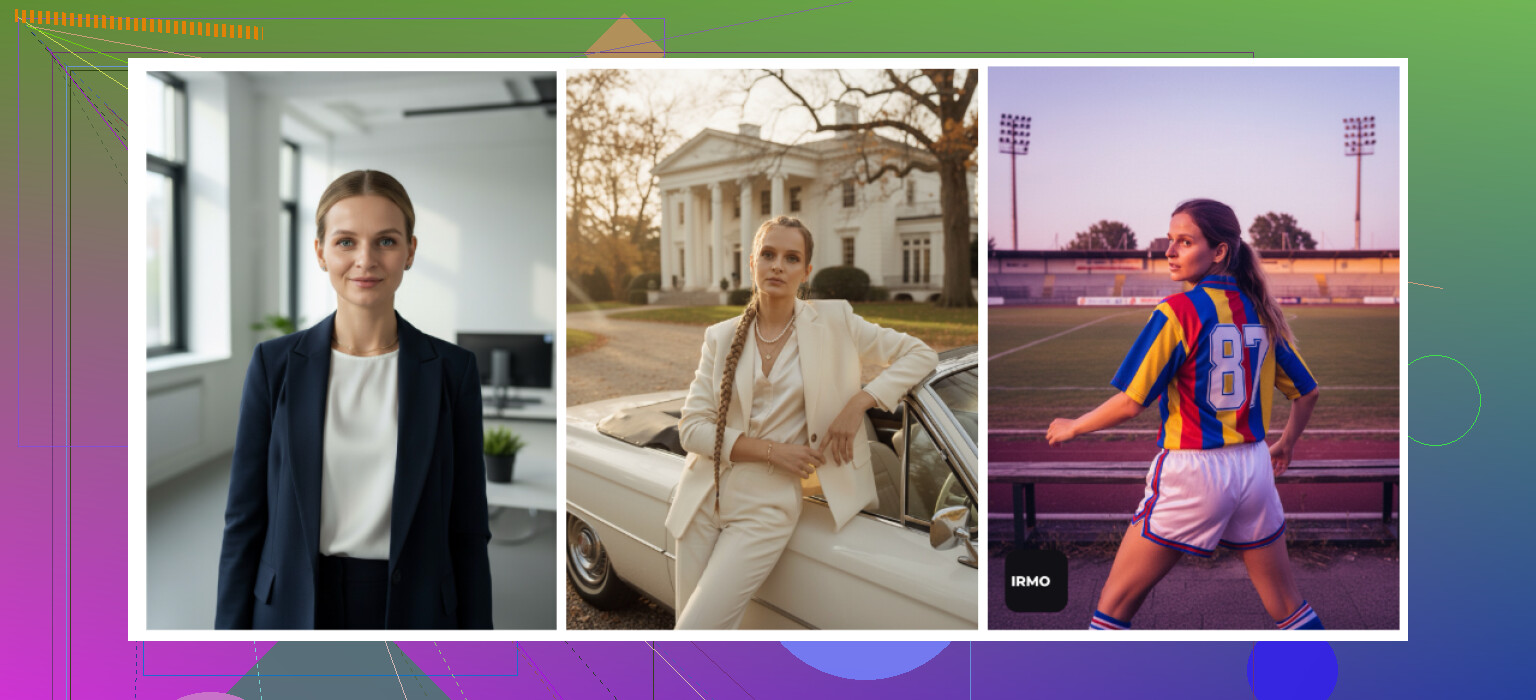
IRMO AI Photo Generator
App Store:
My notes
Ease of use
Simple interface. No hunting for features.
Video from photo
Works as advertised.
Photo realism
The rendering quality looks decent, but it only lets you upload one reference photo. So the likeness was off quite often. If your one selfie is from an odd angle, good luck.
Styles
Large catalog of styles and photo variations. It is fun to play with different moods and outfits.
Price
5.99 per week or 99.99 per year.
Speed
About 2 to 6 minutes per photo for me.
My verdict on IRMO
Feels more like an “AI selfie toy” than a reliable headshot generator. Good for exploring variations of a “character version” of you. Bad if you want your actual face to look like itself.
Android Apps
I was picky on Android because the Play Store is full of garbage and ad traps. I stuck to the ones that were already known: Remini, GIO, Momo.
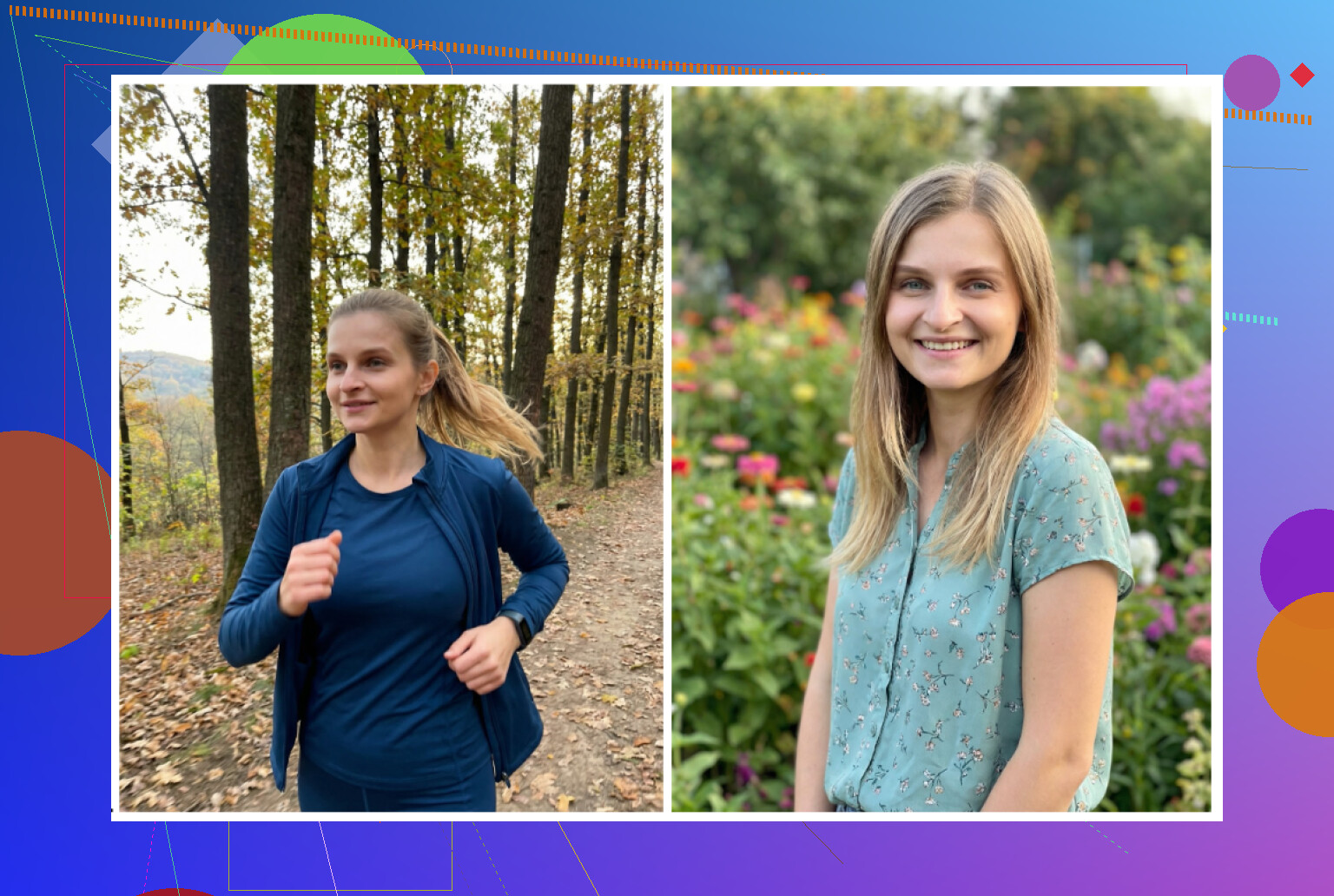
Remini (Android)
Google Play:
What I got
Verdict
Most people know this app already. It started as an enhancer, but the AI avatar stuff is better than a lot of unknown apps out there.
Pros
Stupidly easy. Throw in selfies, tap, wait, done.
Cons
On Android I still ended up with the same issue as iOS. Even “professional” mode gave me a jawline I do not own and makeup I did not ask for. Fine for social, dodgy for serious employers.
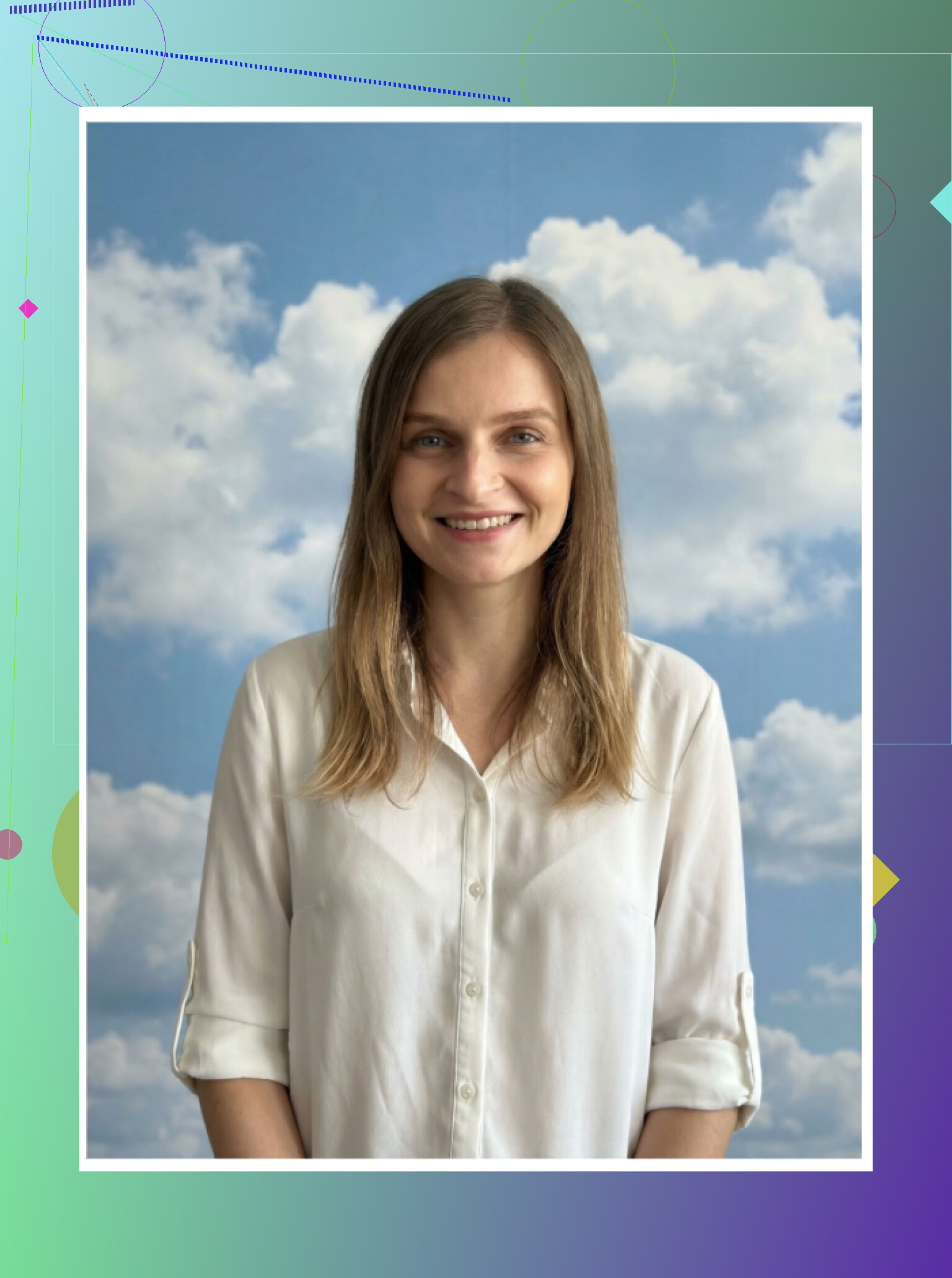
GIO: AI Headshot Generator
Google Play:
I tested it on Android even though it exists on iOS too.
Pros
The faces looked less “airbrushed Barbie” than Remini. Clothing swap feature worked better than I expected. For someone who hates taking photos in suits, that helps.
Cons
High fail rate. Many outputs were so off I deleted them immediately. Sharpness, proportions, or lighting would go sideways.
Verdict
Better than Remini if you hate the fake vibe and want slightly more “human” output. Still too inconsistent for me to trust for one important profile photo.
Momo
Google Play:
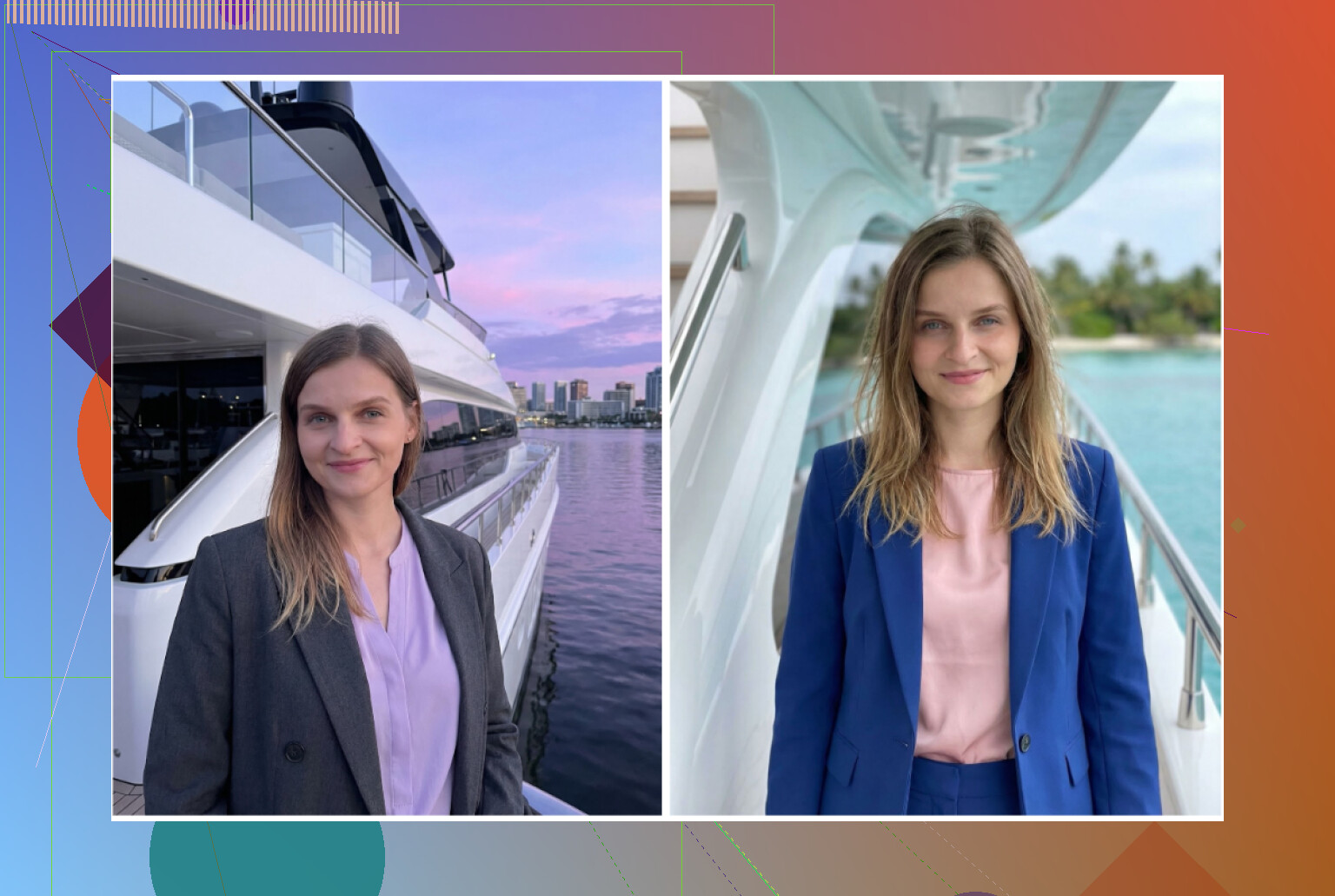
How it stacked up
Pros
Sits between GIO and Remini. Output is not bad at all. If you simply want “good enough for LinkedIn” without comparing pixel by pixel, it can do the job.
Cons
Higher cost than alternatives, often with coins or subscriptions. When I compared results 1 to 1 with Remini, Momo did not look better, so the price felt off.
Verdict
If you somehow hate both GIO and Remini, this is yet another option. For me, the extra cost was not justified.
The “Free” Way: ChatGPT + Gemini
This part is more work but costs 0, outside of what you already pay for AI access.
Sites:
ChatGPT: https://chatgpt.com/
Gemini image generation: Gemini AI Nano Banana Pro: KI-Bildgenerierung und Bildbearbeitung von Google
This works with
ChatGPT using DALL-E
Gemini using their Nano Banana Pro / image model
The method I used
Step 1
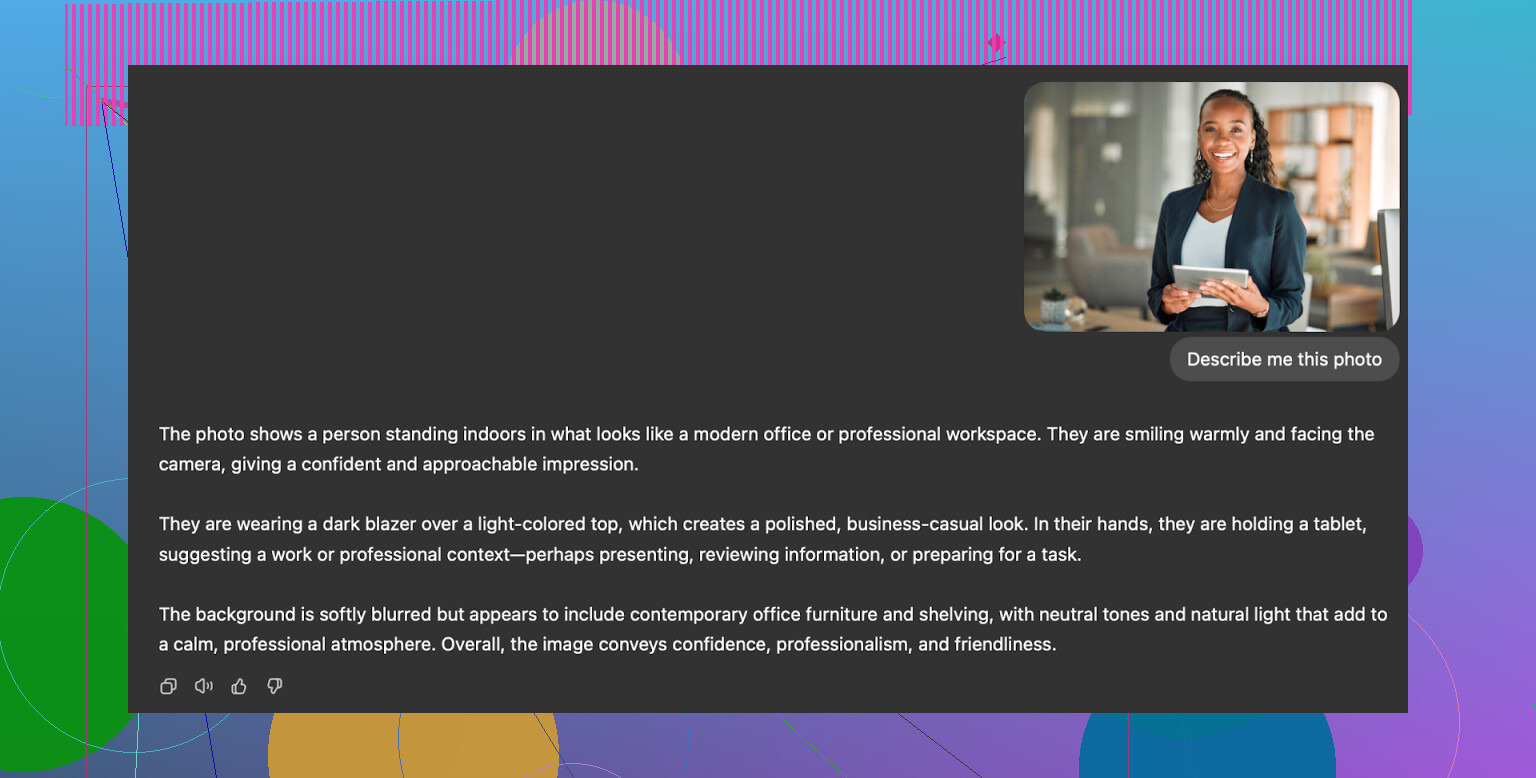
Find a headshot you want to emulate. Something from a stock site or someone else’s photo that has lighting, angle, clothing you want. Drop it into ChatGPT or Gemini and ask the model to describe everything in detail.
Step 2
Copy that description into a fresh chat.
Step 3
In that new chat, paste the description and say you want that type of photo, but with your face instead.
Step 4
Upload your best selfie into the same chat.
Step 5
Switch to the image generation model
For Gemini, pick the image model (people call one of the presets “nanobanana”)
For ChatGPT, pick DALL-E
You might need to tweak prompts a few times. I tried things like “keep my current age and skin tone” or “no makeup, no smoothing”.
Results from ChatGPT (DALL-E)
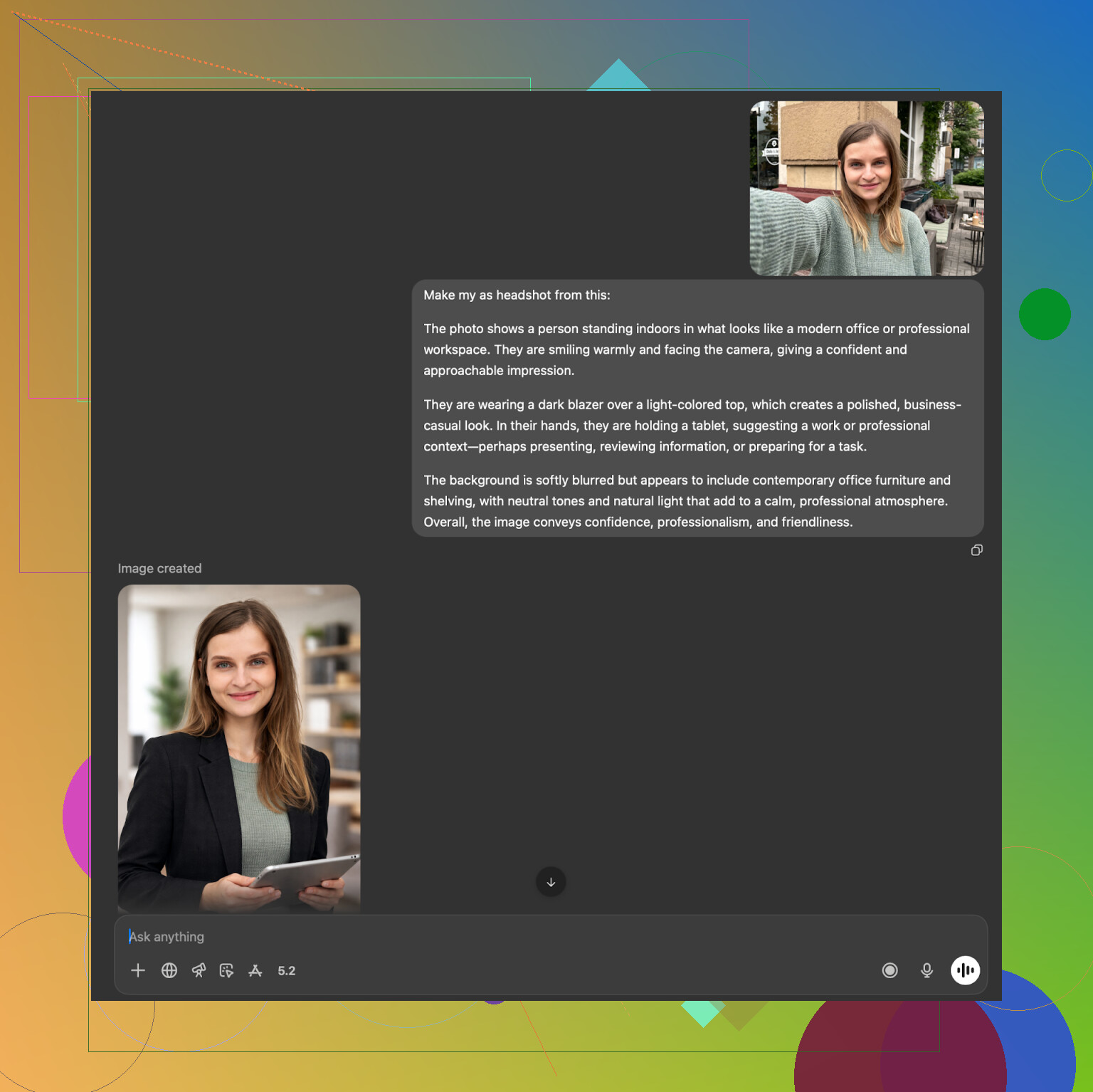
DALL-E tends to output someone who looks like a relative of yours. It preserves the general energy, but changes enough details that it feels like family, not you. It also injects its own style into every picture, so everything has a shared “AI-art” flavor.
Useful for getting a concept of what you want, not ideal as an exact likeness.
Results from Gemini
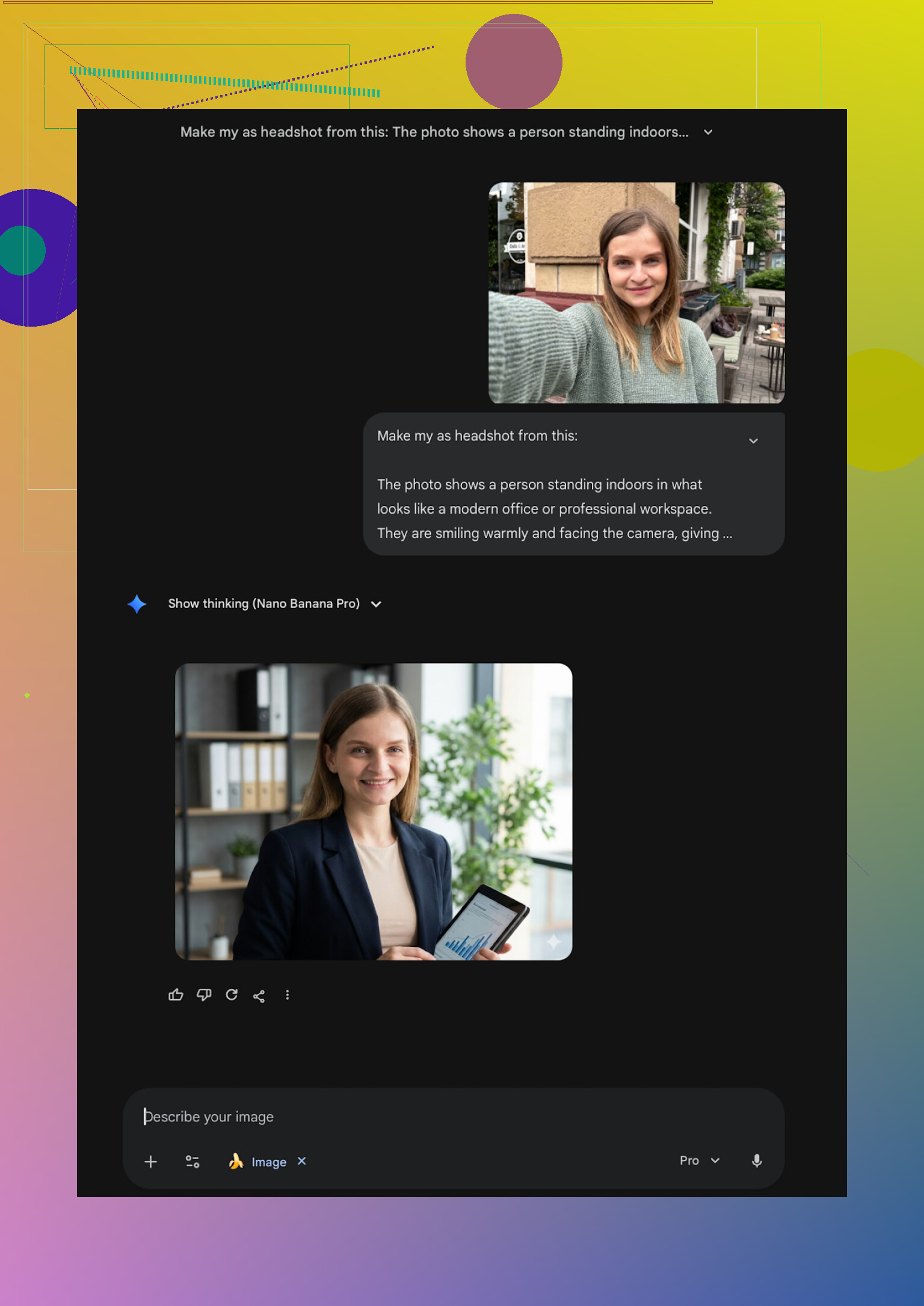
Gemini with the image model did surprisingly well on photorealistic outputs. Faces and lighting came out cleaner than I expected.
The catch is safety filters. Sometimes it refused to generate something when it felt the request was too close to a real person. I had to rephrase prompts, avoid things like “make me look like X celebrity” and stick to “professional headshot in an office with soft lighting” type phrasing.
For zero extra dollars, this approach is not bad if you are willing to iterate. You end up doing the template thinking yourself, though. No convenient preset library.
What I ended up using
After trying all of these, I noticed a pattern in my own behavior.
-
For quick, free tinkering
Gemini gave me the best free quality once I learned how to phrase prompts and feed a good selfie. -
For something I would show on LinkedIn or to recruiters
I kept coming back to Eltima on iPhone. The combo of multi-photo training, one free photo per day, and many templates made it easier to stick with. I did not have to fiddle with prompts, I only had to pick template and adjust. -
For corporate “everyone needs the same style”
HeadshotPro and Aragon felt more appropriate than any app. If my company suddenly forced a uniform employee directory, I would push those links to HR.
If you want to copy my approach with minimal time:
iPhone
Start with Eltima’s free daily shot. If you like the face consistency, pay once for a batch and be done for a year.
Android
Try Remini for quick tests, then cross-check with GIO or Momo if you hate the smoothing. Do not lock into long subscriptions until you see at least 10 results.
Desktop, no extra cost
If you already use ChatGPT or Gemini, try the description loop method above. Expect to spend an evening tweaking.
That is everything I tried. If you care about one platform specifically, say which one and what kind of photo you need, and I can narrow this down even more.
10 Likes
I had the same problem as you. Most iOS headshot apps made me look like a wax figure or a distant cousin.
My experience, plus some overlap with what @mikeappsreviewer tested:
- Best iPhone pick right now
Eltima Ai Headshot Generator App on iOS is the only one that gave me photos I felt safe putting on LinkedIn and in job applications.
Key points from my runs with it:
- Likeness: Face shape, age, skin tone stayed accurate. No “Instagram filter face”.
- Inputs: Feed it 5 to 10 clear selfies in different lighting and outfits, not one blurry car selfie. That improved results a lot.
- Styles: The LinkedIn, “corporate casual”, and studio styles look like real photos, not AI art. I avoided the more creative templates when I wanted strict professional.
- Free: One free headshot per day is useful to test before paying. I used that to find a style that looked like me, then paid once for a batch.
I disagree a bit with the idea you only need one source photo. Technically it works, but when I trained it with multiple selfies, likeness jumped a lot. With a single pic I got more off-angle results and weird ears.
- How I made it look less fake
Whatever app you use, a few things helped a lot:
- Use recent photos, same haircut, same facial hair, same glasses.
- Avoid heavy makeup or weird lighting in the training shots.
- When you pick templates, stick to neutral lighting, office or studio backgrounds, plain blazer or shirt. The “CEO on a stage” stuff starts to look AI fast.
- If the skin looks too smooth, regenerate with another template. Eltima had enough options that one looked natural without airbrush skin.
- Other options I tested on iPhone
- Remini: Good for casual stuff, but the “professional” shots kept giving me a sharper jaw and makeup vibe I did not want. HR people spot that.
- Collart, IRMO, random “AI avatar” apps: Fun, but the likeness drifted and resolution sometimes looked off. I would not send those with a resume.
- If you want a desktop route
For one-off use, web tools like Aragon or HeadshotPro are fine, but they want a lot of photos and you pay upfront. Output is safe and boring, which is good for conservative fields. On iPhone though, if you want something quick and controllable, Eltima ended up more practical for me.
My exact workflow now:
- Take 8 to 12 new selfies near a window, plain wall, no strong shadows.
- Train Eltima Ai Headshot Generator App with those.
- Generate 10 to 20 shots in “business / LinkedIn” presets.
- Pick 2: one neutral smile, one slightly more relaxed, export at full resolution.
That gave me photos that passed the “no one asked if this was AI” test in interviews.
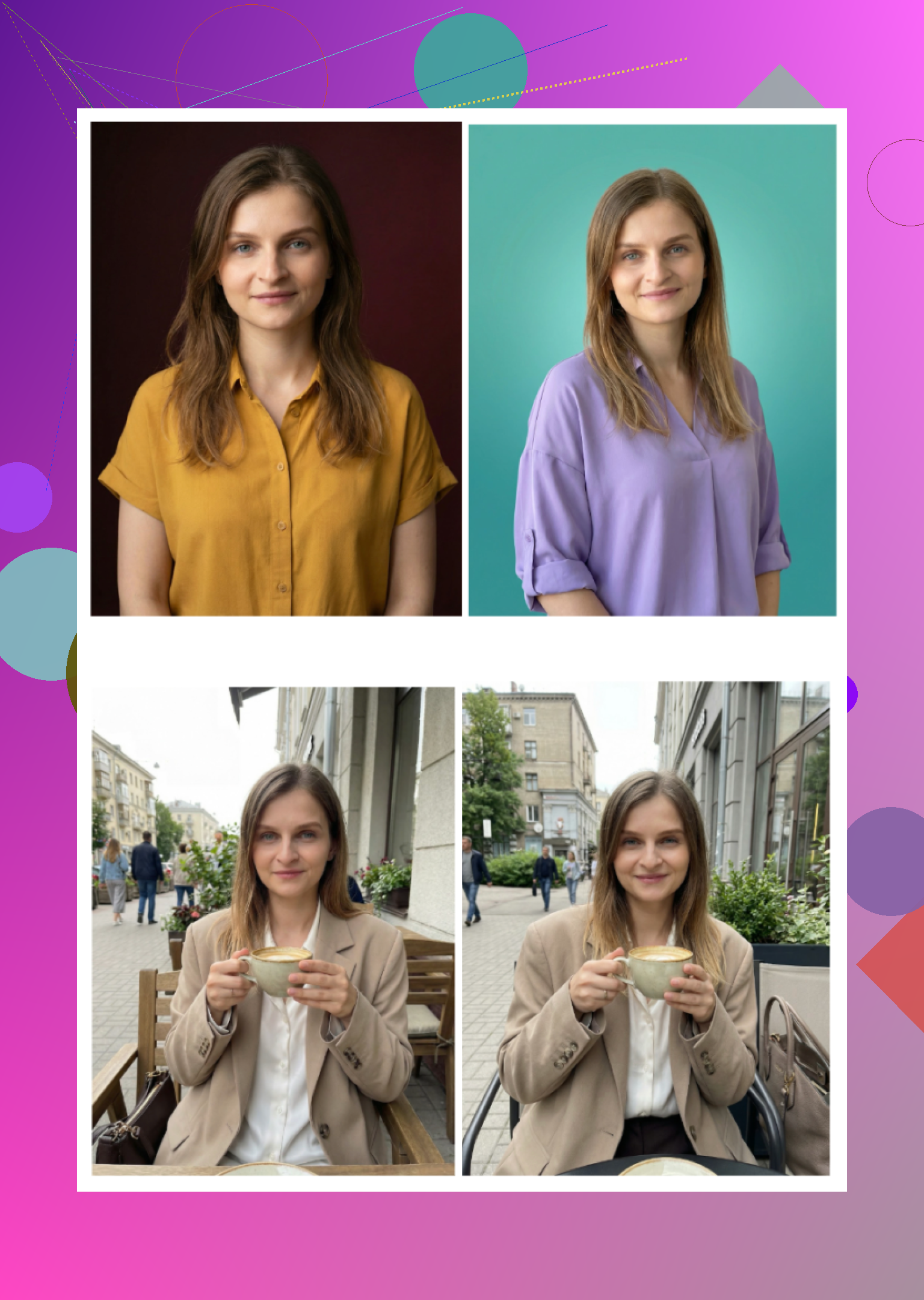
I was in exactly your spot a few weeks ago: every “AI headshot” app either turned me into a Marvel character or a wax figure. After trying a bunch (including what @mikeappsreviewer and @jeff went through), here’s where I actually landed on iPhone.
Short answer:
If your priority is “looks like a real photo of me for LinkedIn,” the only iOS app that consistently hit that bar for me was the Eltima Ai Headshot Generator App. Everything else I’d put in “fun toy” or “borderline OK if you don’t look too close.”
A few points that slightly differ from what’s already been said:
-
Eltima vs the others on realism
- Eltima’s outputs looked the least “AI-ish” in my case. Skin still had pores, hair wasn’t plastic, and it didn’t randomly shave 10 years off my face.
- Remini: faces looked over-smoothed and subtly “prettified.” Great for socials, but on a CV it triggered my “this looks filtered” radar.
- Collart / IRMO: I’d actually put these in the “avatar / toy” category. Likeness drifted too often, especially from a single input photo.
-
Where I disagree a bit with others
- Some folks say any app is fine if you crank out enough variants. I don’t think so. If the model’s default style is plastic, you’re just generating 100 plastic versions of yourself.
- I also wouldn’t rely on the “one selfie is enough” claim. With Eltima, using just one source photo gave me decent but not great likeness. Once I gave it a small set of recent, clear selfies, the improvement was obvious.
-
How I’d use Eltima specifically for LinkedIn / jobs
Without rehashing step-by-step guides others posted, here’s what actually mattered:- Stick to the classic LinkedIn / studio / corporate templates in Eltima. Ignore the super creative or dramatic styles for anything job related.
- Favor neutral backgrounds: light grey, soft office, simple gradient. The wild color walls scream “AI generator” fast.
- Pay attention to clothes the template gives you. Some “founder” or “speaker” looks are a bit too staged. A plain shirt or blazer combo looked the most believable in my runs.
- If a result looks almost right but the skin is too perfect, just regenerate that same style a couple times. Eltima varies subtly between attempts and one of them usually lands in the “natural” zone.
-
When to skip mobile apps entirely
If you’re in ultra-conservative industries (big law, finance, government), you might actually be better served by something like Aragon or HeadshotPro on desktop, which @mikeappsreviewer and @jeff already dug into. They are boring, but boring is kind of the point there. On iPhone though, I didn’t see anything beat Eltima for a mix of realism and convenience. -
Brutal honesty check
- If you immediately notice it looks AI, recruiters probably will too. Don’t use anything where your jawline, teeth, or eyes look “too upgraded.”
- Also, trash any result where it quietly changes your age, ethnicity, or major facial features. That might be normal for avatar apps, but it looks shady in a professional context.
So if you’re tired of low-res and “sort-of-my-cousin” faces, I’d start with the Eltima Ai Headshot Generator App on iPhone, stick to the safe business presets, and ignore all the gimmicky stuff. That’s the only combo where people stopped asking me, “Is this AI?” and just treated it as a normal photo.